> ## Documentation Index
> Fetch the complete documentation index at: https://activitysmith.com/docs/llms.txt
> Use this file to discover all available pages before exploring further.
# Quickstart
> Send Live Activities and push notifications to your iOS devices from any backend
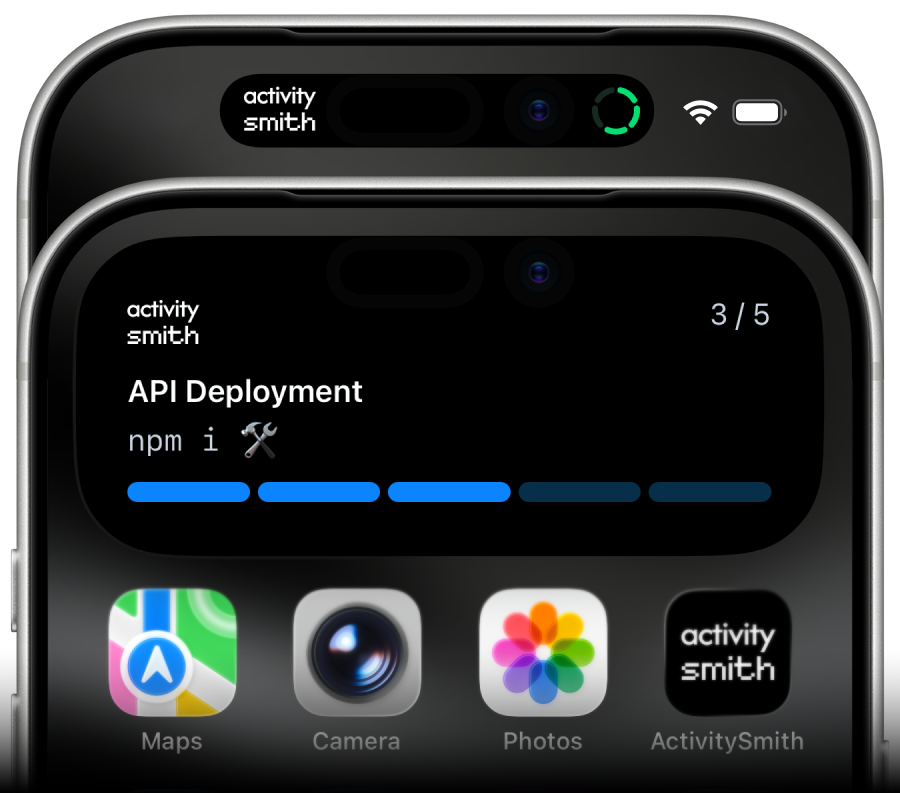
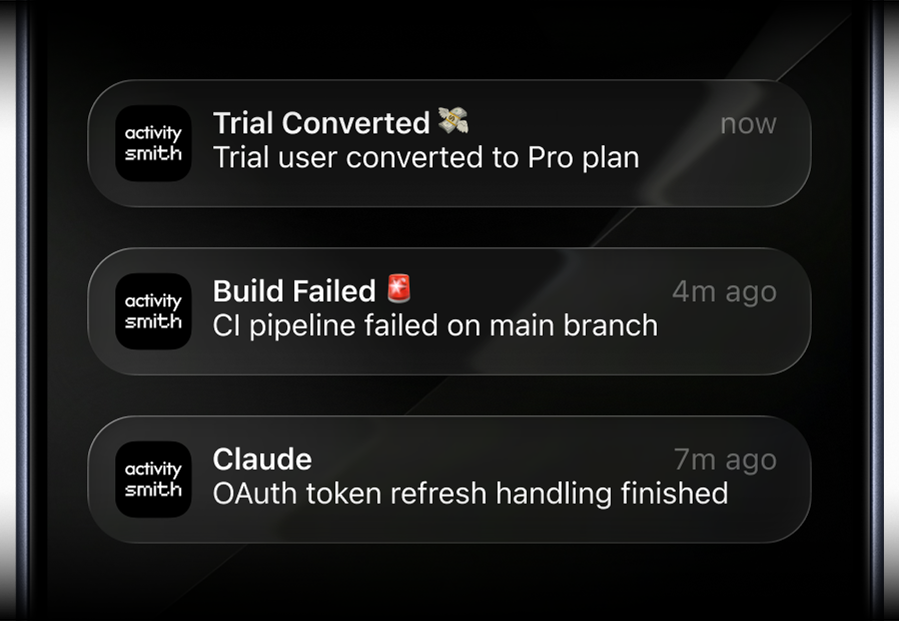
## Welcome to ActivitySmith
[ActivitySmith](https://activitysmith.com) is API service that lets you trigger and update Live Activities and send push notifications directly from your own infrastructure.
Pair your iOS device(s), authenticate with an [API key](/docs/api-keys), and send real-time alerts from any backend, cron, agent, or automation. Without building or maintaining your own iOS app or dealing directly with APNs.
Check out the following resources to get started:
* **API**: [Documentation](https://activitysmith.com/docs/api-reference/introduction)
* **SDKs**: [Node](https://activitysmith.com/docs/sdks/node), [Python](https://activitysmith.com/docs/sdks/python), [Go](https://activitysmith.com/docs/sdks/go), [PHP](https://activitysmith.com/docs/sdks/php), [Ruby](https://activitysmith.com/docs/sdks/ruby), [CLI](https://activitysmith.com/docs/sdks/cli)
* **Others**: [Zapier](https://zapier.com/apps/activitysmith/integrations)
Want an SDK or Integration? Let us know at [adam@activitysmith.com](mailto:adam@activitysmith.com).
### Prerequisites
* [Create an API key](https://activitysmith.com/app/keys)
* [Download our iOS app](https://apps.apple.com/us/app/activitysmith/id6752254835) and pair your device(s)
### Features
* [**Push Notifications**](#push-notifications): send push notifications to all paired devices or target specific channels.
* [**Live Activities**](#live-activities): start, update and end a Live Activity on your lock screen or dynamic island, with optional channel targeting and action buttons.
* [**Widgets**](/docs/widgets): display any value on your Lock Screen with widgets - SaaS metrics, revenue, signups, uptime, habits, or anything else you want to track.
* [**App Icon Badge Count**](/docs/app-icon-badge-count): show the number you care about on your ActivitySmith app icon.
* [**Inbound Webhooks**](/docs/inbound-webhooks): forward events from external services such as Vercel, Netlify, Railway, and more, into Push Notifications and Live Activities.
### Powerful Capabilities
* **Glanceable observability**: monitor real-time system state and long-running operations directly on your lock screen or dynamic island.
* **The hard stuff**: APNs(Apple Push Notification service), certificates, orchestration
* **Customizability**: adapt the experience to fit your unique needs.
* **Works with any backend**: use with any backend, cron, agent, automation or AI tool.
* **iOS app**: ready to use native iOS app for your iPhone or iPad. No need to build your own.
## Push Notifications
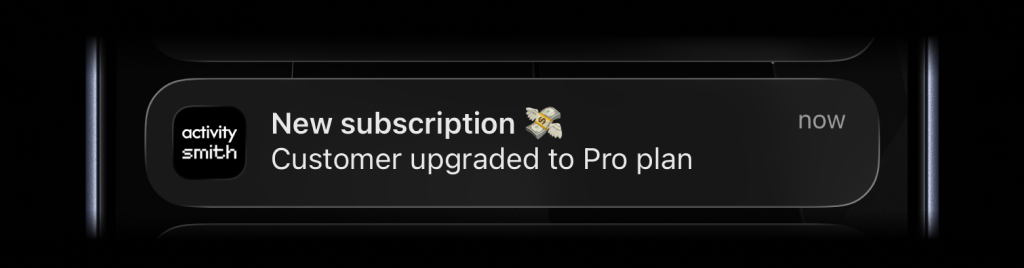
To send a push notification, use the `push-notification` endpoint. It takes `title` and optional fields like `message`, `payload`, `media`, `redirection`, `actions`, and `target.channels`.\
`target.channels` accepts channel slugs (for example `["devs", "ops"]`).
* `media` attaches an image, audio file, or video that users can preview or play when they expand the notification.
* `redirection` opens an HTTP or HTTPS URL or runs a specific iPhone Shortcut with a `shortcuts://run-shortcut?name=...` URL on normal tap.
* `actions` (up to 4) appear when users expand the notification. `open_url` actions support HTTP or HTTPS URLs and `shortcuts://run-shortcut?name=...` URLs; `webhook` actions call your backend.
* `media + redirection` is supported.
* `media + actions` is not supported in v1.
 ```bash cURL theme={null}
curl -X POST https://activitysmith.com/api/push-notification \
-H "Authorization: Bearer $ACTIVITYSMITH_API_KEY" \
-H "Content-Type: application/json" \
-d '{
"title": "New subscription 💸",
"message": "Customer upgraded to Pro plan"
}'
```
```js Node theme={null}
import ActivitySmith from "activitysmith";
const activitysmith = new ActivitySmith({
apiKey: process.env.ACTIVITYSMITH_API_KEY,
});
await activitysmith.notifications.send({
title: "New subscription 💸",
message: "Customer upgraded to Pro plan",
});
```
```python Python theme={null}
import os
from activitysmith import ActivitySmith
activitysmith = ActivitySmith(
api_key=os.environ.get("ACTIVITYSMITH_API_KEY", "YOUR-API-KEY")
)
activitysmith.notifications.send(
title="New subscription 💸",
message="Customer upgraded to Pro plan",
)
```
```go Go theme={null}
package main
import (
"log"
"os"
activitysmithsdk "github.com/ActivitySmithHQ/activitysmith-go"
)
func main() {
activitysmith, err := activitysmithsdk.New(os.Getenv("ACTIVITYSMITH_API_KEY"))
if err != nil {
log.Fatal(err)
}
input := activitysmithsdk.PushNotificationInput{
Title: "New subscription 💸",
Message: "Customer upgraded to Pro plan",
}
_, err := activitysmith.Notifications.Send(input)
if err != nil {
log.Fatal(err)
}
}
```
```php PHP theme={null}
notifications->send(
title: 'New subscription 💸',
message: 'Customer upgraded to Pro plan',
);
```
```ruby Ruby theme={null}
require "activitysmith"
activitysmith = ActivitySmith::Client.new(
api_key: ENV.fetch("ACTIVITYSMITH_API_KEY", "YOUR-API-KEY")
)
activitysmith.notifications.send(
{
title: "New subscription 💸",
message: "Customer upgraded to Pro plan"
}
)
```
```bash CLI theme={null}
activitysmith push \
--title "New subscription 💸" \
--message "Customer upgraded to Pro plan"
```
**Response**
```json theme={null}
{
"success": true,
"devices_notified": 3,
"users_notified": 1,
"timestamp": "2025-08-12T12:00:00.000Z"
}
```
## Live Activities
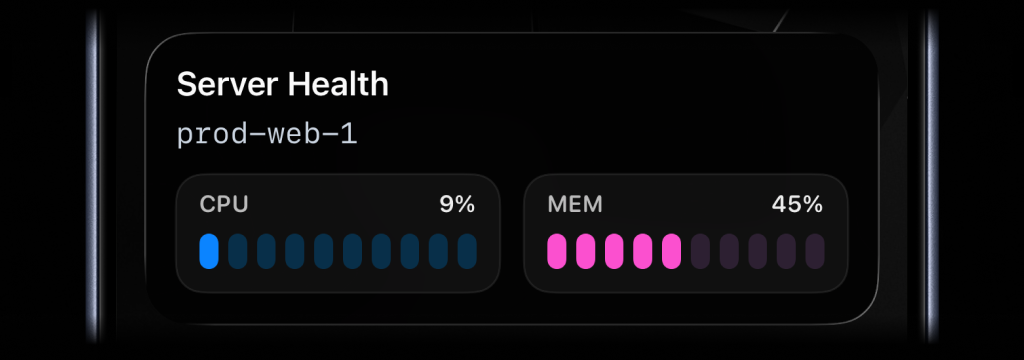
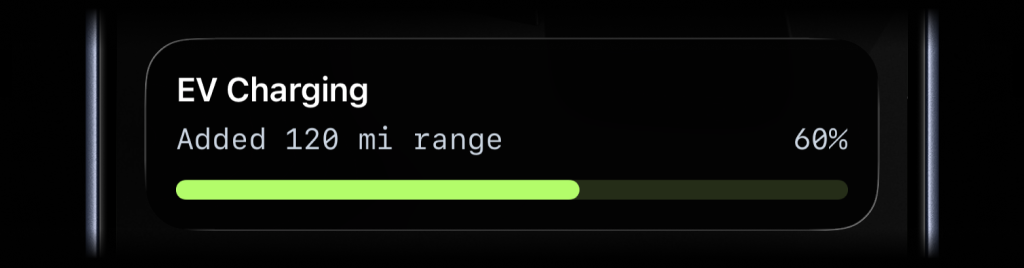
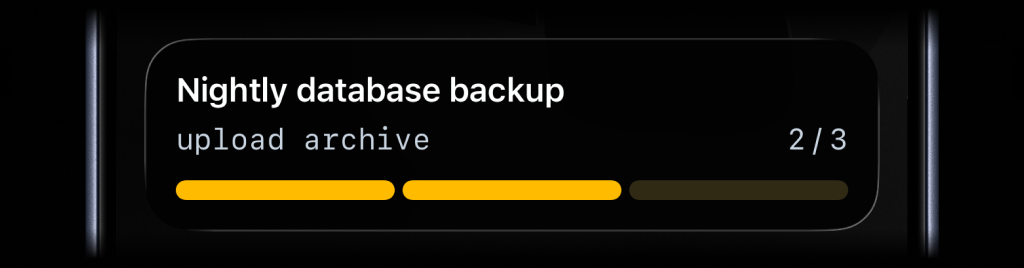
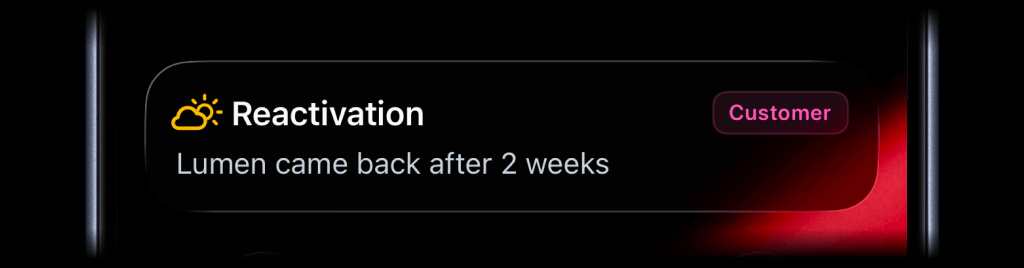
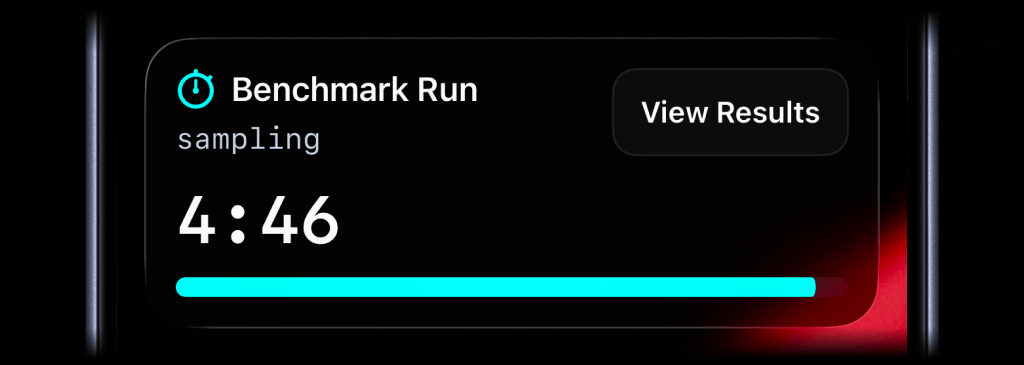
There are six types of Live Activities:
| Type | Best for | Required state |
| -------------------- | ----------------------------- | ------------------------------------------------------------------------------ |
| `stats` | up to 8 labeled values | `title`, `type`, and a non-empty `metrics` array |
| `metrics` | Live operational stats | `title`, `type`, and a non-empty `metrics` array |
| `segmented_progress` | Jobs tracked in steps | `title`, `type`, `number_of_steps`, `current_step` |
| `progress` | Jobs with continuous progress | `title`, `type`, and either `percentage` or `value` + `upper_limit` |
| `alert` | Focused status updates | `title`, `type`, and `message` |
| `timer` | Countdowns or elapsed runtime | `title`, `type`, and either `duration_seconds` or `counts_down` set to `false` |
```bash cURL theme={null}
curl -X POST https://activitysmith.com/api/push-notification \
-H "Authorization: Bearer $ACTIVITYSMITH_API_KEY" \
-H "Content-Type: application/json" \
-d '{
"title": "New subscription 💸",
"message": "Customer upgraded to Pro plan"
}'
```
```js Node theme={null}
import ActivitySmith from "activitysmith";
const activitysmith = new ActivitySmith({
apiKey: process.env.ACTIVITYSMITH_API_KEY,
});
await activitysmith.notifications.send({
title: "New subscription 💸",
message: "Customer upgraded to Pro plan",
});
```
```python Python theme={null}
import os
from activitysmith import ActivitySmith
activitysmith = ActivitySmith(
api_key=os.environ.get("ACTIVITYSMITH_API_KEY", "YOUR-API-KEY")
)
activitysmith.notifications.send(
title="New subscription 💸",
message="Customer upgraded to Pro plan",
)
```
```go Go theme={null}
package main
import (
"log"
"os"
activitysmithsdk "github.com/ActivitySmithHQ/activitysmith-go"
)
func main() {
activitysmith, err := activitysmithsdk.New(os.Getenv("ACTIVITYSMITH_API_KEY"))
if err != nil {
log.Fatal(err)
}
input := activitysmithsdk.PushNotificationInput{
Title: "New subscription 💸",
Message: "Customer upgraded to Pro plan",
}
_, err := activitysmith.Notifications.Send(input)
if err != nil {
log.Fatal(err)
}
}
```
```php PHP theme={null}
notifications->send(
title: 'New subscription 💸',
message: 'Customer upgraded to Pro plan',
);
```
```ruby Ruby theme={null}
require "activitysmith"
activitysmith = ActivitySmith::Client.new(
api_key: ENV.fetch("ACTIVITYSMITH_API_KEY", "YOUR-API-KEY")
)
activitysmith.notifications.send(
{
title: "New subscription 💸",
message: "Customer upgraded to Pro plan"
}
)
```
```bash CLI theme={null}
activitysmith push \
--title "New subscription 💸" \
--message "Customer upgraded to Pro plan"
```
**Response**
```json theme={null}
{
"success": true,
"devices_notified": 3,
"users_notified": 1,
"timestamp": "2025-08-12T12:00:00.000Z"
}
```
## Live Activities
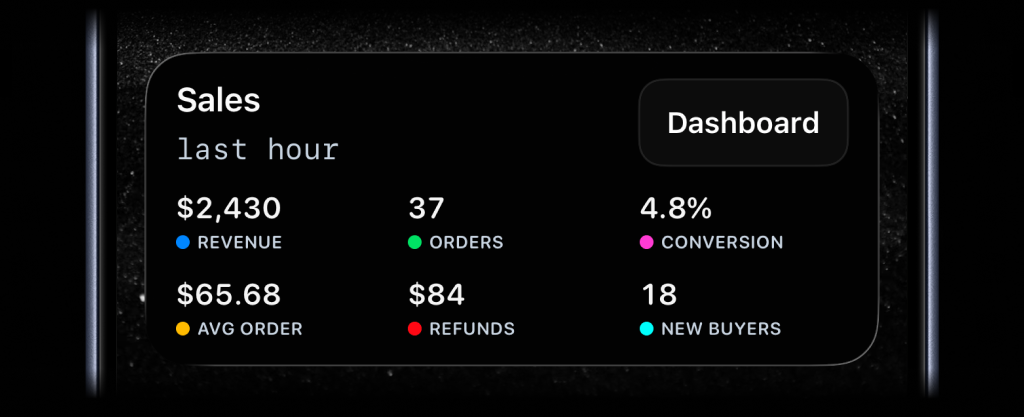
There are six types of Live Activities:
| Type | Best for | Required state |
| -------------------- | ----------------------------- | ------------------------------------------------------------------------------ |
| `stats` | up to 8 labeled values | `title`, `type`, and a non-empty `metrics` array |
| `metrics` | Live operational stats | `title`, `type`, and a non-empty `metrics` array |
| `segmented_progress` | Jobs tracked in steps | `title`, `type`, `number_of_steps`, `current_step` |
| `progress` | Jobs with continuous progress | `title`, `type`, and either `percentage` or `value` + `upper_limit` |
| `alert` | Focused status updates | `title`, `type`, and `message` |
| `timer` | Countdowns or elapsed runtime | `title`, `type`, and either `duration_seconds` or `counts_down` set to `false` |
 ### Start & Update Live Activity
Use stream updates to start, update, and dismiss Live Activities with a stable
`stream_key`.
* [`PUT /live-activity/stream/:stream_key`](/docs/stream)
* [`DELETE /live-activity/stream/:stream_key`](/docs/stream)
Send the latest state for a stable `stream_key`, and ActivitySmith starts or
updates the Live Activity. You do not need to keep local state between updates.
When the work is done, call `DELETE /live-activity/stream/:stream_key` with the
same `stream_key` to dismiss the Live Activity. You can include final values
before it is removed. By default, iOS removes the Live Activity after two
minutes. Set `auto_dismiss_minutes` to choose a different dismissal time,
including `0` for immediate dismissal.
### Action Buttons
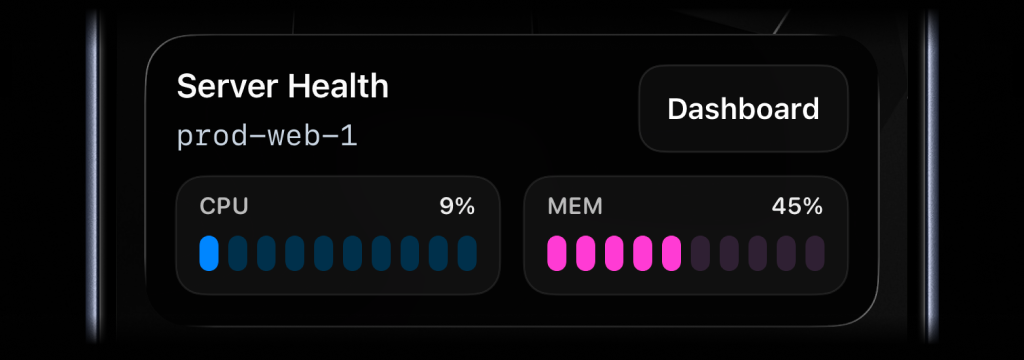
Live Activities support an optional `action` button shown on the Lock Screen. Use it to have a one-tap path from a long-running job to the place where you can act on it. The `action` field is accepted on stream updates and works with all Live Activity types.
`alert`, `progress`, and `segmented_progress` Live Activities also support `secondary_action`, which adds a second button beside the primary action. Both buttons use the same payload shape.
For `alert` Live Activities, set `content_state.color` to tint the action
and secondary action buttons. `icon.color` and `badge.color` only affect the icon and badge.
### Start & Update Live Activity
Use stream updates to start, update, and dismiss Live Activities with a stable
`stream_key`.
* [`PUT /live-activity/stream/:stream_key`](/docs/stream)
* [`DELETE /live-activity/stream/:stream_key`](/docs/stream)
Send the latest state for a stable `stream_key`, and ActivitySmith starts or
updates the Live Activity. You do not need to keep local state between updates.
When the work is done, call `DELETE /live-activity/stream/:stream_key` with the
same `stream_key` to dismiss the Live Activity. You can include final values
before it is removed. By default, iOS removes the Live Activity after two
minutes. Set `auto_dismiss_minutes` to choose a different dismissal time,
including `0` for immediate dismissal.
### Action Buttons
Live Activities support an optional `action` button shown on the Lock Screen. Use it to have a one-tap path from a long-running job to the place where you can act on it. The `action` field is accepted on stream updates and works with all Live Activity types.
`alert`, `progress`, and `segmented_progress` Live Activities also support `secondary_action`, which adds a second button beside the primary action. Both buttons use the same payload shape.
For `alert` Live Activities, set `content_state.color` to tint the action
and secondary action buttons. `icon.color` and `badge.color` only affect the icon and badge.
There are two action types:
* `open_url`: opens an HTTP or HTTPS URL or runs a specific iPhone Shortcut with a `shortcuts://run-shortcut?name=...` URL.
* `webhook`: ActivitySmith's backend calls your HTTPS webhook with `GET` or `POST`.
The `action` and `secondary_action` objects accept:
| Field | Required | Description |
| -------- | ------------ | ---------------------------------------------------------------------------------------------------------------------------- |
| `title` | yes | Button label shown on the Live Activity. |
| `type` | yes | Either `open_url` or `webhook`. |
| `url` | yes | For `open_url`, use an HTTP or HTTPS URL or a `shortcuts://run-shortcut?name=...` URL. For `webhook`, use an HTTPS endpoint. |
| `method` | webhook only | `GET` or `POST`. |
| `body` | webhook only | Optional JSON payload sent with the webhook request. |
#### open\_url
Use `open_url` when the button should jump the user to a dashboard or run page
tied to the work. You can also use a `shortcuts://run-shortcut?name=...` URL to
run a specific iPhone Shortcut, for example to open an app on your iPhone.
```json theme={null}
{
"content_state": {
"title": "Deploying payments-api",
"subtitle": "Running database migrations",
"number_of_steps": 5,
"current_step": 3,
"type": "segmented_progress"
},
"action": {
"title": "Open Workflow",
"type": "open_url",
"url": "https://github.com/acme/payments-api/actions/runs/1234567890"
}
}
```
#### webhook
Use `webhook` when the button should trigger an action in your backend, like
pausing a job, acknowledging an alert, or canceling a workflow. ActivitySmith
calls the URL server-side, so the user does not leave the Lock Screen.
```json theme={null}
{
"content_state": {
"title": "Reindexing product search",
"subtitle": "Shard 7 of 12",
"number_of_steps": 12,
"current_step": 7,
"type": "segmented_progress"
},
"action": {
"title": "Pause Reindex",
"type": "webhook",
"url": "https://ops.example.com/hooks/search/reindex/pause",
"method": "POST",
"body": {
"job_id": "reindex-2026-03-19",
"requested_by": "activitysmith"
}
}
}
```
#### secondary\_action
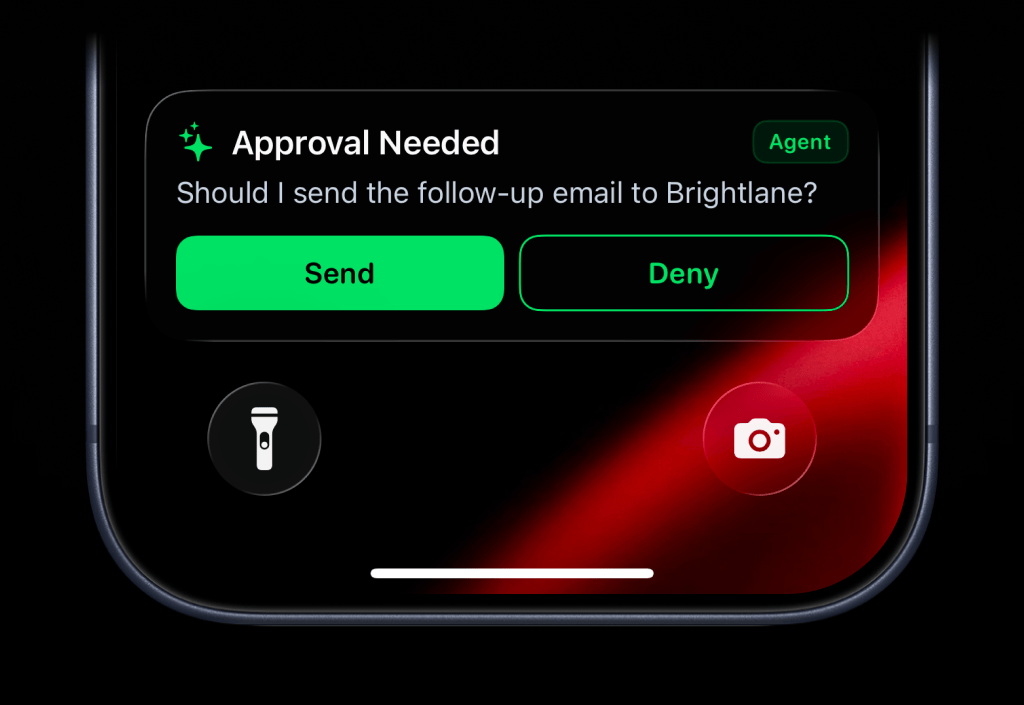
Use `secondary_action` when an `alert`, `progress`, or `segmented_progress` Live Activity needs a second button, for example an approval prompt with "Send" and "Deny" actions.
```json theme={null}
{
"content_state": {
"title": "Approval Needed",
"message": "Should I send the follow-up email to Brightlane?",
"type": "alert",
"color": "green",
"icon": {
"symbol": "sparkles",
"color": "green"
},
"badge": {
"title": "Agent",
"color": "green"
}
},
"action": {
"title": "Send",
"type": "webhook",
"url": "https://agent.example.com/live-activity/approve",
"method": "POST",
"body": {
"approval_id": "approval_01JY3J7Q9S0P8M1V5PZK7DR4M2",
"decision": "send"
}
},
"secondary_action": {
"title": "Deny",
"type": "webhook",
"url": "https://agent.example.com/live-activity/deny",
"method": "POST",
"body": {
"approval_id": "approval_01JY3J7Q9S0P8M1V5PZK7DR4M2",
"decision": "deny"
}
}
}
```
Notes:
* `open_url` supports HTTP or HTTPS URLs and `shortcuts://run-shortcut?name=...` URLs.
* `webhook` URLs must use HTTPS.
* Use `action` for the primary button.
* Use `secondary_action` for a second button on `alert`, `progress`, and `segmented_progress` Live Activities.
* Pass `action` or `secondary_action` on an update call to set or replace buttons on an active Live Activity.
## Channel Targeting
You can use `channels` to target specific team members or devices when sending a push notification, live activity or app icon badge count update:
```json theme={null}
{
"target": {
"channels": ["devs", "ops"]
}
}
```
* If `target` is omitted and API key scope is `all`: send to all account recipients.
* If `target` is omitted and API key scope is `channels`: send to channels assigned to that key.
* If `target.channels` is present: only those channel slugs are used.