Netlify Webhooks Integration for Push Notifications and Live Activities
Use ActivitySmith to get Netlify deploy and form submission events on your iOS devices instead of buried in email. Add the generated inbound webhook URL to Netlify, choose the events you care about, and route them into Push Notifications and Live Activities for your team.
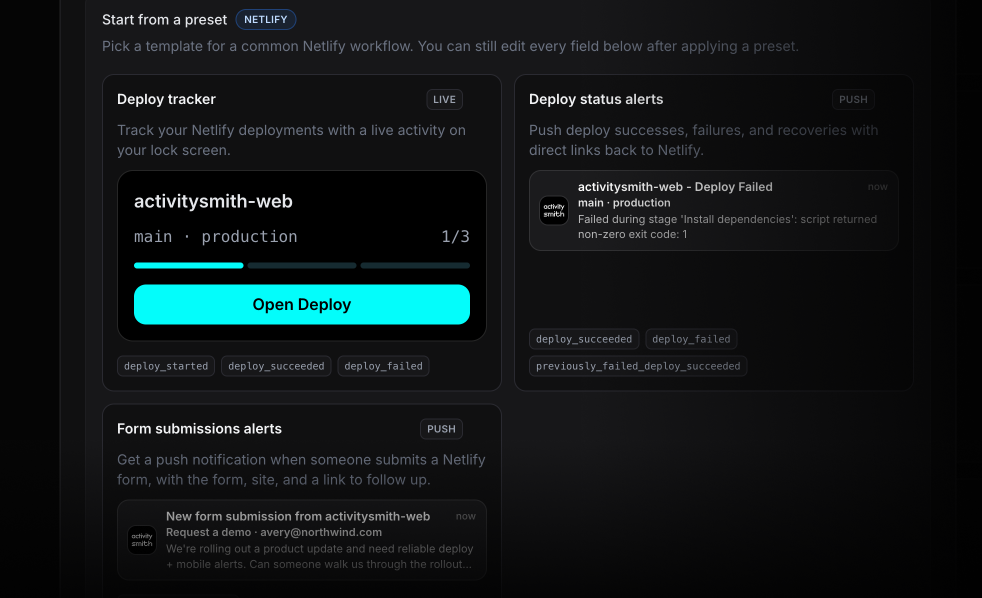
Start with a preset, not a blank canvas. There are ready-to-use presets for a deploy Live Activity, deploy status push notifications, and form submission push notifications, so you can get the first event flowing fast - then customize titles, actions, routing, and payload mapping however you want.
Why use this if Netlify already sends emails
Netlify emails the account owner on deploys and forwards form submissions to whoever is configured on the form. That works as a record. It is not great for shared visibility when something needs attention right now.
ActivitySmith puts the same events on the lock screen and in the ActivitySmith log, with links and actions that take people straight to the right Netlify page.
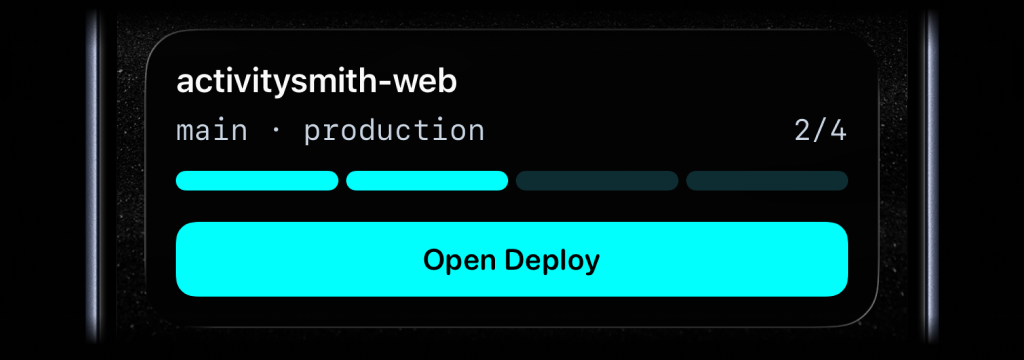
Track deployments live. Long-running deploys are a better fit for Live Activities than inbox threads. Start one when a deploy begins, update it as status changes, and let it disappear a few minutes after success or failure.
Route failures differently from the rest. Filter by deploy context so production deploy_failed and deploy_locked go straight to on-call while preview deploys stay quiet.
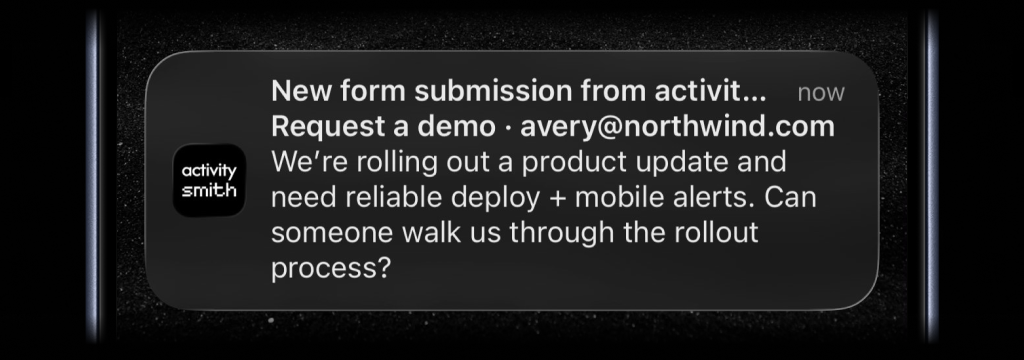
See new form submissions in seconds. When submission_created fires, send a push notification with the form name, submitter, and mapped fields so a new lead or support request shows up immediately instead of sitting in an inbox no one is watching.
You can use the preset as-is, or keep editing from there. Change the wording, map different payload fields, and add an action that opens the matching Netlify page on tap.
Ready to bring ActivitySmith into your workflow?
Start your 7-day free trial. No credit card required.
