Changelog
New Value Live Activity for Your Lock Screen
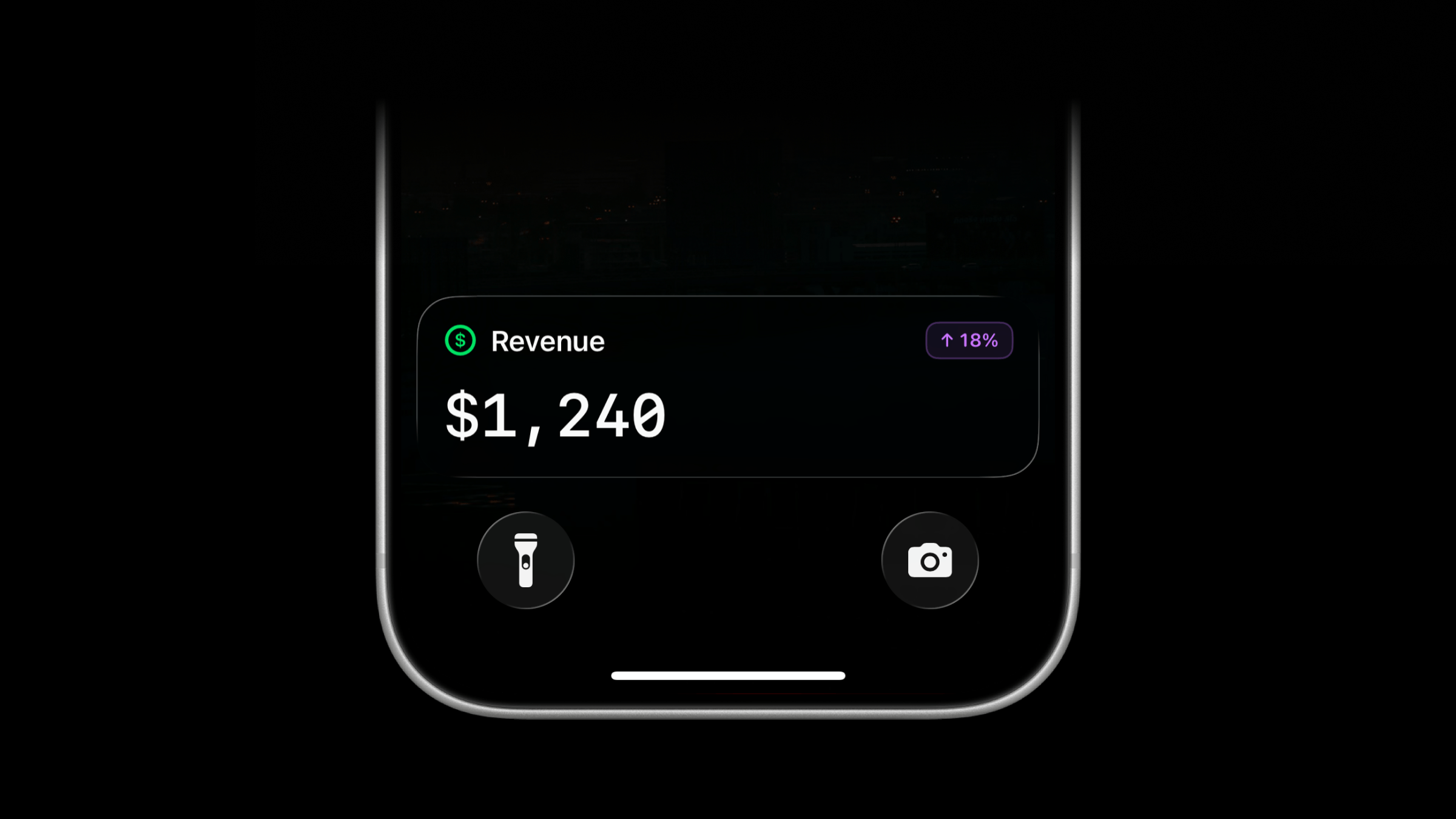
Live Activities now support a new activity type: value.
Use value to track a single number on your Lock Screen, such as revenue or temperature. The value appears in large text with a title above it.
Start a Value Live Activity
Use the same managed stream endpoint as other Live Activity types. Send type: "value" with a title and value.
The value field accepts a number such as 42, or a formatted string such as $1,240 or 23.50°C. Strings keep the formatting you supply, including decimal places and leading zeros.
Add an optional icon, badge, or subtitle to give the value context.
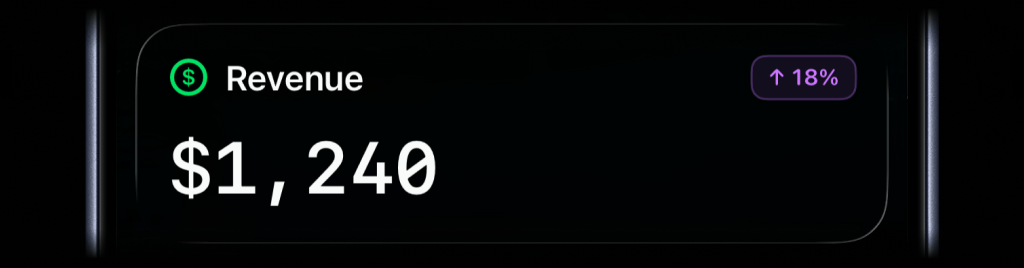
await activitysmith.liveActivities.stream("revenue-today", { content_state: ActivitySmith.contentState({ title: "Revenue", type: "value", value: "$1,240", color: "green", icon: ActivitySmith.alertIcon("dollarsign.circle", { color: "green" }), badge: ActivitySmith.alertBadge("↑ 18%", { color: "purple" }), }),});Call the same PUT /live-activity/stream/{stream_key} endpoint again whenever the value changes. ActivitySmith updates the Live Activity on paired devices.
When you no longer need to track the value, call DELETE /live-activity/stream/{stream_key} to end the Live Activity.
Add an Action Button
Value Live Activities can include optional action buttons, like other Live Activity types. Use them to open a related page, run an Apple Shortcut, or trigger a webhook.
await activitysmith.liveActivities.stream("revenue-today", { content_state: { title: "Revenue", type: "value", value: "$1,240", color: "green", }, action: { title: "View Dashboard", type: "open_url", url: "https://example.com/dashboard", },});Other Notable Additions
Three new app icons
Choose from three new app icons: Black, White, and Inverted Default. Open Settings → App Icon in the ActivitySmith iOS app to change yours.
Open apps from Push Notifications
Push Notification redirection and actions now support app deep links. Tap a notification or an action button to open an installed app or specific content within it.
- Spotify: Open a track with
spotify:track:6rqhFgbbKwnb9MLmUQDhG6. - Claude: Open the Code tab with
claude://code, or a specific session withclaude://code/SESSION_ID. - Termius: Open the app with
termius://.
Availability
Available across the API, SDKs, CLI, and MCP server.
This feature is available in the ActivitySmith iOS app version 1.15.0 and newer.
Metadata for Push Notifications and Live Activities
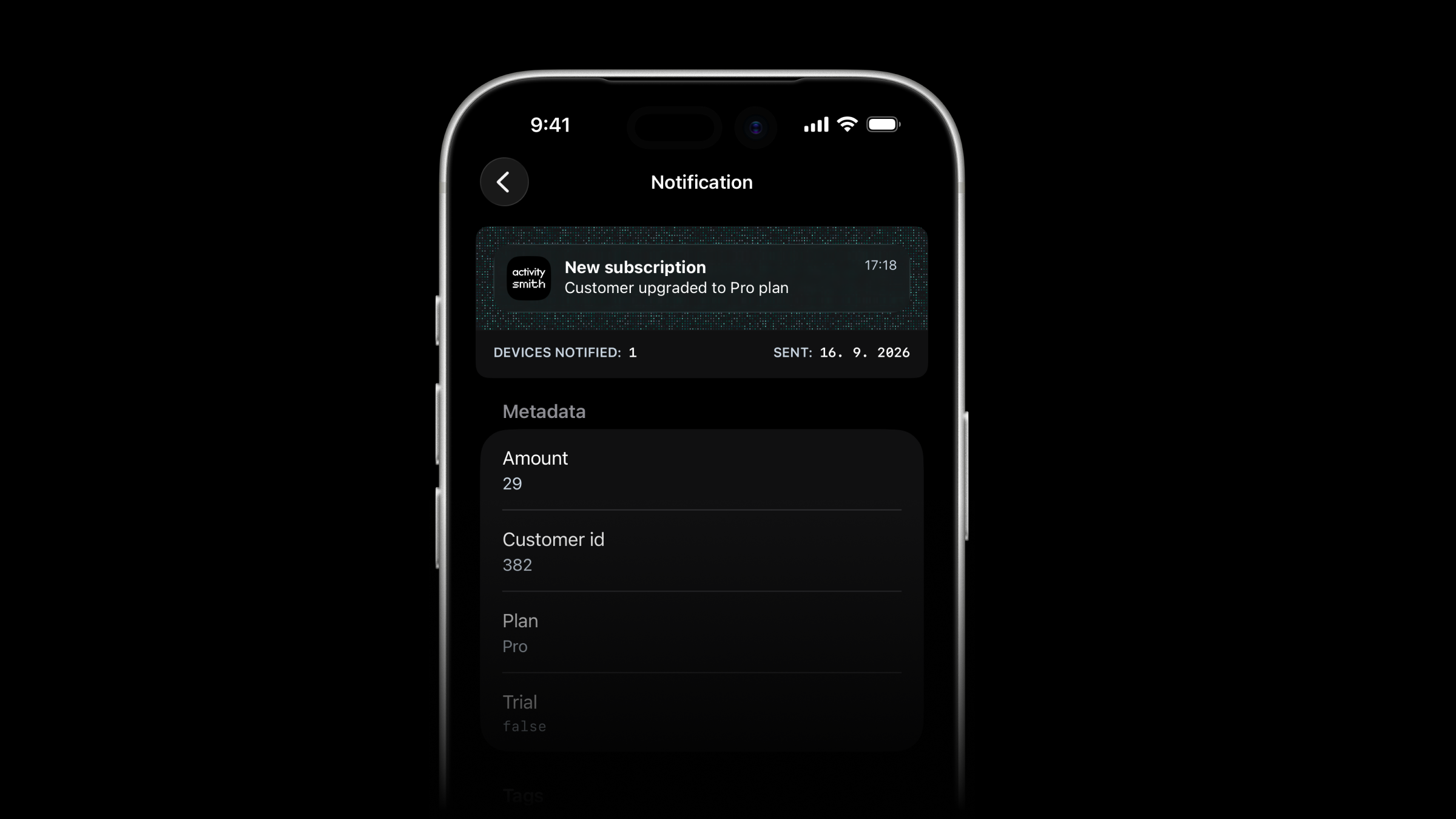
Push Notifications and Live Activities now support custom metadata. Add fields such as a customer ID, subscription amount, or job result, then view them in ActivitySmith on iOS or the web. Metadata does not appear on the Lock Screen.
Add metadata to your request
Include a metadata object with any extra information you want to attach to a Push Notification or Live Activity.
await activitysmith.notifications.send({ title: "New subscription", message: "Customer upgraded to Pro plan", metadata: { customer_id: "382", plan: "Pro", amount: 29, trial: false, },});Get started
Metadata values can be strings, numbers, or booleans, with up to 50 fields per request.
Add metadata through the API or MCP server. See the Metadata documentation for examples and supported values.
Tags for Push Notifications and Live Activities
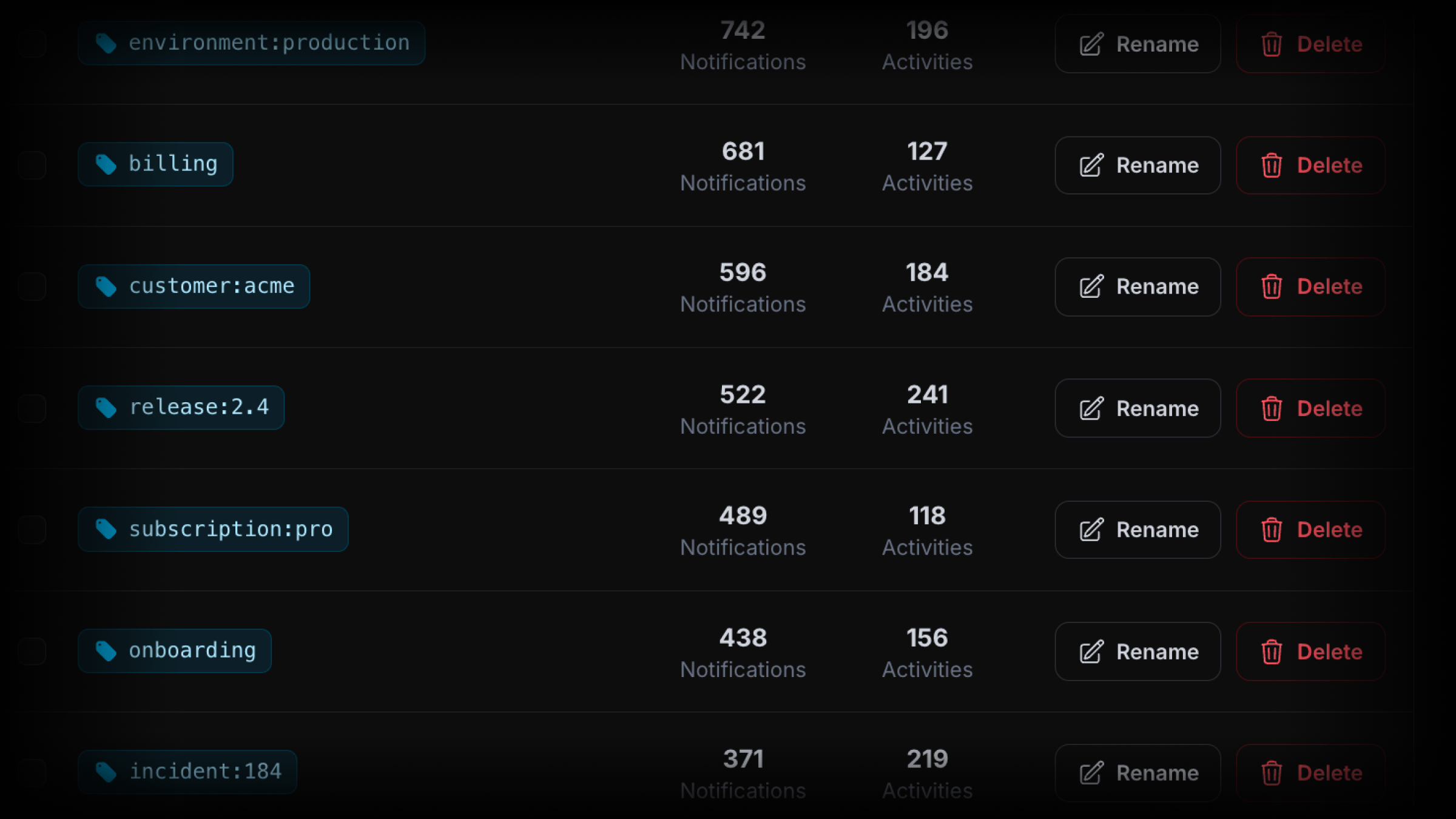
Tags are now available across ActivitySmith. Add one or more tags to Push Notifications and Live Activities to organize and filter their history in the web app.
Organize history around your own identifiers
Tags can represent customers, releases, environments, and workflows:
user:382orcustomer:acmefor customer history.release:2.4orenvironment:productionfor deploys and incidents.workflow:reindexorincident:184for operational work.
Tags are created automatically when first used, with up to 20 tags per request.
Add tags to any request
{ "title": "New subscription 💸", "message": "Customer upgraded to Pro plan", "tags": ["user:382", "billing"]}Browse related history
Click a tag in Push Notification history to see matching Push Notifications, or click one in Live Activity history to see matching Live Activities. The Tags view combines both into one timeline.
You can also search, sort, rename, and delete tags from the web app. Renaming a tag updates its visible name throughout history. Deleting a tag leaves the underlying Push Notifications and Live Activities intact.
Availability
Tags are available through the API, MCP server, SDKs and CLI, and web app. See the Tags documentation for request examples, filtering, and tag management.
Remote Approvals for AI Agents
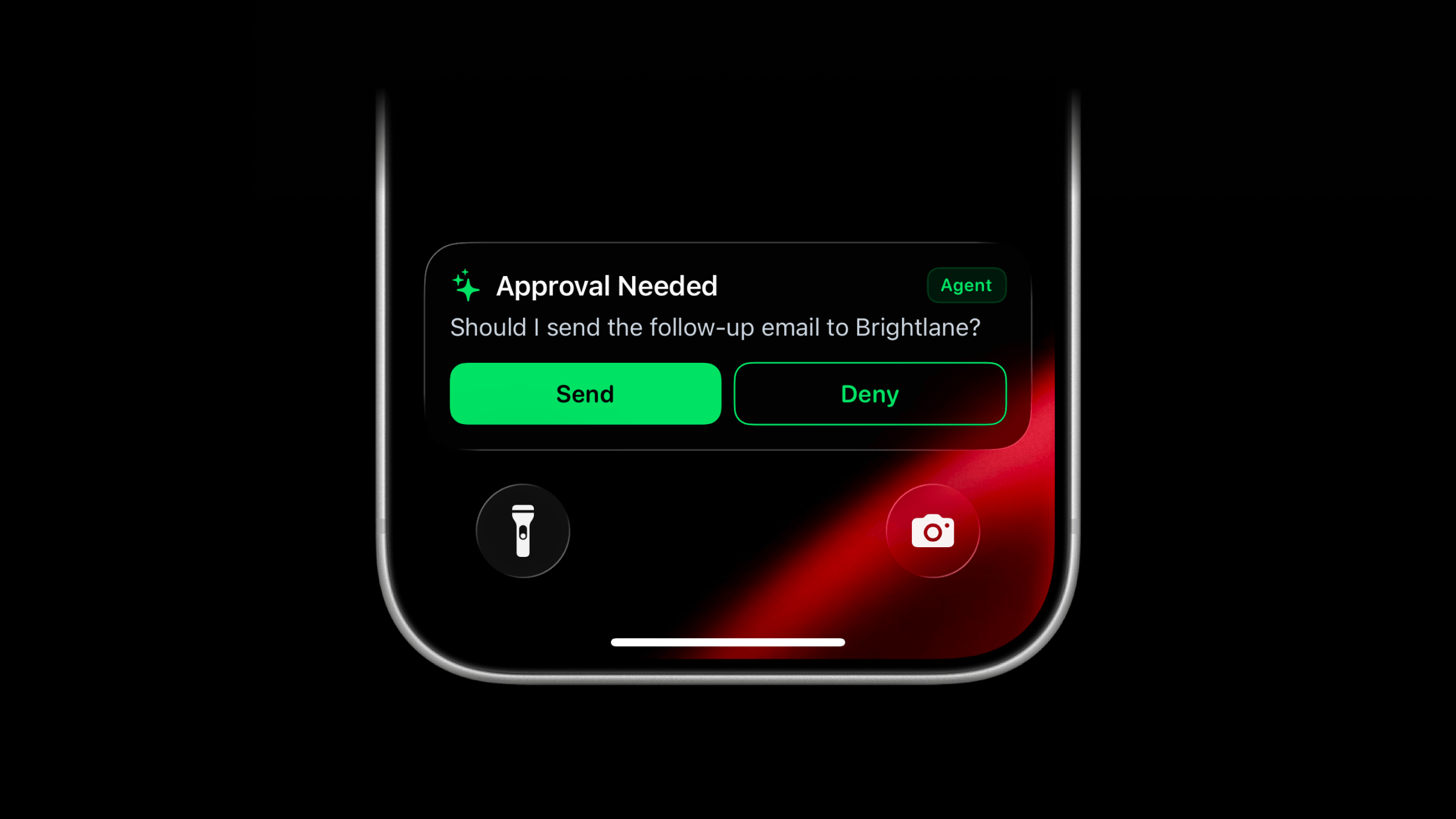
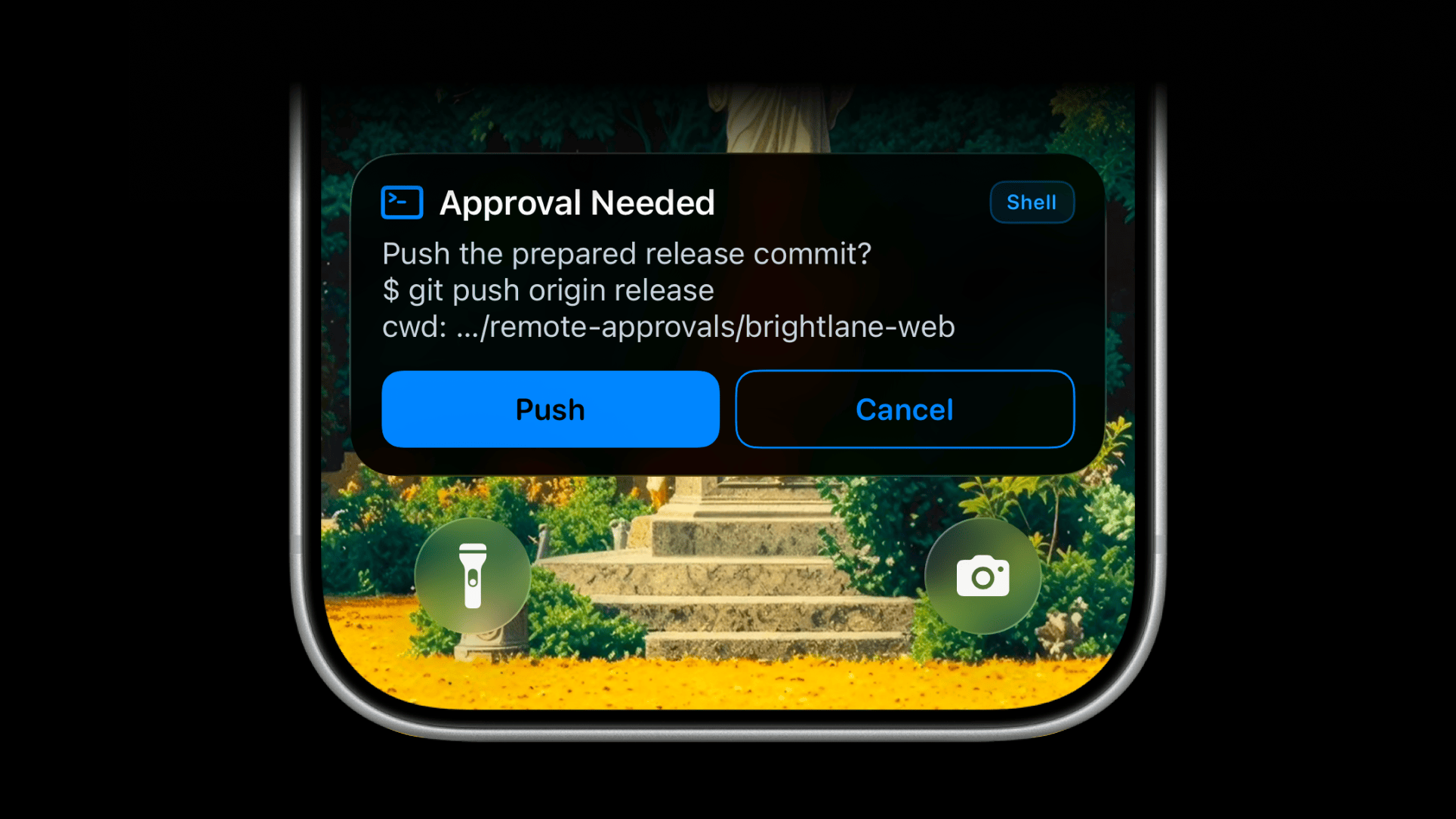
Remote approvals for AI agents are now available through the ActivitySmith MCP server. When an agent reaches a step that needs your permission, it can send the approval request to your iPhone as an actionable Push Notification or Live Activity, wait for your response, then continue with the result.
This gives actions like deploying to production, sending an email, publishing content, deleting data, or making a purchase an explicit human checkpoint without requiring you to stay beside the terminal.
How remote approvals work
- The agent sends ActivitySmith a question, optional context, and two action labels.
- ActivitySmith stores the approval and delivers it to your paired iPhone or iPad.
- You choose an action from the Push Notification or Live Activity.
- The decision returns to the same waiting agent through MCP.
The approval remains available for up to 30 minutes. ActivitySmith handles the stored request and returns the result, so you do not need to build a webhook endpoint or approval state management.
Choose how the approval appears
The same approval can arrive as either a Push Notification or Live Activity. Both surfaces show the question and actions, resolve the same stored request, and return the same result to the agent.
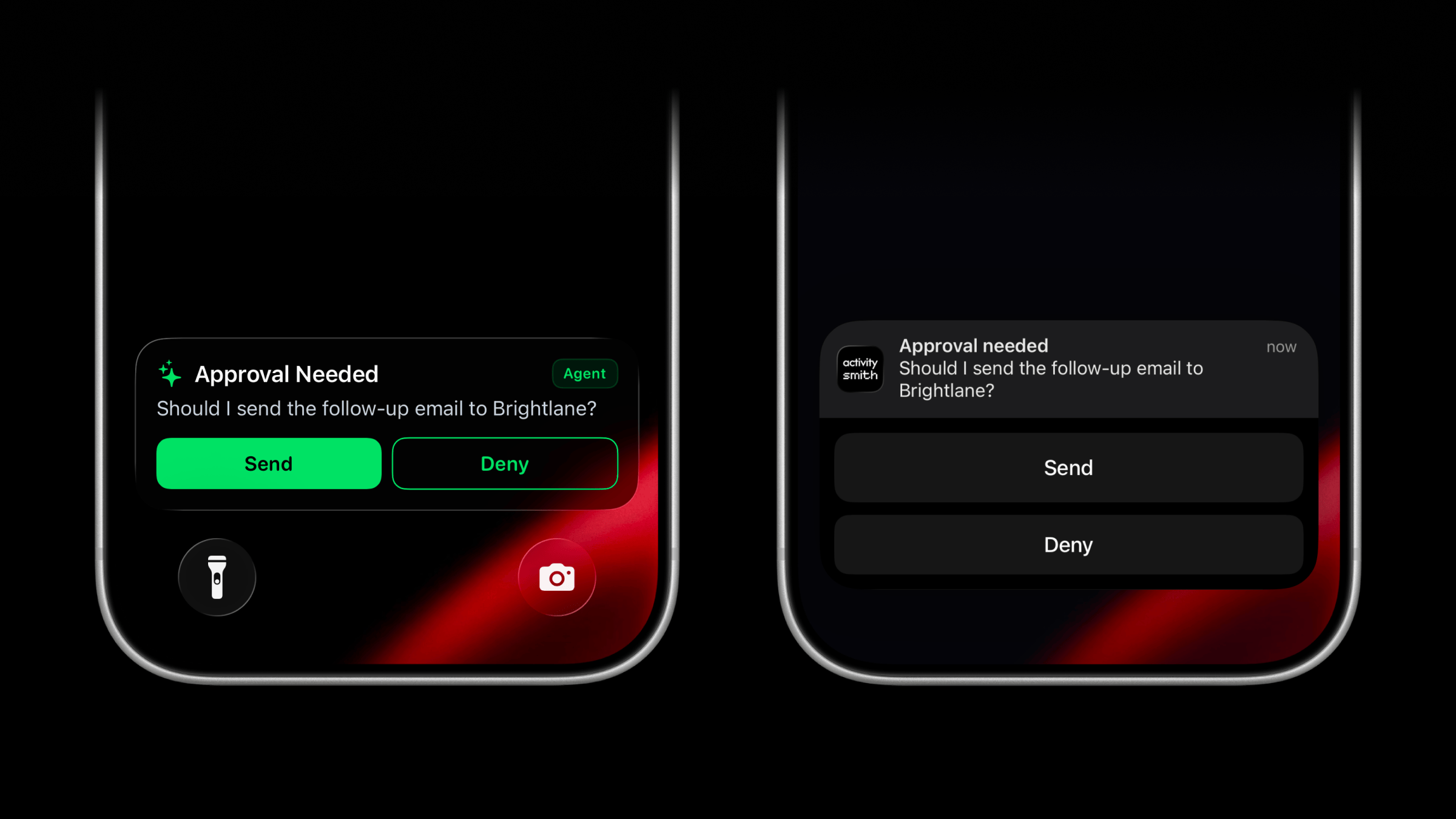
Use buttons that match the action
Agents can replace generic Approve and Reject labels with clear, action-specific outcomes:
- Send and Deny for an outbound email.
- Deploy and Cancel for a production release.
- Publish and Keep Draft for content.
- Delete and Keep for a destructive operation.
Customize the pending Live Activity
The pending Live Activity can use a custom color, SF Symbol, and badge so different approval types are easy to recognize. An email approval can use a paper plane and Email badge, while a production approval can use its own icon and label.
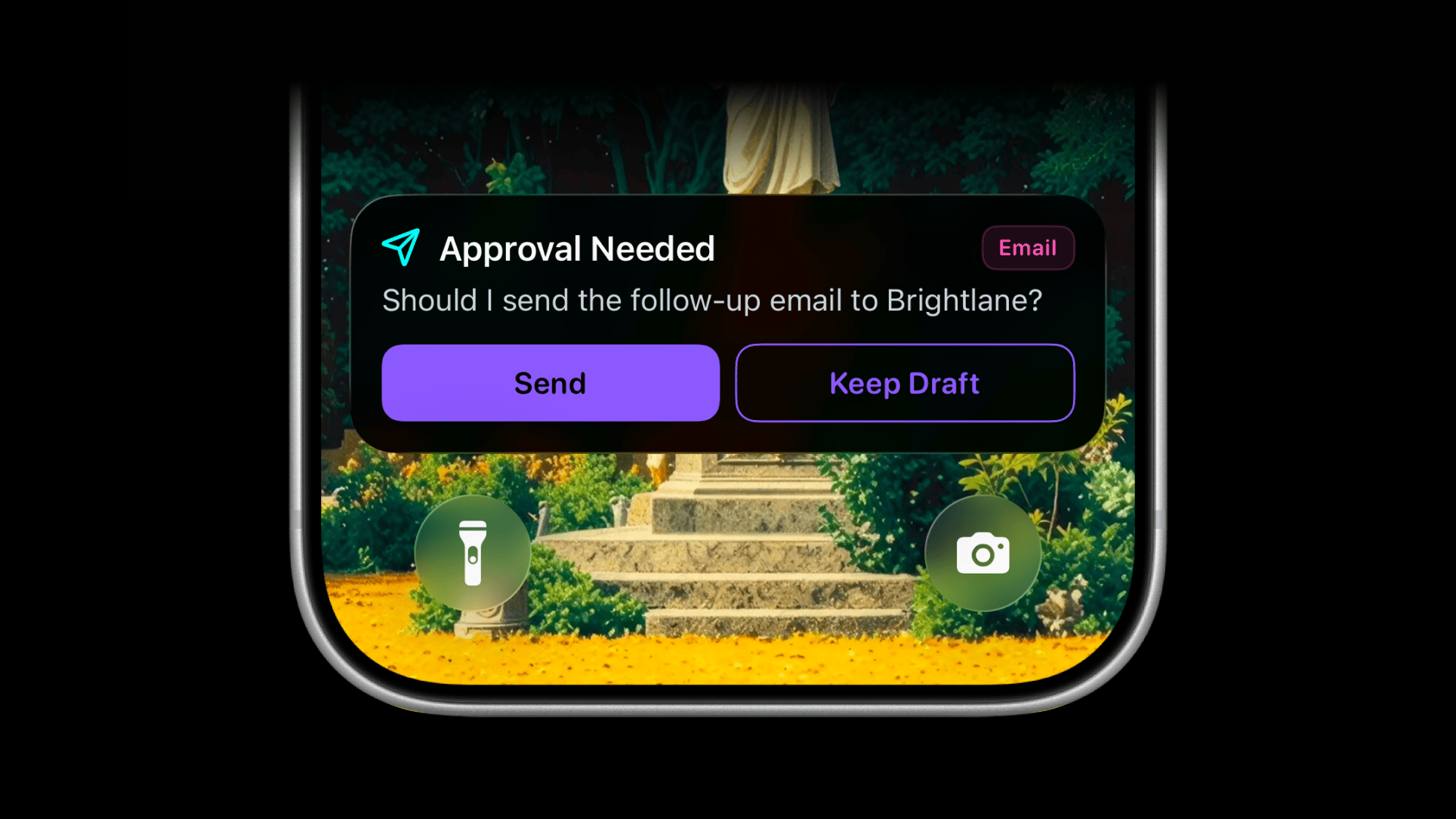
Approved, declined, timed-out, and cancelled requests keep consistent outcome states, regardless of the pending appearance.
Built for durable agent workflows
Clients with MCP Tasks support can run the approval as a durable task. Other clients can resume the bounded wait workflow with the same approval ID. In both cases, the stored approval remains available until you decide, cancel it, or the 30-minute window ends.
Most approvals only need a clear question and action buttons, as shown above. When more context would help, the agent can also include the exact command or tool call, decision-relevant arguments, and an optional scope such as the working directory, repository, project, environment, customer, account, or resource.
Add an approval rule to your agent
Start with a plain-language instruction:
Ask me for approval before making any purchaseThe agent can request approval whenever it reaches that boundary. See the complete remote approvals for AI agents workflow, or connect the ActivitySmith MCP server to try it.
App Icon Badge Count Updates via API
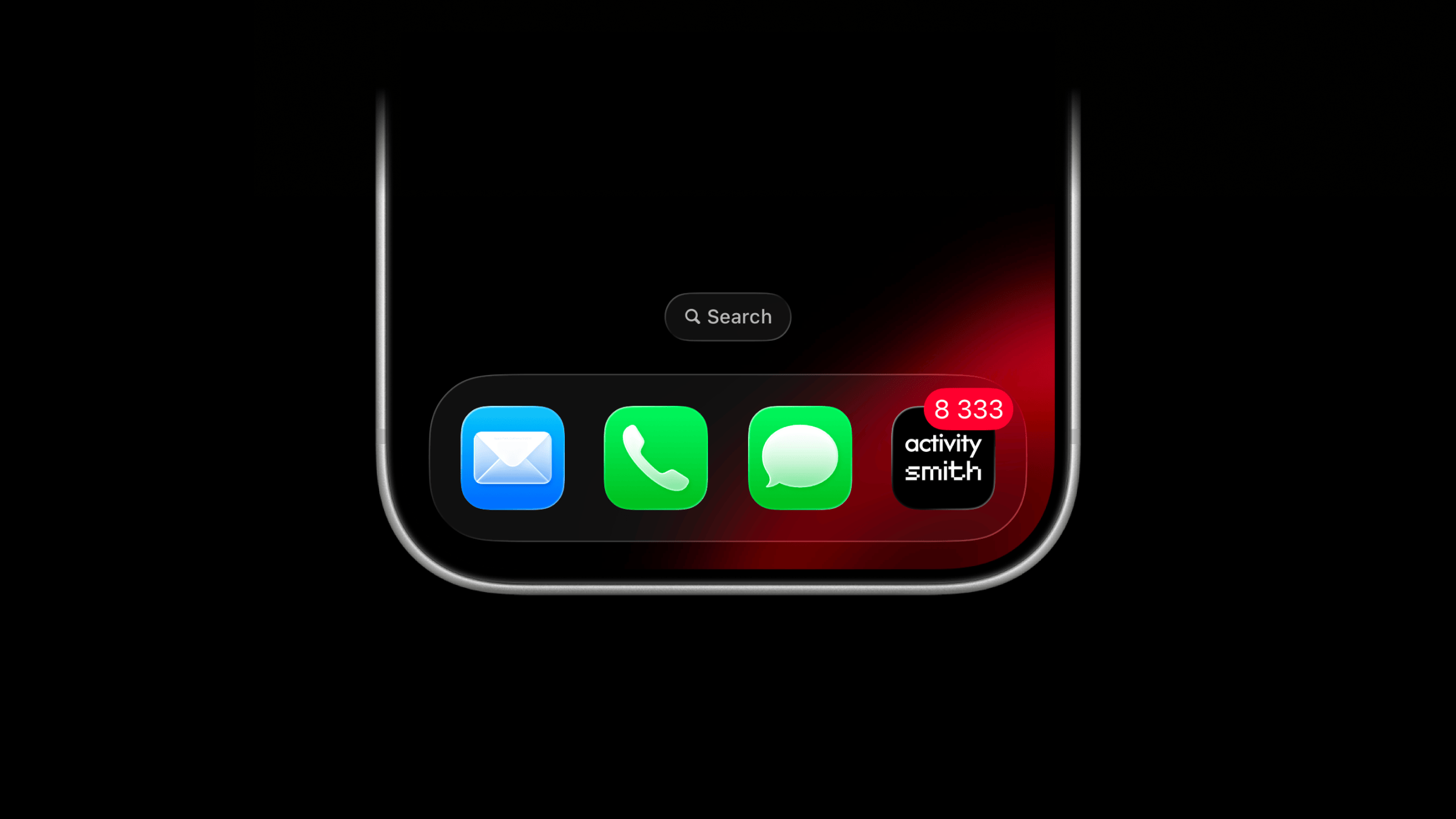
You can now set any number you care about on your ActivitySmith app icon through the ActivitySmith API. Track MRR, user count, stock price, or any other value you want to keep in view.
Set the badge value
Set the number from any backend, script, automation, or AI agent through the API, SDKs, or CLI
await activitysmith.badgeCount(8333);Clear the badge
To clear the badge, set its value to 0
await activitysmith.badgeCount(0);Target specific devices
Use channels to target specific team members or devices. A channel-scoped update changes the badge only for matching devices.
await activitysmith.badgeCount(3, { channels: ["sales", "customer-success"],});Availability
Available now across the API, SDKs, and CLI.
This feature is available in the ActivitySmith iOS app version 1.13.0 and newer.
Secondary Action Button for Live Activities
Live Activities can now include a secondary action button beside the primary action.
This is useful for AI agent approvals, operational prompts, and webhook-driven workflows where you need to choose between two actions, like approving or denying an AI agent step, sending or cancelling an outreach message, retrying or pausing a job, or acknowledging or escalating an alert.
What's New
- New optional
secondary_actionfield, supported foralert,progress, andsegmented_progressLive Activities. - Both buttons use the same
open_url,webhook, and Apple Shortcut payload shapes. - Use
content_state.colorto change the tint for both action buttons.
Example
This example shows an approval prompt with two webhook buttons. The body can contain whatever your backend needs, or it can be empty.
await activitysmith.liveActivities.stream("agent-approval", { content_state: { title: "Approval Needed", message: "Should I send the follow-up email to Brightlane?", type: "alert", color: "green", icon: { symbol: "sparkles", color: "green", }, badge: { title: "Agent", color: "green", }, }, action: { title: "Send", type: "webhook", url: "https://agent.example.com/live-activity/approve", method: "POST", body: { approval_id: "approval_01JY3J7Q9S0P8M1V5PZK7DR4M2", decision: "send", }, }, secondary_action: { title: "Deny", type: "webhook", url: "https://agent.example.com/live-activity/deny", method: "POST", body: { approval_id: "approval_01JY3J7Q9S0P8M1V5PZK7DR4M2", decision: "deny", }, },});Availability
Available now across the API, SDKs, and CLI.
This feature is available in the ActivitySmith iOS app version 1.12.0 and newer.
ActivitySmith MCP Server
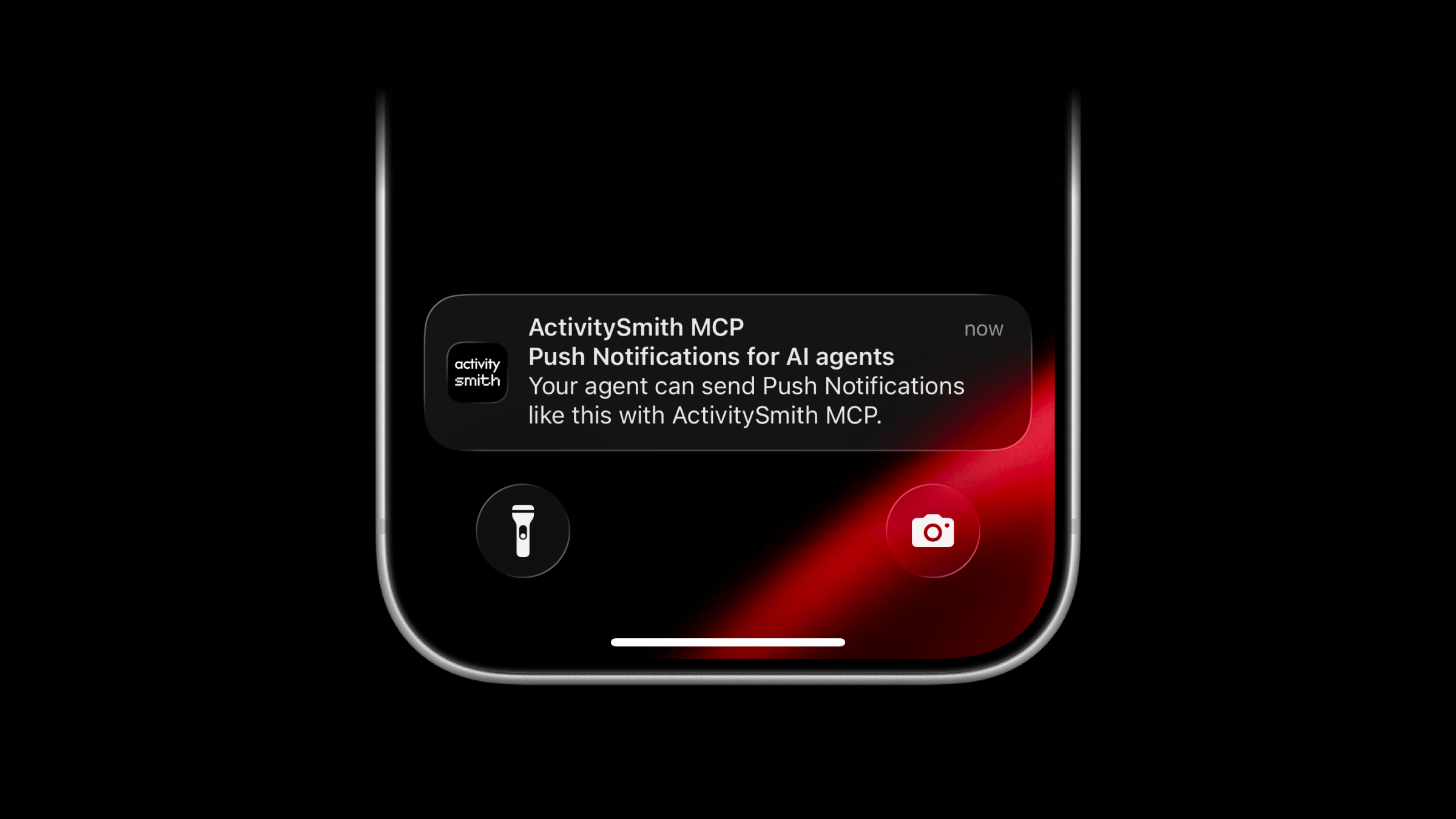
Your AI models and agents can use our official MCP server to send you Push Notifications and show real-time updates with Live Activities.
Connect to it natively from Claude Code, Cursor, Codex, Grok, or any other client that supports remote MCP servers, then authorize access through ActivitySmith.
There is nothing to host or update on your side. The server runs on our infrastructure, speaks standard MCP over Streamable HTTP, and includes tools for sending Push Notifications, starting, updating, and ending Live Activities, and updating values shown in your Lock Screen widgets. Channels and tags provide optional targeting and organization when you need them.
What Agents Can Do
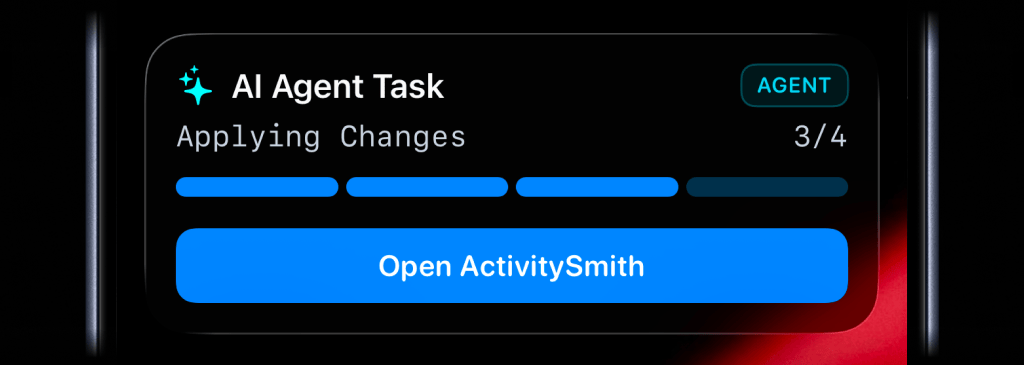
The first set of tools focuses on the ActivitySmith workflows agents are already useful for:
- Send Push Notifications to your paired devices.
- Start, update, and end Live Activities to show real-time business metrics, operational state, or ongoing work on your Lock Screen.
- Review Push Notification and Live Activity history.
- Update values shown in Lock Screen widgets.
- Target Push Notifications and Live Activities to specific users or devices with optional Channels.
API key administration remains in the ActivitySmith web app and is not exposed to MCP clients.
Setup Instructions
The server URL is the same in every client:
https://mcp.activitysmith.com/mcpClaude Code
1. Register the ActivitySmith MCP server
Open a terminal and run this command. User scope makes ActivitySmith available in Claude Code across all your projects.
claude mcp add --transport http --scope user activitysmith https://mcp.activitysmith.com/mcp2. Open the MCP menu
Start a new Claude Code session, run /mcp inside the session, and select activitysmith.
3. Approve access
In Claude Code, select Authenticate to open the authorization page. Sign in if prompted, review the requested access, then click Approve.
4. You're ready
Return to Claude Code. ActivitySmith tools are now available in your sessions across all projects.
Cursor
Install in Cursor with one click.
If you prefer manual setup, add the server to ~/.cursor/mcp.json:
{ "mcpServers": { "activitysmith": { "url": "https://mcp.activitysmith.com/mcp" } }}Cursor prompts you to log in the first time the server is used.
Codex
codex mcp add activitysmith --url https://mcp.activitysmith.com/mcpThen authenticate:
codex mcp login activitysmithApprove the OAuth screen in your browser, restart Codex, and the ActivitySmith tools will be available in new sessions.
Grok
In Grok, open Connectors, select New Connector, then select Custom and enter:
https://mcp.activitysmith.com/mcpComplete the OAuth flow in the pop-up window. If Safari blocks it, allow pop-up windows for grok.com and try again.
For Grok Build, add the server from a terminal:
grok mcp add --transport http activitysmith https://mcp.activitysmith.com/mcpOther MCP Clients
For any client that asks for a remote MCP server URL, use:
https://mcp.activitysmith.com/mcpThe authorization flow happens in ActivitySmith. After approval, tools run against the account you authorized.
You can always find the latest setup details on the MCP Server integration page.
New Timer Live Activity for Countdowns and Elapsed Runtime
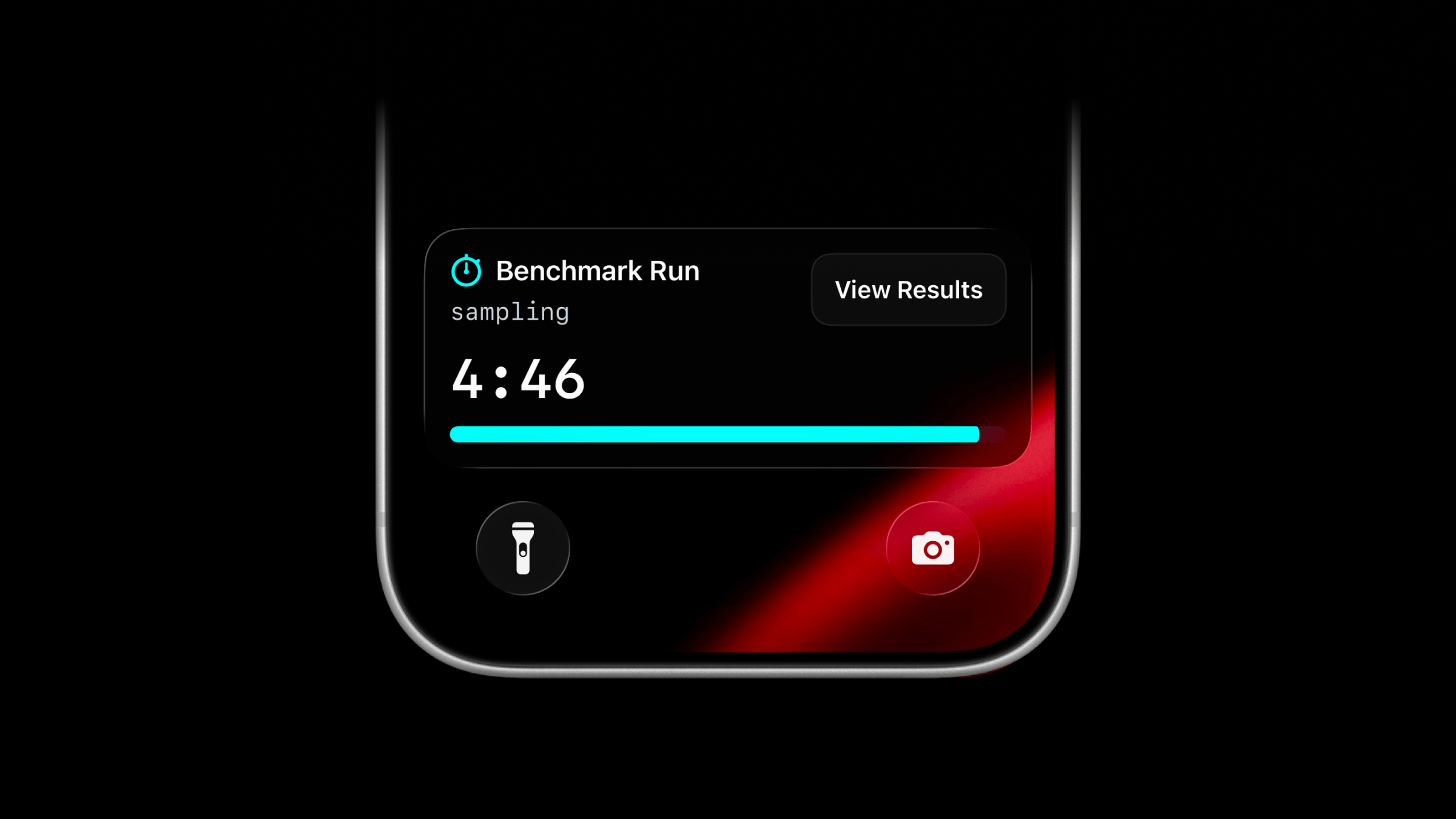
Live Activities now support a new activity type: timer.
Use timer when you want a countdown or running timer to stay visible on the Lock Screen. It can count down from a duration you send, or start at 00:00 and count up while work is running.
Start a Timer Live Activity
Use the same managed stream endpoint as other Live Activity types.
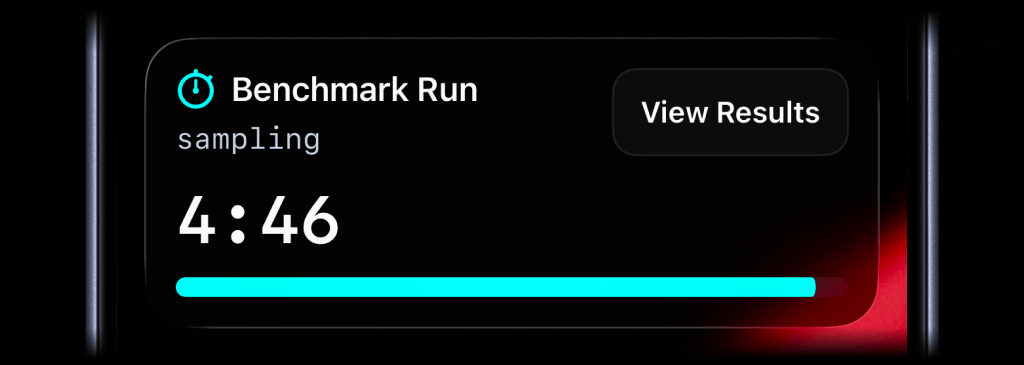
await activitysmith.liveActivities.stream("benchmark-run", { content_state: { title: "Benchmark Run", subtitle: "sampling", type: "timer", duration_seconds: 300, color: "cyan", },});For a countdown, send type: "timer" with duration_seconds. You can update title, subtitle, color, or any other visible field as the work changes. Leave duration_seconds out unless you want to change or reset the timer value.
To start at 00:00 and count up, set counts_down: false and leave out duration_seconds.
Add an Action Button
Timer Live Activities can include the same optional action button as other Live Activity types. Use it to open the run, dashboard, or job page behind the timer.
await activitysmith.liveActivities.stream("benchmark-run", { content_state: { title: "Benchmark Run", subtitle: "sampling", type: "timer", duration_seconds: 300, color: "cyan", }, action: { title: "View Results", type: "open_url", url: "https://benchmarks.example.com/runs/benchmark-run", },});Availability
Available across the API, SDKs, and CLI.
This feature is available in the ActivitySmith iOS app version 1.11.0 and newer.
Apple Shortcuts Support for Push Notifications and Live Activities
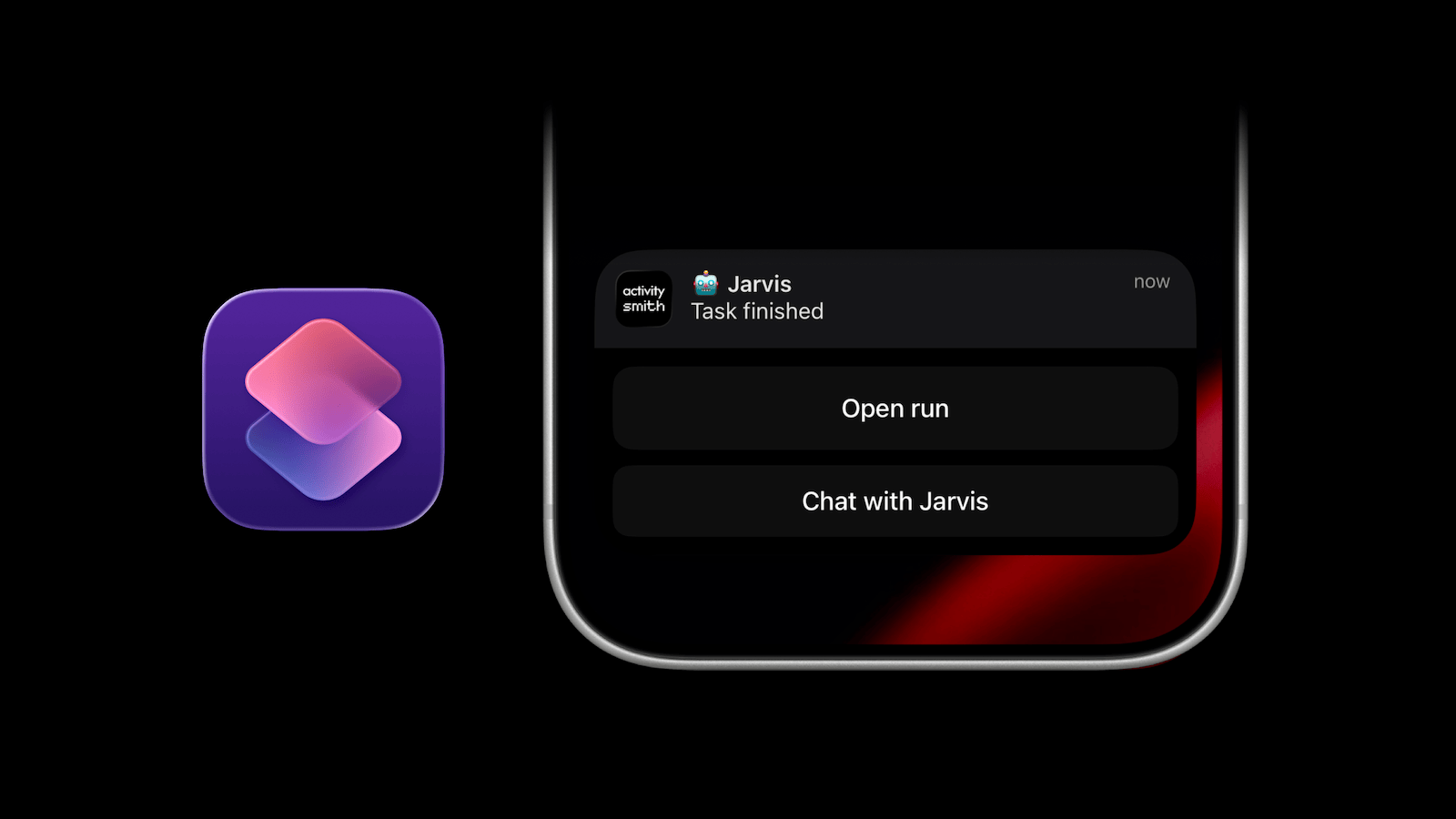
ActivitySmith now supports Apple Shortcuts in Push Notification redirection, Push Notification Actions, and the Live Activity Action.
What Is an Apple Shortcut?
An Apple Shortcut is a saved automation in the Shortcuts app. It can combine app actions, system settings, and web requests into one command. You can use a Shortcut to open an app, so a Push Notification tap, Push Notification Action, or Live Activity Action can jump directly into the local tool you want to use next.
Run Apple Shortcuts From Notifications
Push Notification redirection can now use shortcuts:// URLs alongside regular https:// links. Push Notification Actions and the Live Activity Action can use the same Shortcut URLs with the existing open_url type:
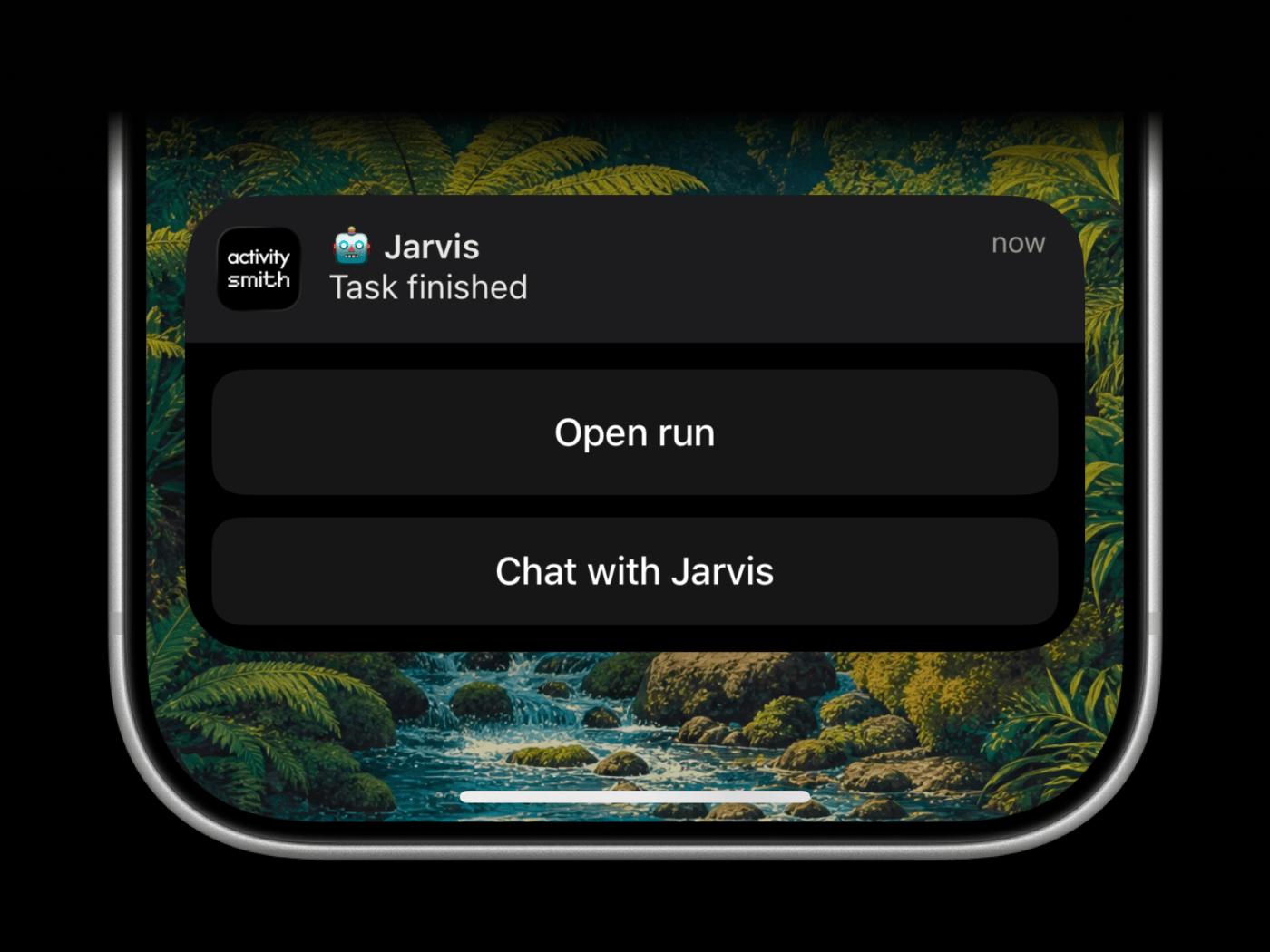
curl -X POST https://activitysmith.com/api/push-notification \ -H "Authorization: Bearer $YOUR_API_KEY" \ -H "Content-Type: application/json" \ -d '{ "title": "🤖 Jarvis", "message": "Task finished", "redirection": "shortcuts://run-shortcut?name=Jarvis", "actions": [ { "title": "Open run", "type": "open_url", "url": "https://github.com/acme/web/actions/runs/1234567890" }, { "title": "Chat with Jarvis", "type": "open_url", "url": "shortcuts://run-shortcut?name=Jarvis" } ] }'Availability
Available now across the API, SDKs, and CLI.
Shortcut support is available in the ActivitySmith iOS app version 1.10.1 and newer.
Icons and Badges for Live Activities
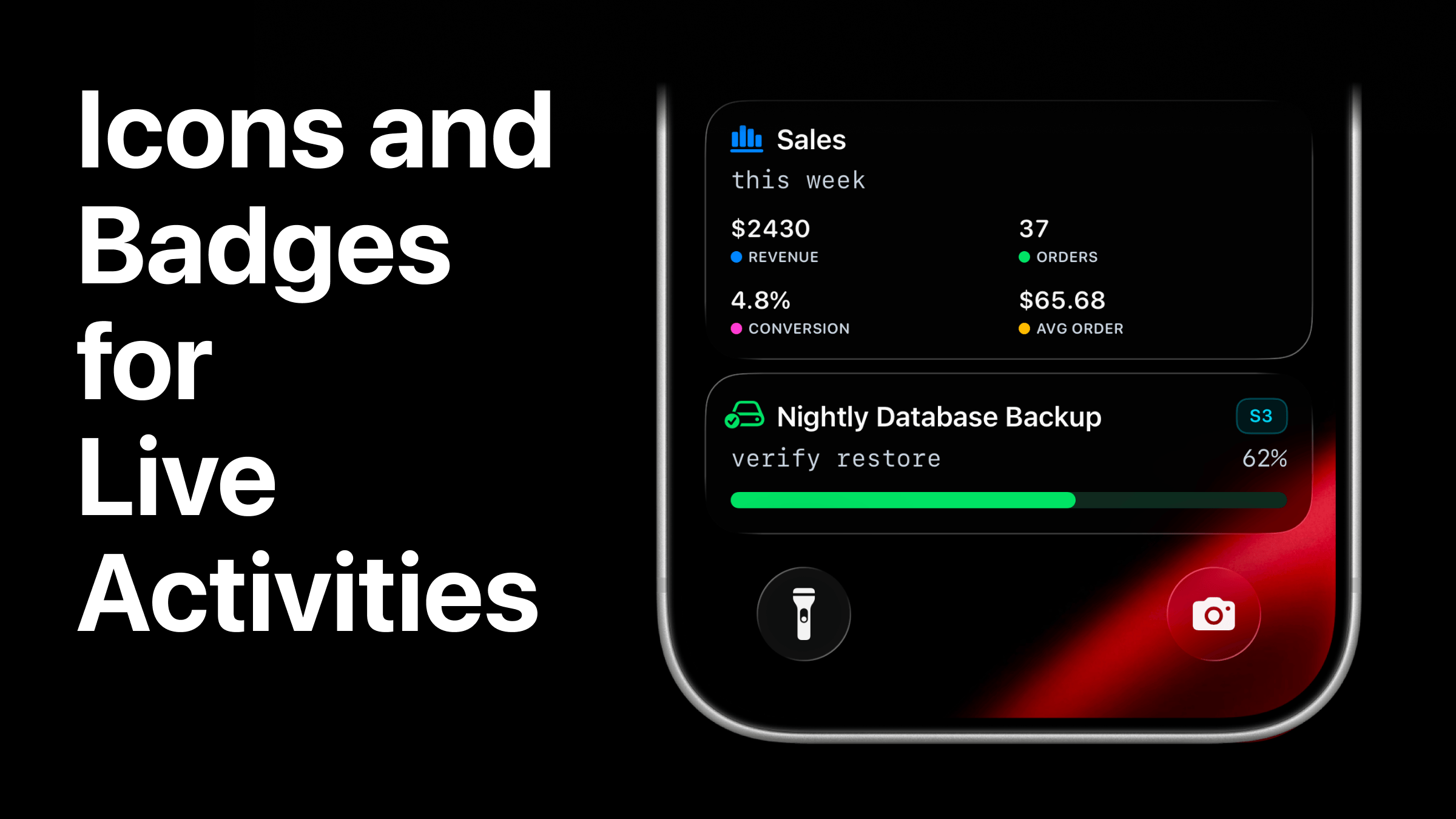
Live Activities can now carry more context at a glance with optional SF Symbol icons and compact badge labels.
Last week we shipped the new alert Live Activity type with an icon and badge. We have now extended icon support across every Live Activity type, and added badge support to the layouts where a compact label fits: alert, progress, and segmented_progress.
What Changed
iconis available onstats,metrics,segmented_progress,progress, andalert.badgeis available onalert,progress, andsegmented_progress.
Use icons and badges to make active work easier to scan on the Lock Screen. A backup can show its storage target, an incident can show severity, and a deployment can show the environment before anyone reads the full title.
Icons and badges use the same Live Activity tint colors already available:
Add an Icon to Any Live Activity
Use icon when the Live Activity should be recognizable before someone reads the title. For example, icons can help distinguish servers, deployments, queues, backups, search indexing, customer events, incidents, and other active workflows.
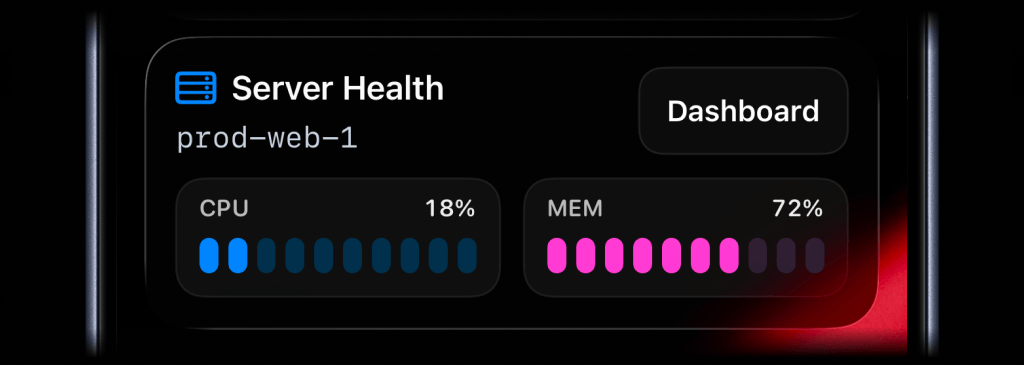
await activitysmith.liveActivities.stream("prod-web-1", { content_state: ActivitySmith.contentState({ title: "Server Health", subtitle: "prod-web-1", type: "metrics", icon: ActivitySmith.alertIcon("server.rack", { color: "blue" }), metrics: [ { label: "CPU", value: 18, unit: "%" }, { label: "MEM", value: 72, unit: "%" }, ], }), action: { title: "Dashboard", type: "open_url", url: "https://ops.example.com/servers/prod-web-1", },});Picking a SF Symbol
The icon.symbol value is the name of a SF Symbol. Browse the catalog with one of these tools:
- ActivitySmith app - Open Settings -> SF Symbols to browse 45 hand-picked icons ready to use
- SF Symbols - Apple's official macOS app
- Interactful - free third-party iOS app listing all SF Symbols under Foundations -> Iconography
Add a Badge When the Label Matters
Use badge for a short category, environment, service, customer, region, or severity label.
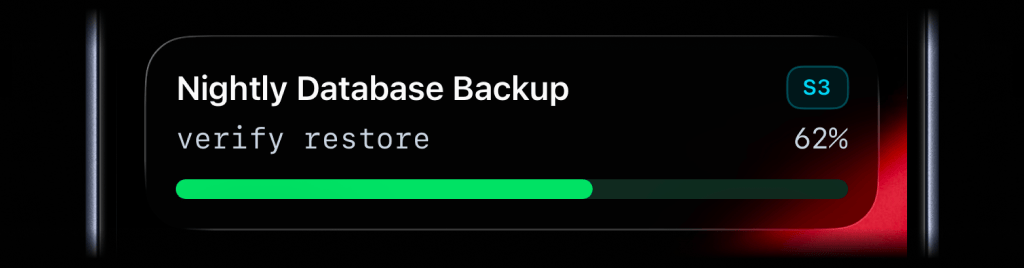
await activitysmith.liveActivities.stream("nightly-database-backup", { content_state: ActivitySmith.contentState({ title: "Nightly Database Backup", subtitle: "verify restore", type: "progress", badge: ActivitySmith.alertBadge("S3", { color: "cyan" }), percentage: 62, color: "green", }),});Availability
Available now across the API, SDKs, CLI, and playground.
This feature is available in the ActivitySmith iOS app version 1.10.0 and newer.
Alert Live Activity for Important Updates
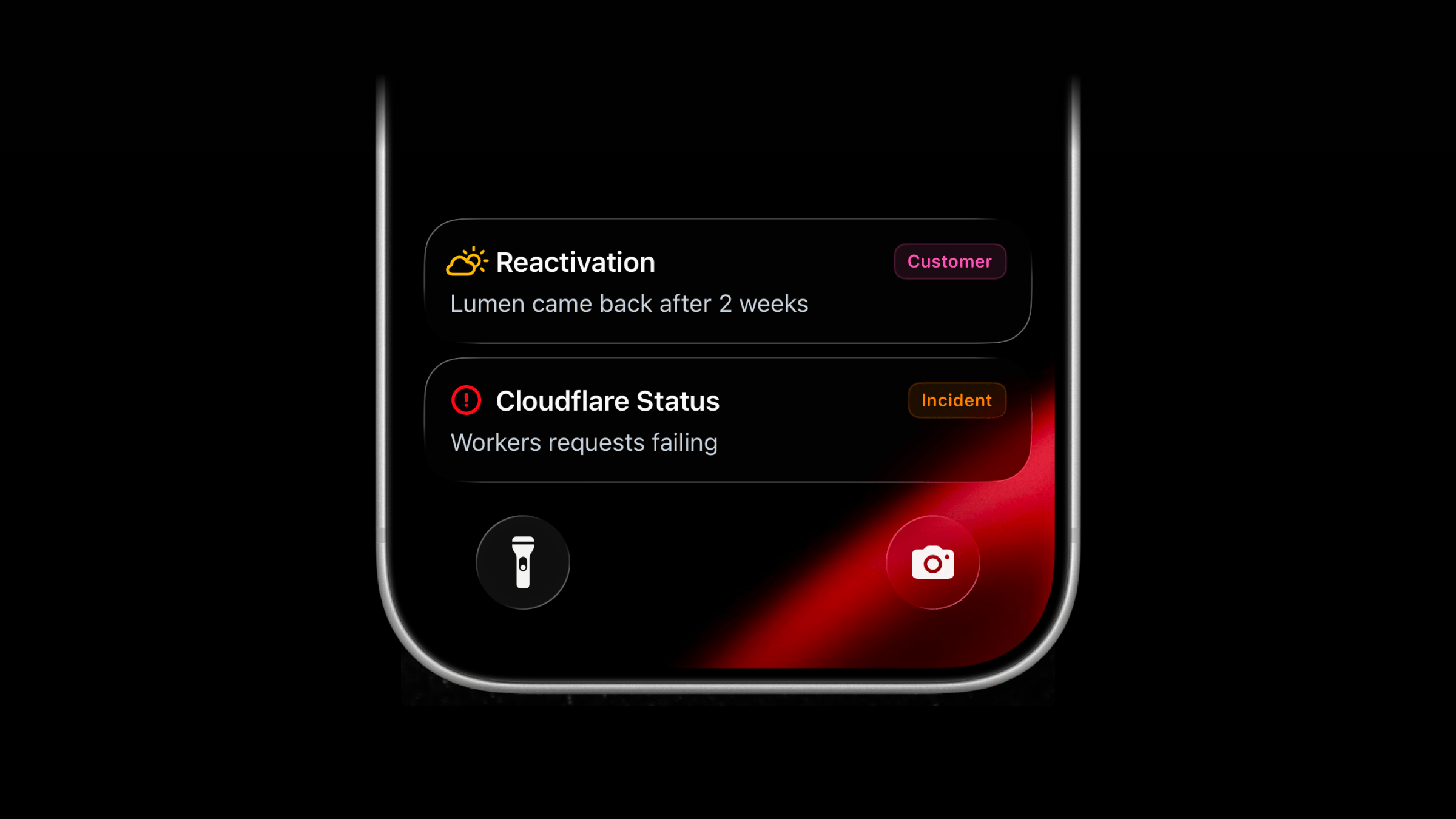
Live Activities now support a new activity type: alert.
Use alert for important updates that should stay visible on the Lock Screen while they matter. It works for customer operations, product adoption, onboarding blockers, reactivations, external service outages, incidents, escalations, and other states that do not fit a progress bar or metrics grid.
Alert Live Activity vs Push Notification
Alert Live Activities can look similar to Push Notifications at first glance, but they have a few benefits:
- Cleaner, fully customizable Lock Screen presentation.
- Stays visible while active, even when the phone is locked. Notifications can get hidden.
- Evolves in place. Update the same Live Activity instead of sending another notification.
- Can disappear immediately or after a short delay when it's no longer relevant.
Start Alert Live Activity
Use the same managed stream endpoint as other Live Activity types. Send type: "alert" with a title and message. You can optionally include:
icon: SF Symbol name. If omitted, the title shifts to the leading edge.badge: a compact label. If omitted, no badge is shown.
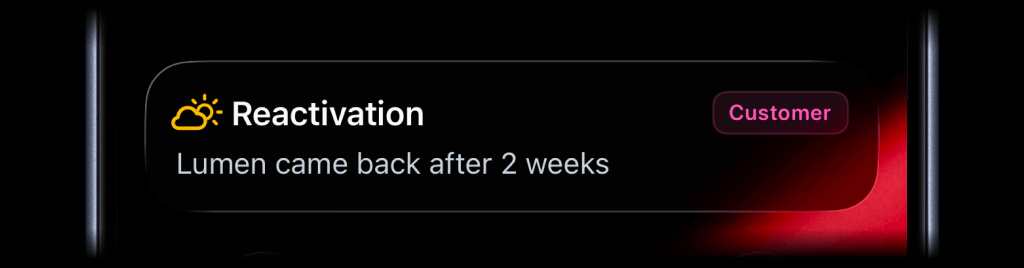
await activitysmith.liveActivities.stream("customer-ops", { content_state: ActivitySmith.contentState({ title: "Reactivation", message: "Lumen came back after 2 weeks", type: "alert", icon: ActivitySmith.alertIcon("cloud.sun", { color: "yellow" }), badge: ActivitySmith.alertBadge("Customer", { color: "magenta" }), }),});Call the same PUT /live-activity/stream/{stream_key} endpoint again when the status changes. ActivitySmith keeps the visible Live Activity updated on paired devices.
When the status is no longer relevant, call DELETE /live-activity/stream/{stream_key} to end it.
Add an action button
Alert Live Activities can include the same optional action button as other Live Activity types. Use it to open the customer, workflow, run, incident, or internal page behind the status update.
await activitysmith.liveActivities.stream("customer-ops", { content_state: ActivitySmith.contentState({ title: "Reactivation", message: "Lumen came back after 2 weeks", type: "alert", color: "purple", icon: ActivitySmith.alertIcon("cloud.sun", { color: "yellow" }), badge: ActivitySmith.alertBadge("Customer", { color: "magenta" }), }), action: { title: "Open Workflow", type: "open_url", url: "https://app.example.com/customers/lumen", },});Picking a SF Symbol
The icon.symbol value is the name of a SF Symbol. Browse the catalog with one of these tools:
- ActivitySmith app - Open Settings -> SF Symbols to browse 45 hand-picked icons ready to use
- SF Symbols - Apple's official macOS app
- Interactful - free third-party iOS app listing all SF Symbols under Foundations -> Iconography
Availability
Available across the API, SDKs, and CLI.
This feature is available in the ActivitySmith iOS app version 1.9.0 and newer.
CircleCI Webhooks Integration for Push Notifications
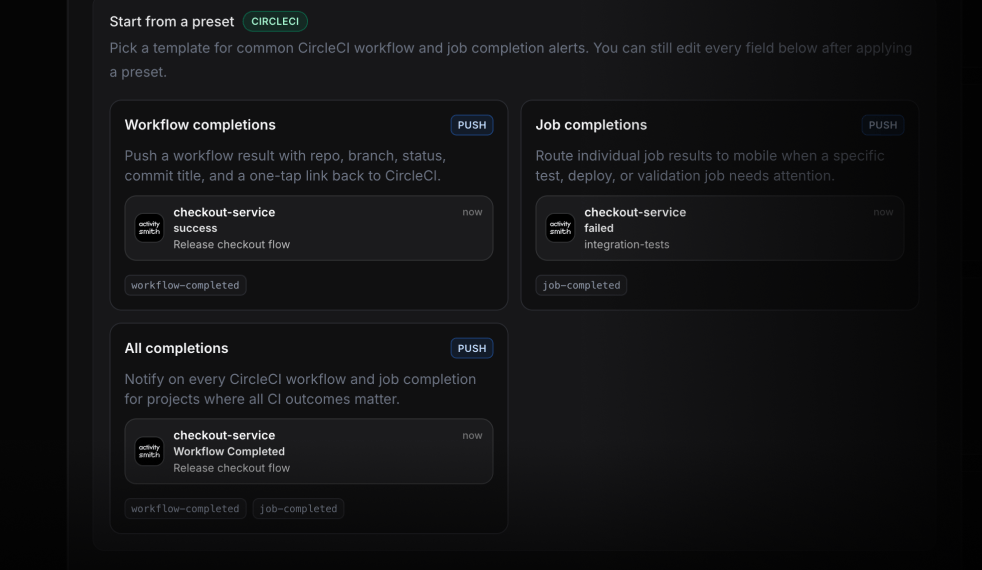
ActivitySmith now supports CircleCI webhooks for workflow and job completion events. Send build results to your team's iPhones as Push Notifications, route them to the right channel, and include an action that opens the exact CircleCI run.
ActivitySmith includes ready-to-use CircleCI presets for workflow completion and job completion events, then lets you edit the notification title, message, action button, and routing.
Why route CircleCI through ActivitySmith
CircleCI already has dashboards and email notifications. Those are useful as records, but they are easy to miss when a broken workflow needs attention now.
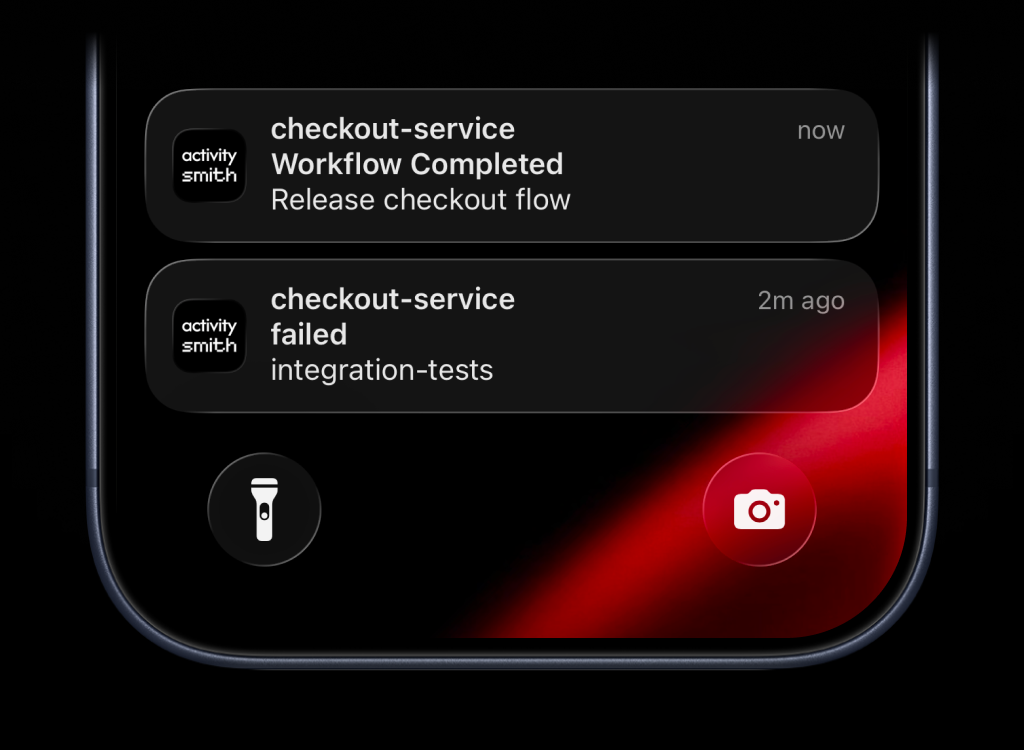
ActivitySmith turns CircleCI events into lock-screen alerts your team can route by channel. A failed workflow can go to on-call. A recovered release workflow can go to the team shipping that branch. A job-specific event can go to the person or group that owns that step.
What you can route
- Workflow completion events for success, failed, errored, canceled, unauthorized, and not-run outcomes.
- Job completion events when a specific build step needs a direct alert.
- Project, branch, commit, actor, workflow, pipeline, and status fields in notification text.
- Action buttons that open the CircleCI workflow or pipeline URL from the notification.
Stats Live Activity for Lock Screen Metrics
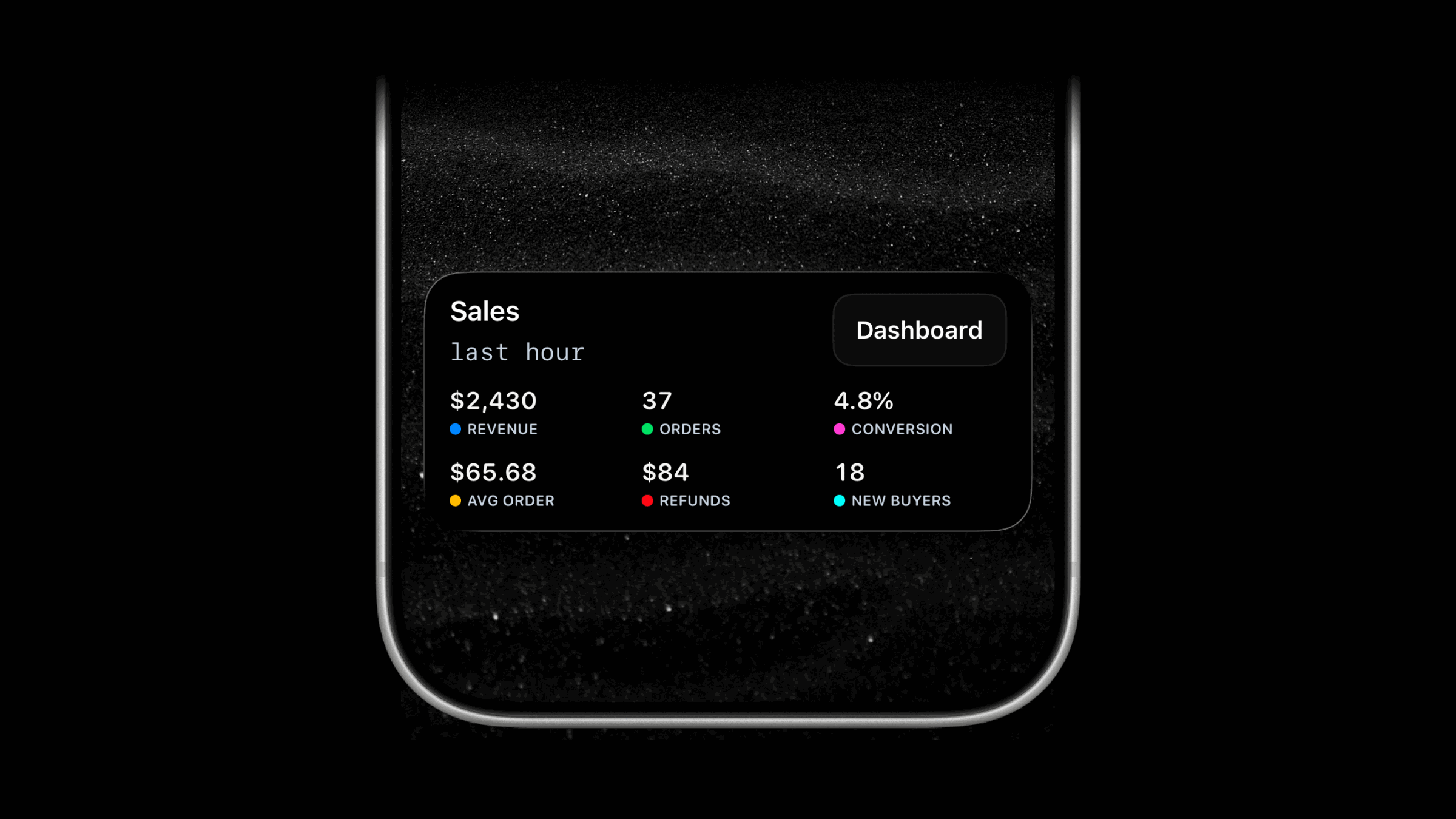
Live Activities now support a new activity type: stats.
Use stats to track several values at once. It fits up to 8 labeled values, such as revenue, number of users, conversion, uptime, or any metric set you want visible at a glance.
Each item has a label and value. Add an optional color when you want a small visual cue. Leave it out when you want plain text.
await activitysmith.liveActivities.stream("sales-hourly", { content_state: { title: "Sales", subtitle: "last hour", type: "stats", metrics: [ { label: "Revenue", value: "$2430", color: "blue" }, { label: "Orders", value: "37", color: "green" }, { label: "Conversion", value: "4.8%", color: "magenta" }, { label: "Avg Order", value: "$65.68", color: "yellow" }, { label: "Refunds", value: "$84", color: "red" }, { label: "New Buyers", value: "18", color: "cyan" }, ], },});Call the same PUT /live-activity/stream/{stream_key} endpoint again whenever the values change. ActivitySmith keeps the Live Activity in sync on the device for you.
When the stats are no longer relevant, call DELETE /live-activity/stream/{stream_key} to end the Live Activity.
Add a dashboard button
Stats Live Activities can include the same optional action button as other Live Activity types. Use it to open the dashboard or report behind the numbers.
Set the action title to Dashboard, use open_url, and provide an HTTPS URL.
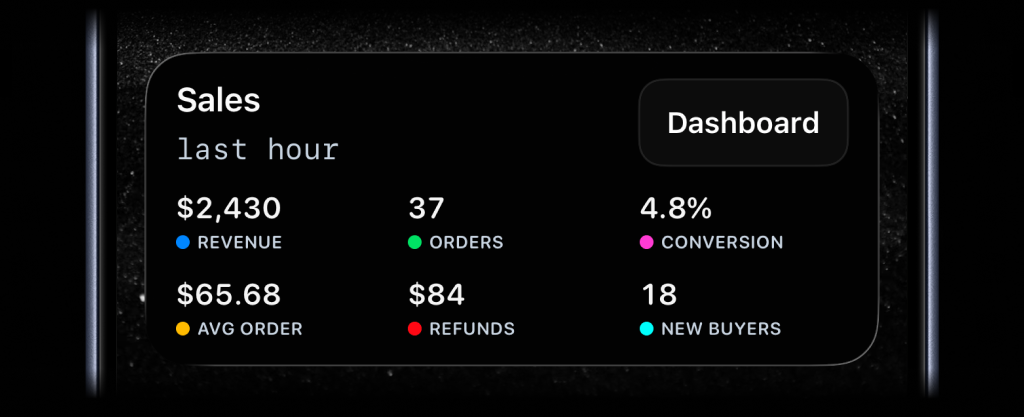
await activitysmith.liveActivities.stream("sales-hourly", { content_state: { title: "Sales", subtitle: "last hour", type: "stats", metrics: [ { label: "Revenue", value: "$2430", color: "blue" }, { label: "Orders", value: "37", color: "green" }, { label: "Conversion", value: "4.8%", color: "magenta" }, { label: "Avg Order", value: "$65.68", color: "yellow" }, { label: "Refunds", value: "$84", color: "red" }, { label: "New Buyers", value: "18", color: "cyan" }, ], }, action: { title: "Dashboard", type: "open_url", url: "https://analytics.example.com/sales", },});Availability
Available now across the API, SDKs, and CLI.
This feature is available in the ActivitySmith iOS app version 1.8.0 and newer.
Lock Screen Widgets for Your Metrics
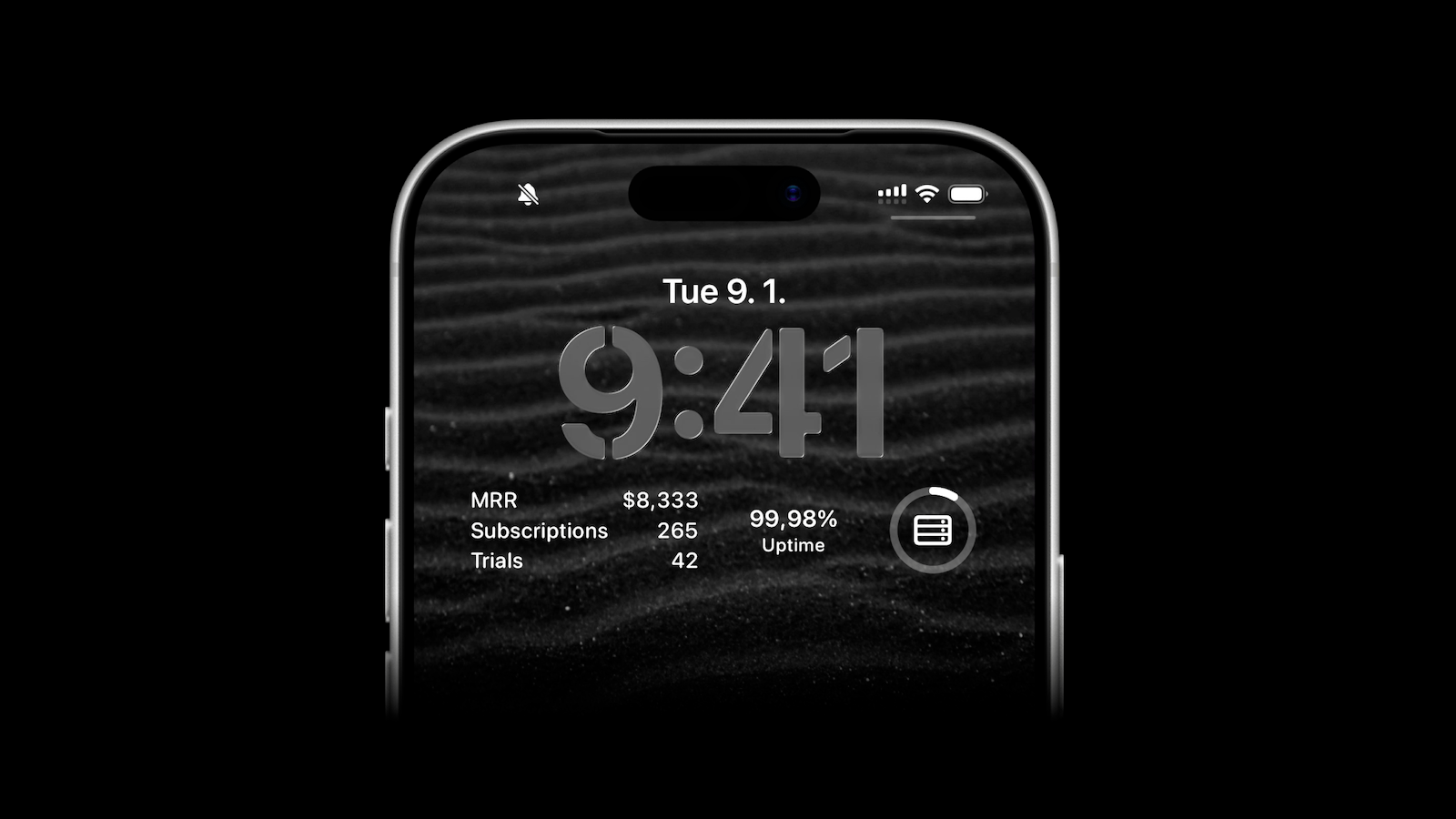
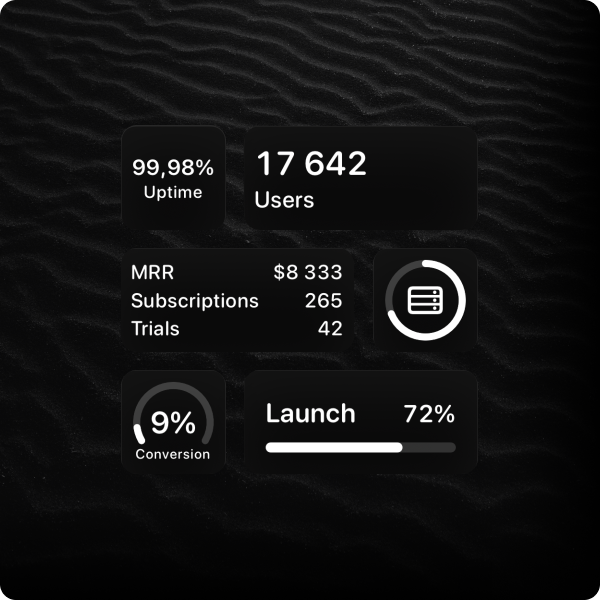
ActivitySmith lets you display any value on your Lock Screen with widgets - SaaS metrics, revenue, number of users, uptime, or anything else you want to track.
How it works
- Create a metric in the web app.
- Update the value using API anytime it changes.
- Add the widget to your iPhone Lock Screen.
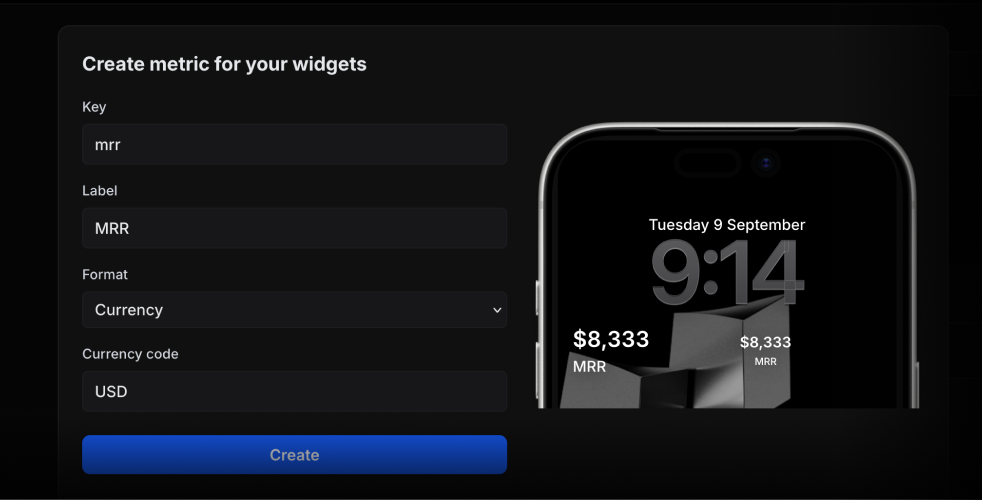
When creating a metric, you can choose the format: number, currency, percent, unit, or string.
Update a Metric Value from Your Backend
Call the update method with the metric key and the latest value:
await activitysmith.metrics.update("deploy.success_rate", 99.9);The widget fetches the latest value about every 15 minutes. iOS manages the refresh schedule.
Widget Types
There are multiple widget types to choose from, depending on how you want the metric to appear on your Lock Screen.
Availability
Lock Screen widgets are available in the ActivitySmith iOS app version 1.7.0 and newer.
n8n Integration for Push Notifications and Live Activities
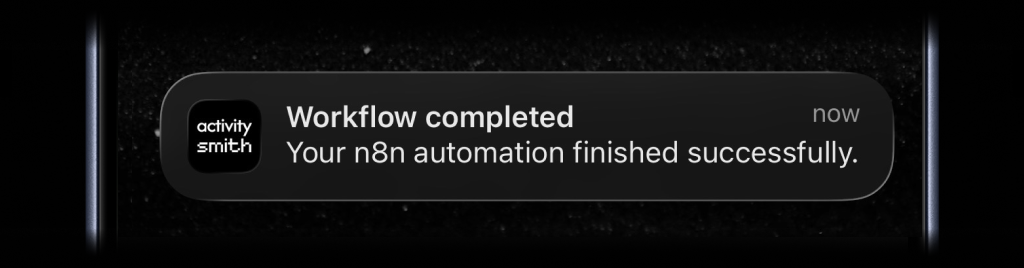
You can now track n8n workflows on your Lock Screen. Show live progress for long-running executions with Live Activities and send a Push Notification to your devices when something important happens.
How it works
Search for ActivitySmith in n8n, add the official ActivitySmith node to your workflow, and connect your ActivitySmith API key.
Before testing the node, pair your iPhone or iPad with ActivitySmith. Push Notifications and Live Activities need a paired iOS device so ActivitySmith has somewhere to send the update.
From there, choose what the node should do:
- Send a Push Notification.
- Start a Live Activity.
- Update an existing Live Activity.
- End a Live Activity.
Each action can use values from earlier n8n nodes. Map the workflow name, activity_id, status, result URL, or any other field you already have in the execution.
Live Activities for workflow progress
For long-running workflows, start a live activity near the beginning of the run. Update it as each stage completes, then end it when the workflow succeeds or fails.
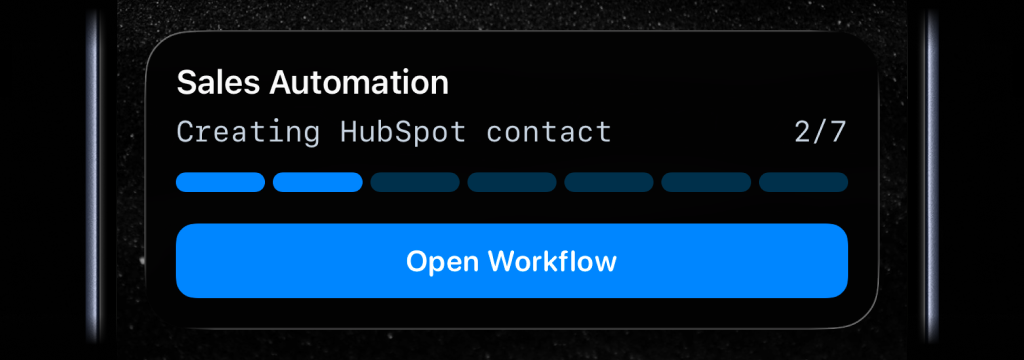
A Live Activity can show the current step, progress, and status on the Lock Screen. It can also include an action button, so tapping the activity can open the n8n workflow URL or any other link you provide.
Push Notifications for workflow events
Use a push notification when the workflow reaches a point you should know about immediately.
Good examples:
- A workflow execution succeeds.
- A workflow execution fails.
- A specific branch or environment finishes.
- A scheduled workflow completes.
- A step needs manual approval.
- A generated report or file is ready.
Vercel Webhooks Integration for Push Notifications and Live Activities
Use ActivitySmith to get Vercel deployment events on your iOS devices instead of buried in a dashboard tab. Add the generated inbound webhook URL to your Vercel project, choose the events you care about, and route them into Push Notifications and Live Activities for your team.
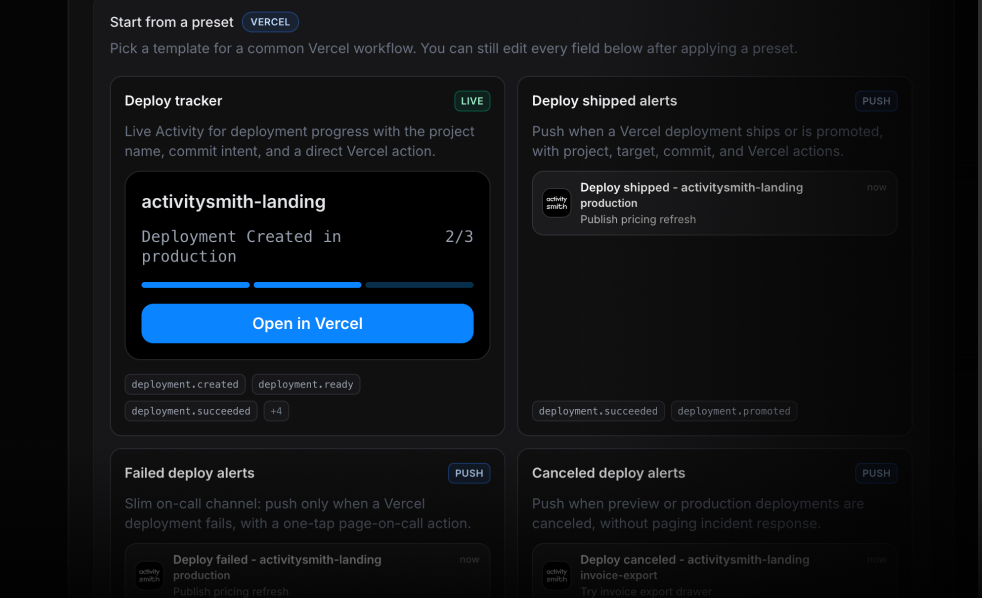
Start with a preset, not a blank canvas. Pick a ready-to-use preset for a deployment Live Activity, production deploy push notifications, or failed-deploy alerts and the webhook is wired up in seconds - then customize titles, actions, routing, and payload mapping however you want.
Why use this if Vercel already shows deploys in the dashboard
The Vercel dashboard is great when you are sitting in front of it. It is not great for shared visibility when a production ship is in flight and the team is in a meeting, on a walk, or heads-down in another tool.
ActivitySmith puts the same events on the lock screen and in the ActivitySmith log, with links and actions that take people straight to the right Vercel deployment.
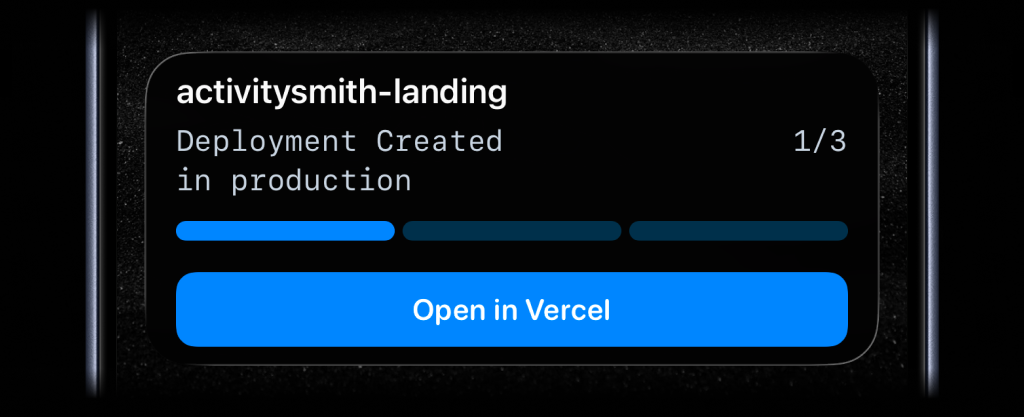
Track production ships live. A production deploy is exactly the kind of long-running event Live Activities were built for. Start one when deployment.created fires, update it through build and promote, and close it when deployment.succeeded or deployment.error lands.
Route failures differently from the rest. Filter on target so production deployment.error and deployment.canceled page on-call, while preview deploys stay quiet on a low-priority channel.
Catch broken deploys without refreshing the dashboard. When deployment.error fires, send a push notification with the project, branch, commit, and inspector URL so whoever is closest can open the failing build in one tap.
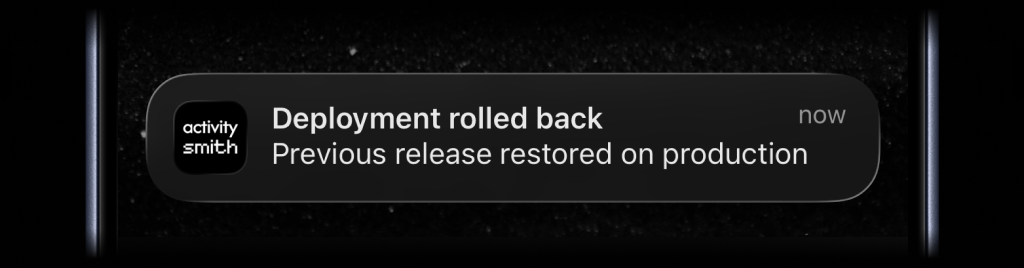
You can use the preset as-is, or keep editing from there. Change the wording, map different payload fields (deployment URL, commit SHA, author, target), and add an action that opens the deployment in Vercel, the live URL, or an internal runbook on tap.
Netlify Webhooks Integration for Push Notifications and Live Activities
Use ActivitySmith to get Netlify deploy and form submission events on your iOS devices instead of buried in email. Add the generated inbound webhook URL to Netlify, choose the events you care about, and route them into Push Notifications and Live Activities for your team.
Start with a preset, not a blank canvas. There are ready-to-use presets for a deploy Live Activity, deploy status push notifications, and form submission push notifications, so you can get the first event flowing fast - then customize titles, actions, routing, and payload mapping however you want.
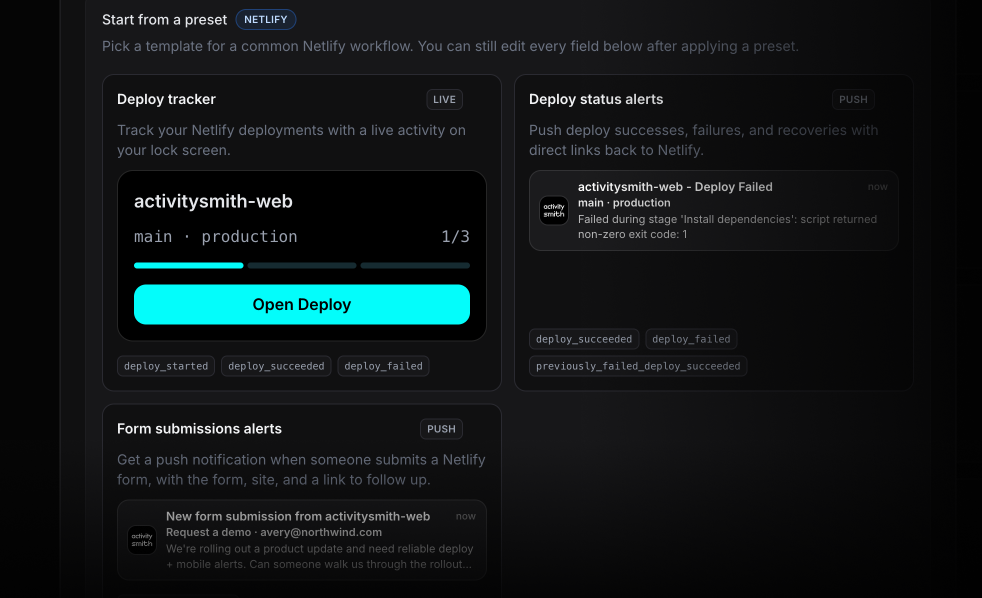
Why use this if Netlify already sends emails
Netlify emails the account owner on deploys and forwards form submissions to whoever is configured on the form. That works as a record. It is not great for shared visibility when something needs attention right now.
ActivitySmith puts the same events on the lock screen and in the ActivitySmith log, with links and actions that take people straight to the right Netlify page.
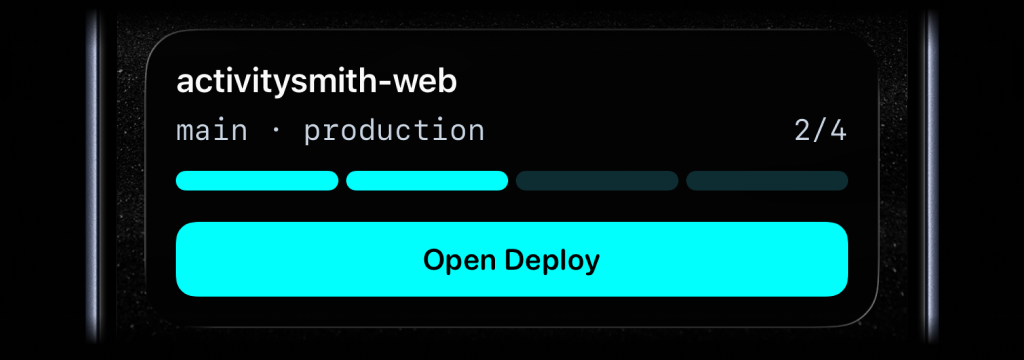
Track deployments live. Long-running deploys are a better fit for Live Activities than inbox threads. Start one when a deploy begins, update it as status changes, and let it disappear a few minutes after success or failure.
Route failures differently from the rest. Filter by deploy context so production deploy_failed and deploy_locked go straight to on-call while preview deploys stay quiet.
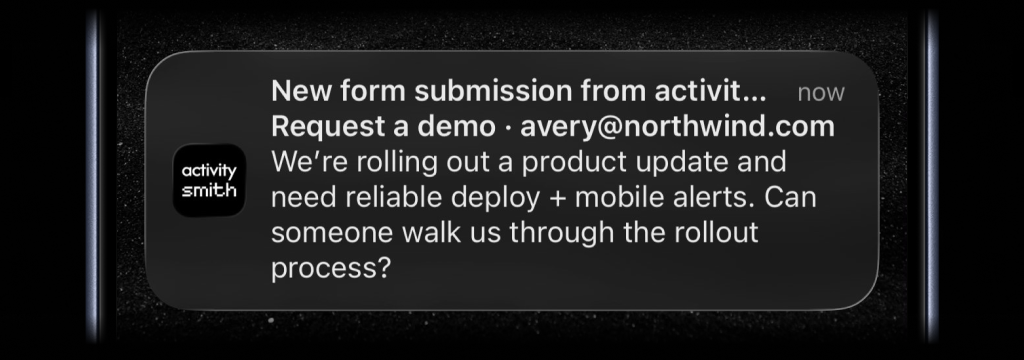
See new form submissions in seconds. When submission_created fires, send a push notification with the form name, submitter, and mapped fields so a new lead or support request shows up immediately instead of sitting in an inbox no one is watching.
You can use the preset as-is, or keep editing from there. Change the wording, map different payload fields, and add an action that opens the matching Netlify page on tap.
Custom App Icons: 36 Unbranded Icons for Your Home Screen and Lock Screen
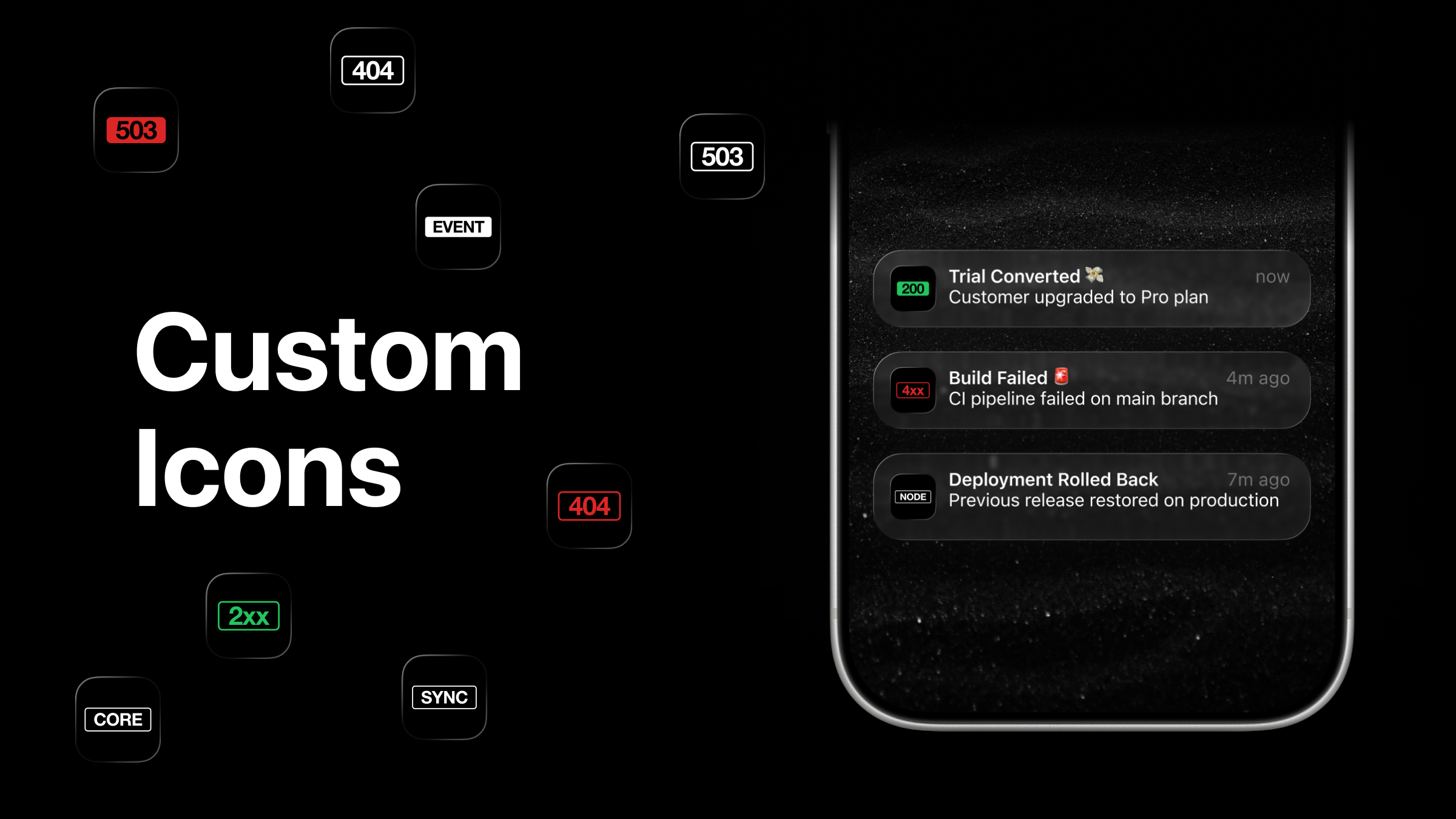
The ActivitySmith app icon is the one you look at every time a push notification lands on your lock screen. It should feel like yours.
You can now pick from 36 custom app icons - no ActivitySmith branding. Tap Settings → App Icon inside the app and choose the one that fits.
What's new
- 36 new alternate icons with no ActivitySmith branding.
- HTTP status code badges -
200,2xx,404,503, and more. - Label badges -
CORE,FEED,SYNC,LINK, and others. - The icon you choose replaces the default on your home screen and on the lock screen of every incoming push notification.
Heads up: an iOS bug
There's a known iOS bug where push notifications can still render the default icon on the lock screen even after you switch. Apple has acknowledged it and a fix is pending.
Until then, the workaround is simple:
- Restart your device.
- Open the ActivitySmith app once so the push token refreshes.
New push notifications will then show your chosen icon on the lock screen.
Availability
Available in the ActivitySmith iOS app version 1.6.0 and newer.
Sentry Webhooks Integration for Push Notifications
Follow the Sentry-to-iPhone setup guide to receive your first issue notification, or explore the Sentry integration for supported events.
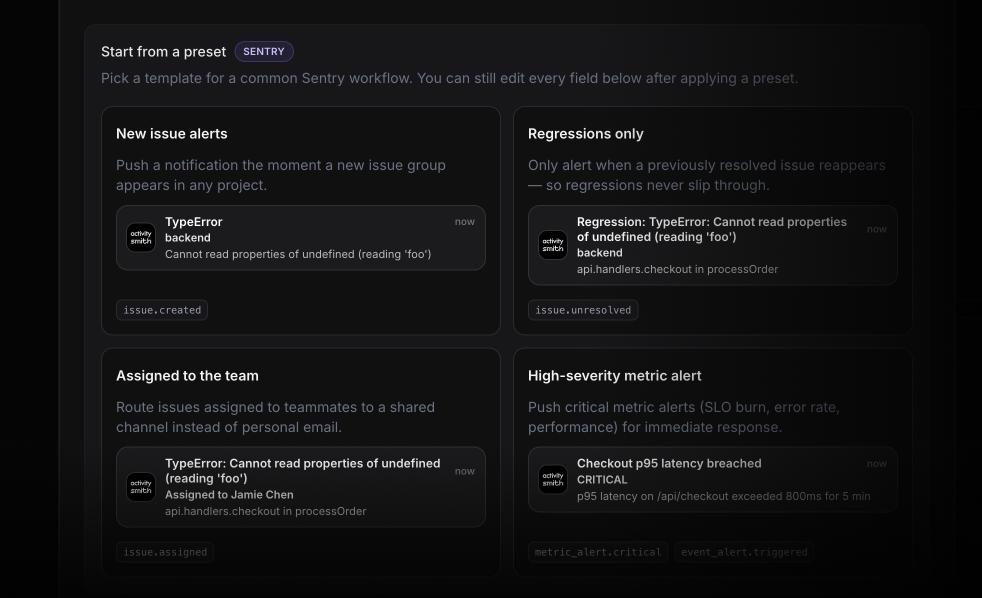
Use ActivitySmith to get Sentry issues, assignments, regressions, and metric alerts on your iOS devices instead of buried in inboxes or waiting inside the Sentry UI. Register the generated endpoint as a Sentry Internal Integration, subscribe to the resources you care about, and route them into push notifications for your team.
Why use this if Sentry already sends emails
Sentry emails the assignee and pings the project's notification settings. That works for individual triage. It is not great for shared response when the right people need to see the same signal fast.
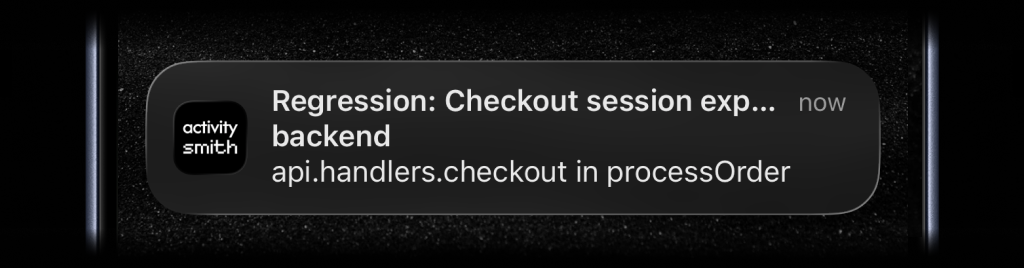
ActivitySmith puts those events on the lock screen and in the ActivitySmith log, with links and actions that take people straight to the right Sentry page.
Regressions get their own channel. A resolved issue reappearing is worth waking up for. Filter on issue.unresolved and route regressions away from the noise of brand-new issues.
Assignments hit the team, not one inbox. Route issue.assigned events to a shared on-call or backend channel. The person who should look at it gets the push - whether or not they caught the email.
Critical metric alerts in seconds. Push metric_alert.critical and event_alert.triggered straight to the lock screen. SLO burn, error spikes, and p95 breaches surface immediately instead of waiting for someone to open Sentry.
One place for all your team's event routing. If you're already routing GitHub, Linear, or deployment events through ActivitySmith, Sentry alerts land in the same channels with the same setup.
What you can route
- Issue lifecycle events - created, assigned, resolved, ignored, unresolved - for new alerts, regressions, and team routing.
- Metric alert events - critical, warning, resolved - for SLO burn, error rate, and p95 latency breaches.
- Event alerts and error events for custom Sentry alert rules.
- Comment events so investigation activity reaches the right channel.
- Issue title, culprit, project, type, assignee, and metric alert status as payload fields for custom notification messages.
- Action buttons to open the issue in Sentry, mark it resolved, or trigger a webhook without unlocking your phone.
Linear Webhooks Integration for Push Notifications
Use ActivitySmith to get Linear issue, cycle, and project events on your iOS devices based on priority, project, or label - not just whoever happens to be assigned or following the issue. Paste the generated endpoint into Linear, subscribe to the events you want, and route them into push notifications for your team.
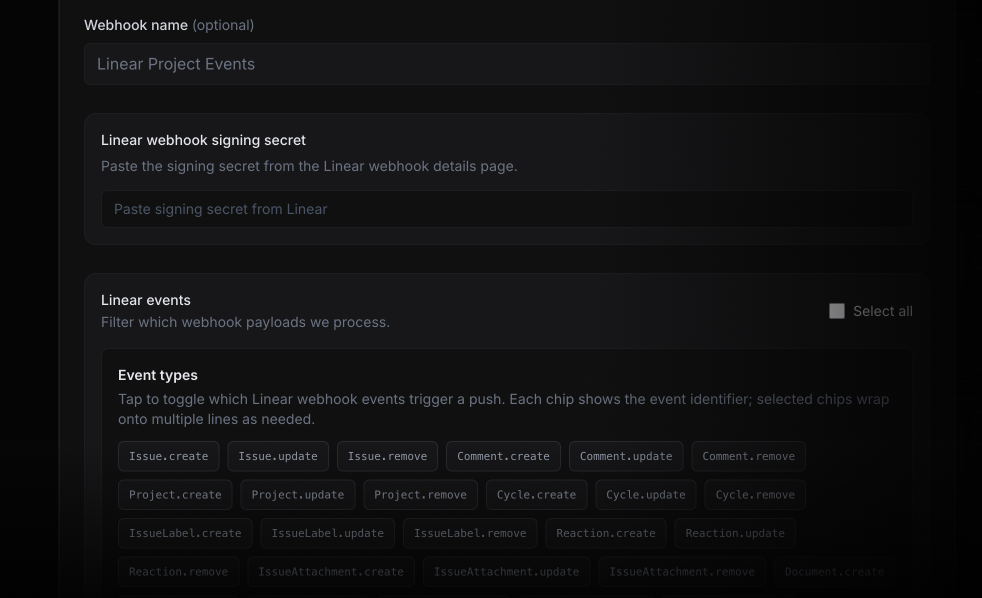
Why use this if Linear already sends notifications
Linear's iOS app notifies you about issues you're assigned to or following. That works for your personal queue. It is not enough when the team wants routing based on severity, workflow stage, or project.
ActivitySmith puts those events on the lock screen and in the ActivitySmith log, so the right people see the handoff immediately.
Route by priority, not by assignment. Any P1 issue created in your workspace can go straight to #on-call. No one misses it because they weren't the assignee or weren't following the issue.
Shared sprint visibility. Cycle start and close events can land in a team channel so everyone knows the sprint boundary - without a standup or a manual message to check.
Visibility beyond Linear users. Managers, founders, or adjacent teams who don't live in Linear can still get the signal. Route project milestones and status changes to anyone with ActivitySmith - no Linear account required.
One place for all your team's event routing. If you're already routing GitHub Actions and deployment events through ActivitySmith, Linear fits into the same channels and the same setup.
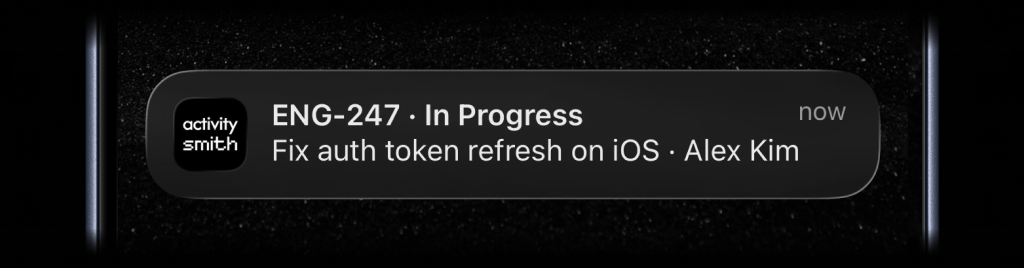
What you can route
- Issue created, updated, started, completed, and cancelled events for issue workflow tracking.
- Cycle start and close events for team-wide sprint visibility.
- Project update and milestone events for stakeholders outside Linear.
- Issue identifiers, titles, assignees, priorities, and labels as payload fields for custom notification messages.
GitHub Webhooks Integration for Push Notifications and Live Activities
Use ActivitySmith to get GitHub deploys, pull requests, checks, and workflow runs on your iOS devices instead of refreshing Actions or waiting for email. Pair the generated endpoint with a GitHub repository or organization, pick the events you care about, and route them into push notifications or Live Activities for your team.
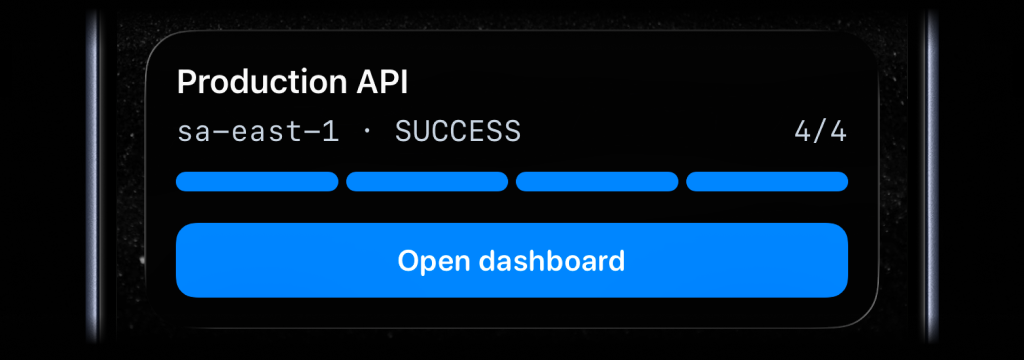
Push notifications are the right fit for handoffs and conclusions. Live Activities are a better fit for CI runs, deploys, and other long-running work you want visible from the lock screen while it is still moving.
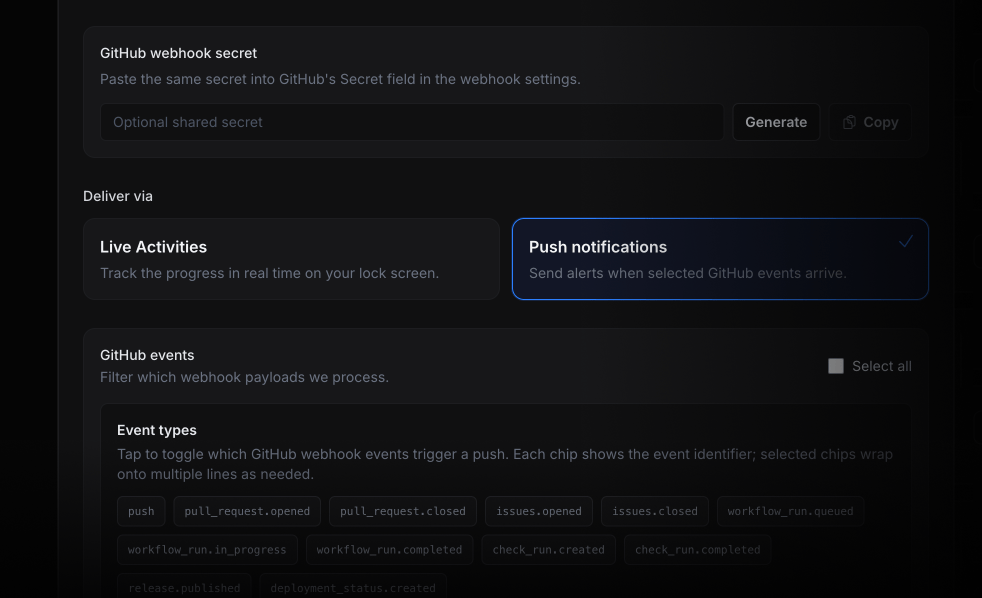
Send handoffs as push notifications. Failed checks, merged pull requests, and deployment conclusions are moments someone should see right away. Route those events to the right channel so the next step is obvious the moment GitHub emits it.
Track long-running work with Live Activities. Workflow runs and deployment-style events are easier to follow as a single live line on the lock screen than as a pile of separate notifications.
What you can route
- Workflow, check run, and check suite activity for CI progress and conclusions.
- Pull requests, issues, comments, releases, and deployments for review and release visibility.
Inbound Webhooks for GitLab, Railway, and Custom JSON Events
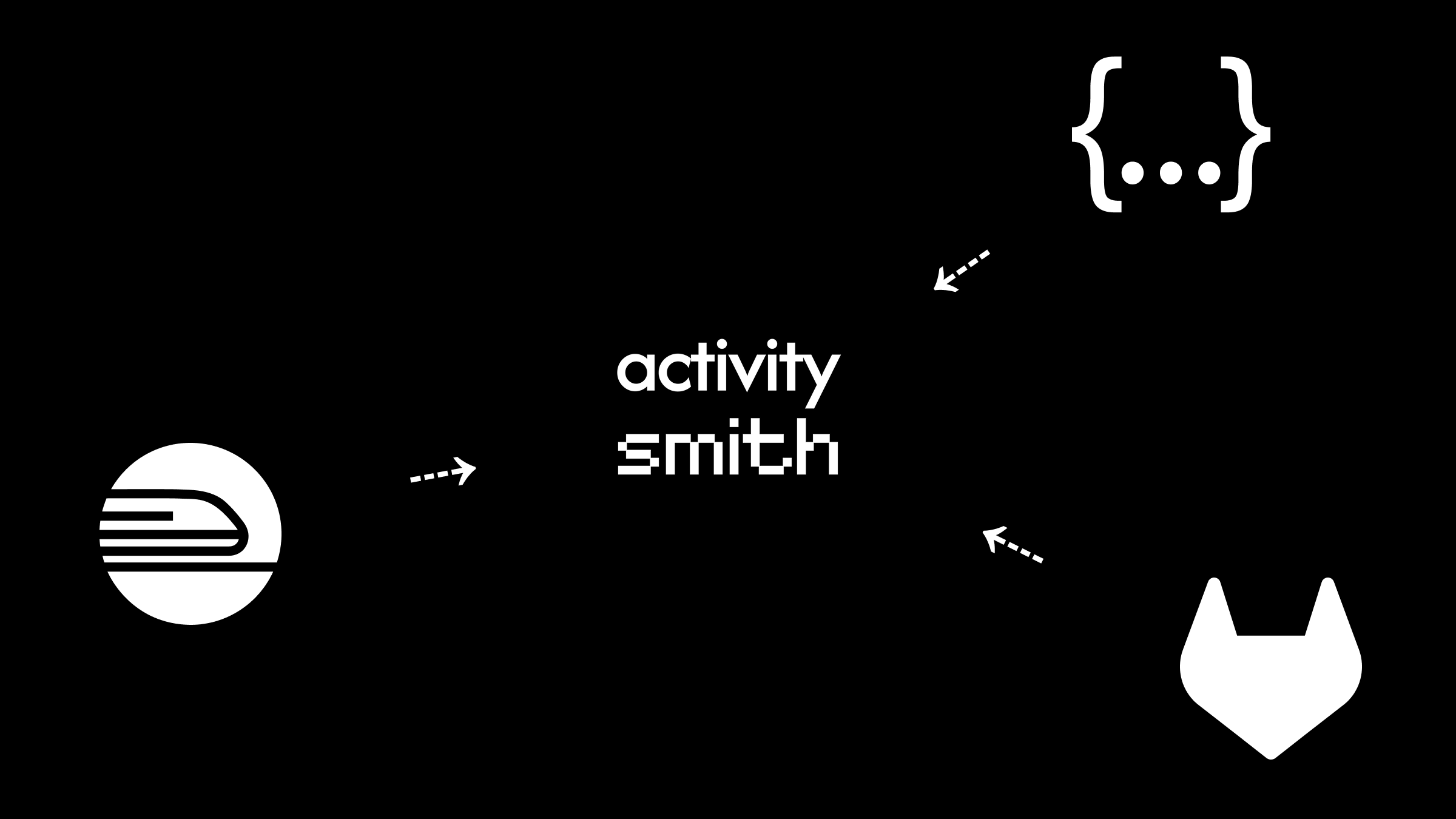
Use inbound webhooks when the service you care about does not have a native ActivitySmith integration yet. Railway deploys, GitLab pipelines, internal tools, and any custom JSON source can send events into ActivitySmith so your team sees backend work on the lock screen while it is still happening.
Choose Live Activities for rollouts, pipelines, and other long-running work. Choose push notifications for one-off outcomes, failures, and handoffs that someone should see immediately.
ActivitySmith accepts inbound webhooks from Railway, GitLab, and any service that sends custom JSON.
What's new
- Railway inbound webhooks for deployment events.
- GitLab inbound webhooks for pipelines, merge requests, issues, releases, comments, and repository events.
- Generic JSON webhooks for custom backend events and no-code tools.
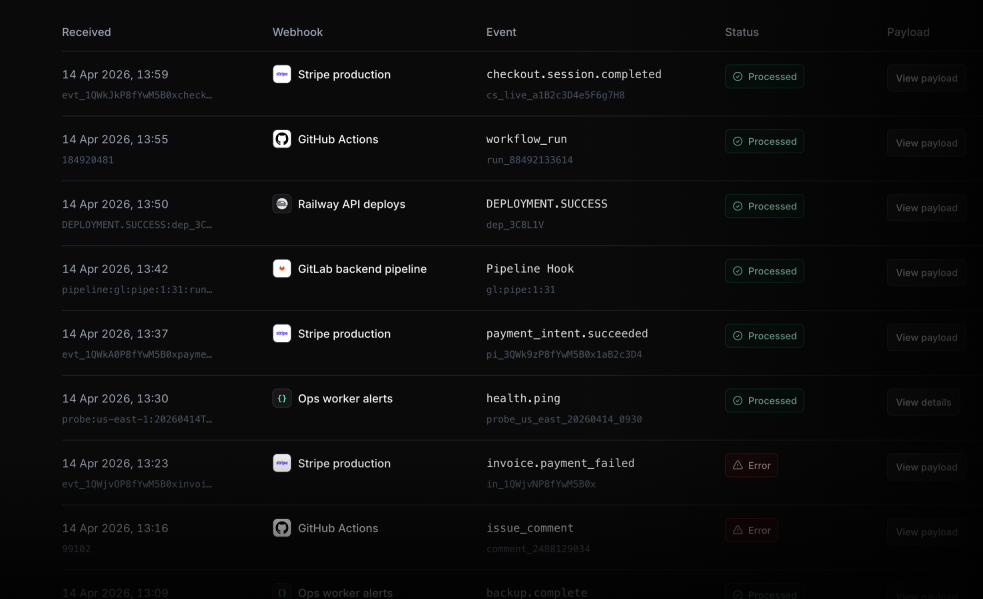
- Delivery log for recent webhook requests, payloads, processing errors, and verification failures.
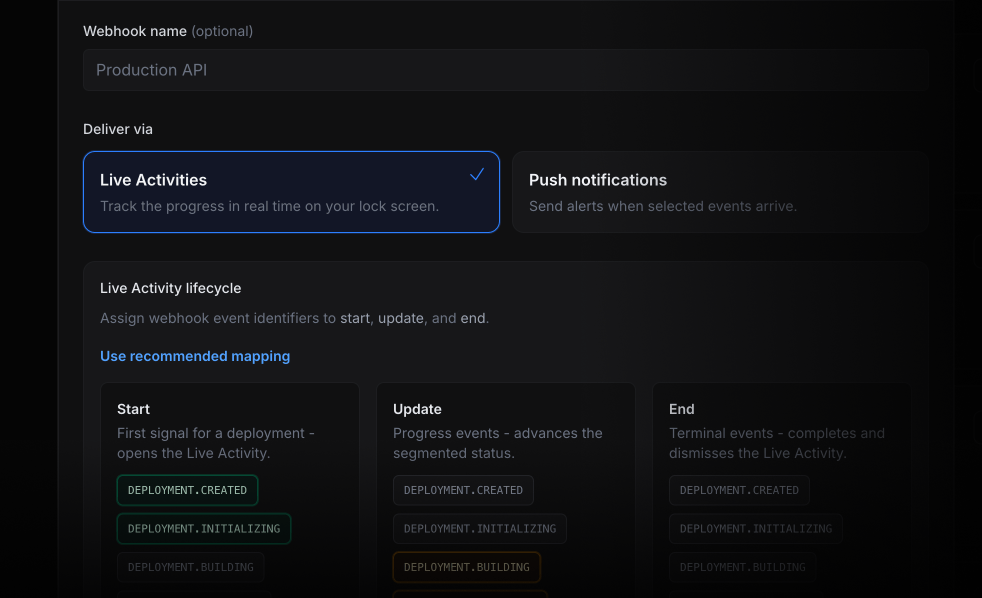
Webhooks also support secret-token verification and channel targeting, so incoming events can be checked before processing and routed to the right people and devices.
Railway deployment events
Railway deployment state can stay visible from rollout start to success or failure, without turning the release into another tab to watch.
For example, deployment start and progress events can update a Live Activity, then production success or failure can arrive as a Push Notification.
Good fits:
- production deploy started
- deployment failed
- rollback started
- deployment succeeded
- service metadata changed
GitLab pipeline and project events
GitLab pipeline, review, and release state can follow the work from the lock screen while it moves.
You can route pipeline events to Live Activities, send Push Notifications for failed jobs or review handoffs, and open the related GitLab page from the notification action.
Generic JSON webhooks
Generic webhooks are the escape hatch.
If a service can send JSON, it can send an event into ActivitySmith. Paste a sample payload, map JSON fields into the notification or Live Activity text, and choose the delivery mode that fits the event.
For optional verification, send the generated secret in:
X-ActivitySmith-Webhook-Secret: YOUR_SECRETThis is useful for internal tools, workers, cron jobs, low-code automations, or webhook providers that do not need a dedicated preset yet.
Delivery log
Inbound webhooks include a delivery log for the inevitable "did the webhook fire?" moment.
Availability
Inbound webhooks are available now in the ActivitySmith dashboard.
Start with Railway, GitLab, or Generic JSON, then choose whether that endpoint should deliver Push Notifications or Live Activities.
More integrations such as Vercel, Sentry, Stripe, and Polar are coming soon.
New Metrics Live Activity for Backend Monitoring
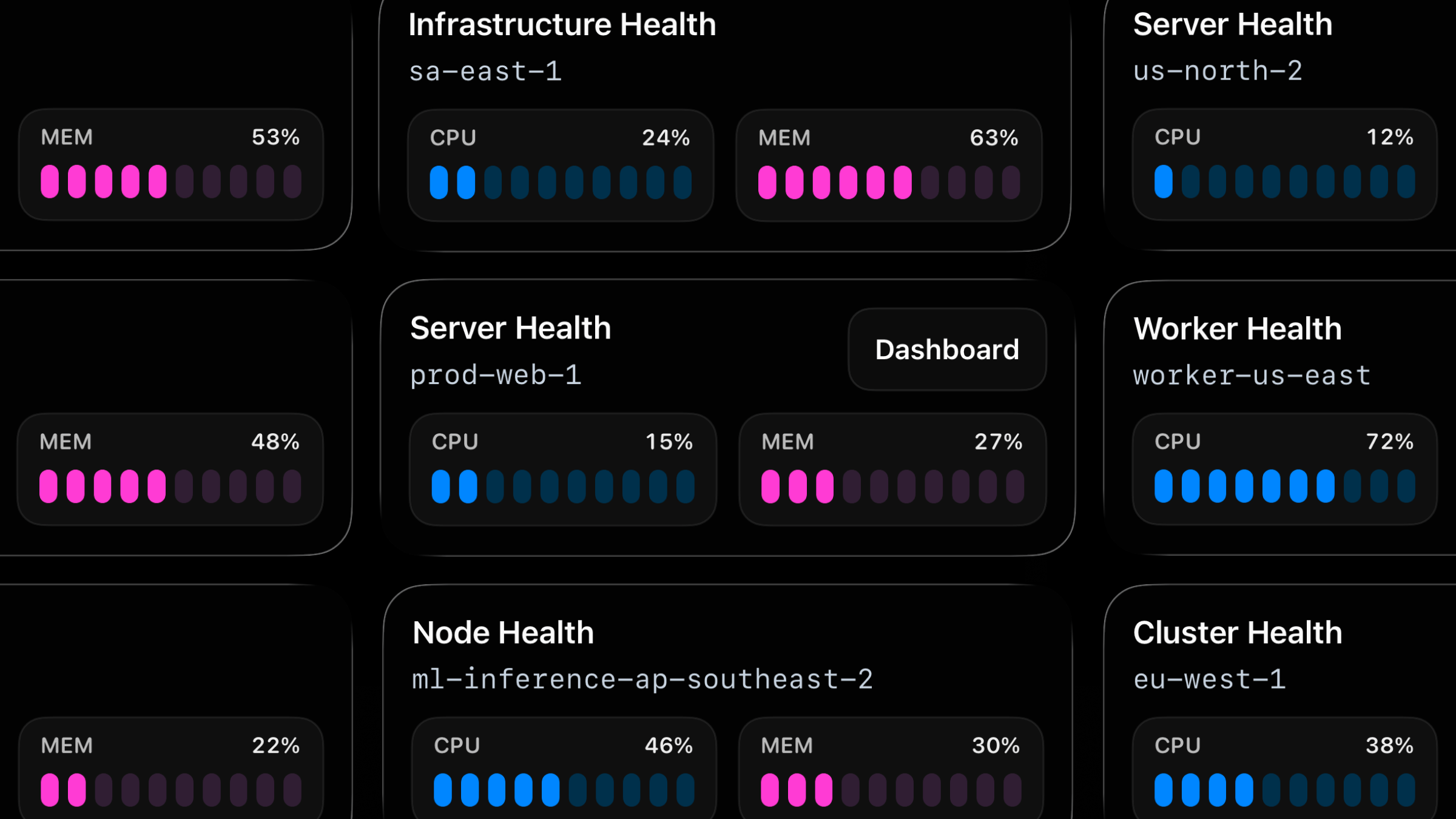
Live Activities now support a third activity type: metrics.
Use metrics to track server health, queue pressure, replica lag, worker saturation, and similar backend state you want visible on your lock screen at a glance.
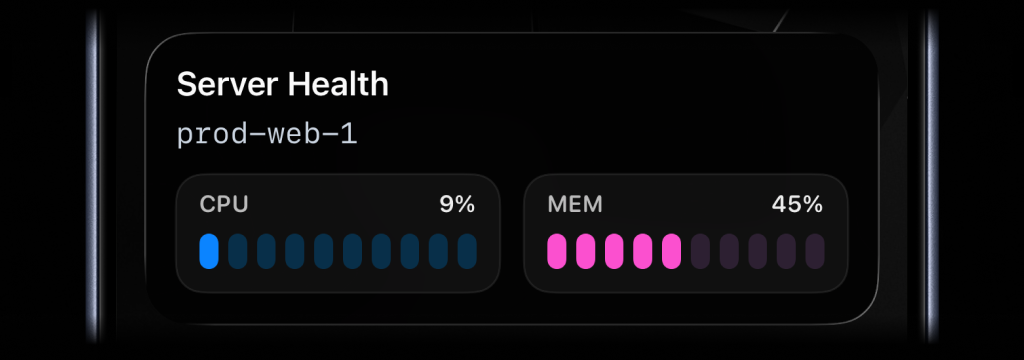
await activitysmith.liveActivities.stream("prod-web-1", { content_state: { title: "Server Health", subtitle: "prod-web-1", type: "metrics", metrics: [ { label: "CPU", value: 9, unit: "%" }, { label: "MEM", value: 45, unit: "%" }, ], },});Call the same PUT /live-activity/stream/{stream_key} endpoint again whenever the values change. ActivitySmith keeps the Live Activity in sync on the device for you.
When the signal is no longer relevant, call DELETE /live-activity/stream/{stream_key} to end the Live Activity.
Availability
Available now across the API, SDKs, CLI, and GitHub Action.
This feature is available in the ActivitySmith iOS app version 1.5.0 and newer.
Stateless Live Activities: Stream Updates Without Managing activity_id
Live Activities now support a stateless stream mode.
I built this because while working on a new Live Activity type, I ran into a real limitation: lifecycle state management is fine in systems that already have state, but it becomes awkward in runtimes that wake up, do one thing, and exit.
GitHub Actions is a good example of where the original lifecycle still fits well. A workflow can start a Live Activity, keep the returned activity_id across steps, send updates, and end it when the run finishes.
A cron job is different. Each run can measure the current state of a process, but it does not naturally remember the activity_id from the previous run. You can bolt on a file, Redis key, or database row to persist it, but that means the integration is doing more state management than the job itself.
Stateless Live Activities remove that overhead.
What's new
- New
PUT /live-activity/stream/{stream_key}endpoint for stateless start-or-update behavior. - New
DELETE /live-activity/stream/{stream_key}endpoint to end the tracked Live Activity when the process is over. - ActivitySmith manages the lifecycle behind a stable
stream_key, so the caller does not need to persistactivity_id. - This is a good fit for cron jobs, scheduled scripts, background workers, and polling loops.
How it works
Pick one stable stream_key for one thing you are tracking.
Examples:
prod-web-1deployment-mainnightly-backupev-charging
Use one stream_key for one system, workflow, or process.
If no Live Activity exists yet for that key, ActivitySmith starts one. If one already exists, ActivitySmith updates it. If the current Live Activity needs to rotate, ActivitySmith handles that too.
The caller only sends the latest state.
Example: monitor PM2 process from cron
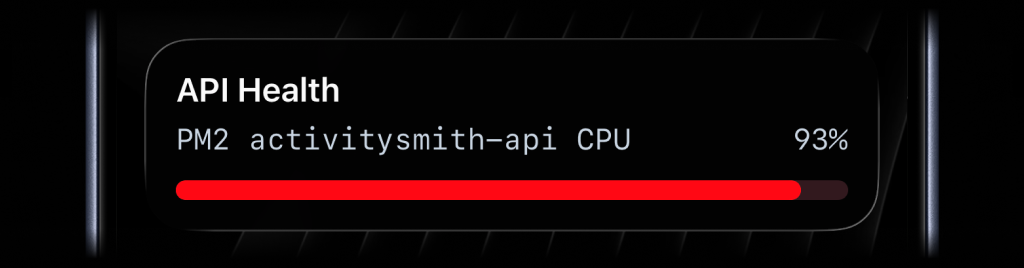
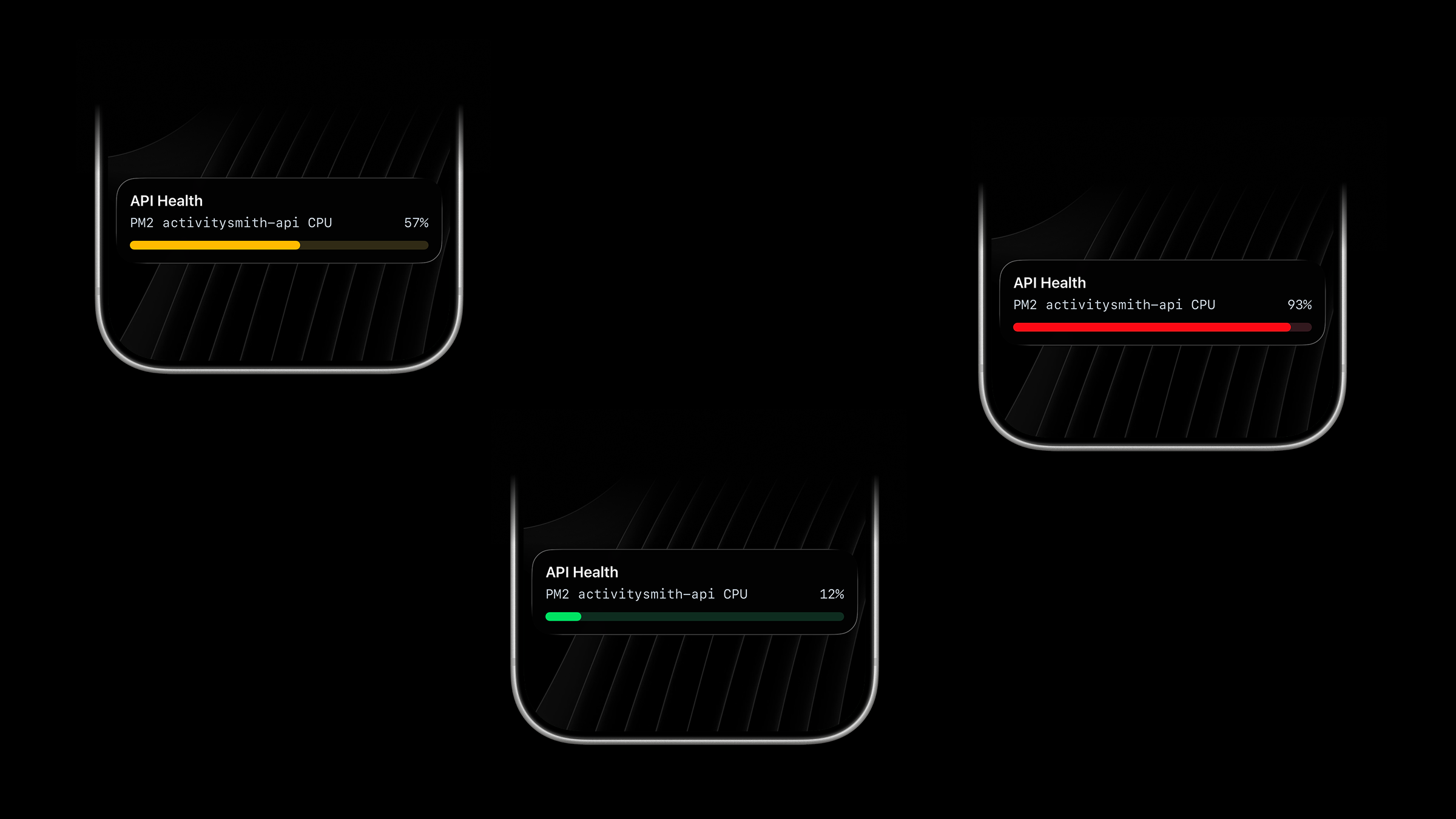
In this example, a cron job runs on a VPS, reads the CPU usage of one PM2 process by ID, maps that value to a progress Live Activity, and sends it with the same stream_key every time.
The important part is what the script does not do:
- it does not load an
activity_id - it does not save lifecycle state anywhere
- it just sends the latest data
#!/bin/bashset -euo pipefailAPI_BASE_URL="https://activitysmith.com/api"YOUR_API_KEY="YOUR_API_KEY"STREAM_KEY="pm2-activitysmith-api-cpu"PM2_PROCESS_ID="0"cpu_raw=$(pm2 jlist | jq -r --arg id "$PM2_PROCESS_ID" ' map(select((.pm2_env.pm_id | tostring) == $id)) | .[0].monit.cpu')if [ -z "$cpu_raw" ] || [ "$cpu_raw" = "null" ]; then exit 1ficpu=$(printf "%.0f" "$cpu_raw")if [ "$cpu" -gt 100 ]; then cpu=100fiif [ "$cpu" -ge 80 ]; then color="red"elif [ "$cpu" -ge 40 ]; then color="yellow"else color="green"fipayload=$(cat <<EOF{ "content_state": { "title": "API Health", "subtitle": "PM2 activitysmith-api CPU", "type": "progress", "percentage": $cpu, "color": "$color" }}EOF)curl --fail --silent --show-error \ -X PUT "$API_BASE_URL/live-activity/stream/$STREAM_KEY" \ -H "Authorization: Bearer $YOUR_API_KEY" \ -H "Content-Type: application/json" \ -d "$payload"Then let cron run it every minute:
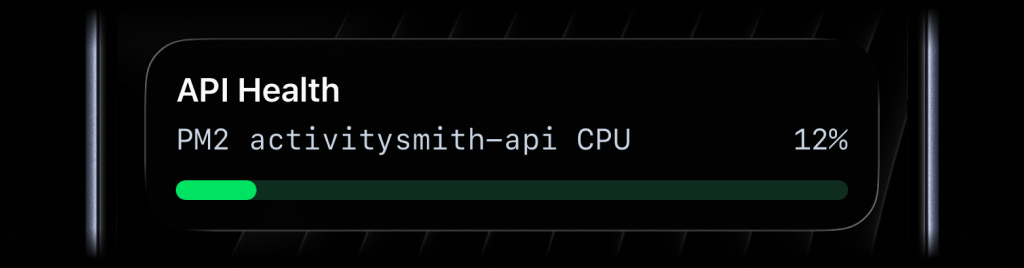
* * * * * /opt/monitoring/pm2-cpu-live-activity.shOne run might send a green update at normal CPU usage.
A later run can spike the same Live Activity to yellow.
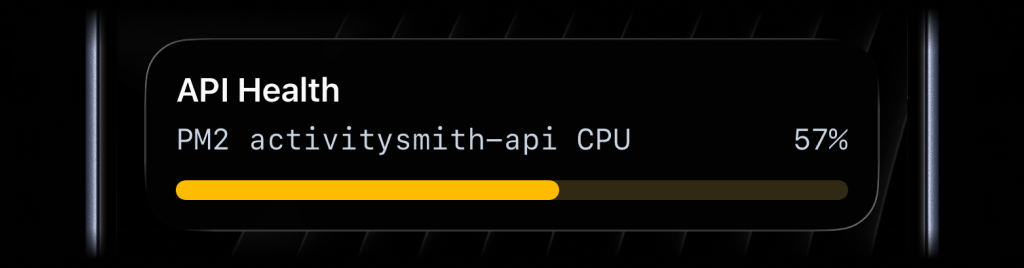
That is the whole point of stream mode: each execution is stateless, but the Live Activity stays continuous on the device.
When to use which model
Use stream mode when the caller should only send the latest state and move on.
Good fits:
- cron jobs
- scheduled health checks
- queue depth samplers
- background workers
- scripts that run independently and exit
Keep the original start/update/end lifecycle when the caller already has a natural place to keep state.
Good fits:
- GitHub Actions workflows
- deploy orchestration
- import pipelines
- long-running jobs that already pass IDs between stages
Ending the stream
When the tracked process is over and you no longer want the Live Activity on devices, end the stream explicitly:
curl --fail --silent --show-error \ -X DELETE "https://activitysmith.com/api/live-activity/stream/pm2-activitysmith-api-cpu" \ -H "Authorization: Bearer $YOUR_API_KEY"If you later send another PUT request with the same stream_key, ActivitySmith starts a new Live Activity for that stream again.
Availability
Available now across the API, SDKs, CLI, and GitHub Action.
This feature is available in the ActivitySmith iOS app version 1.5.0 and newer.
Live Activity Action: Add a Button to Open a URL or Trigger a Webhook
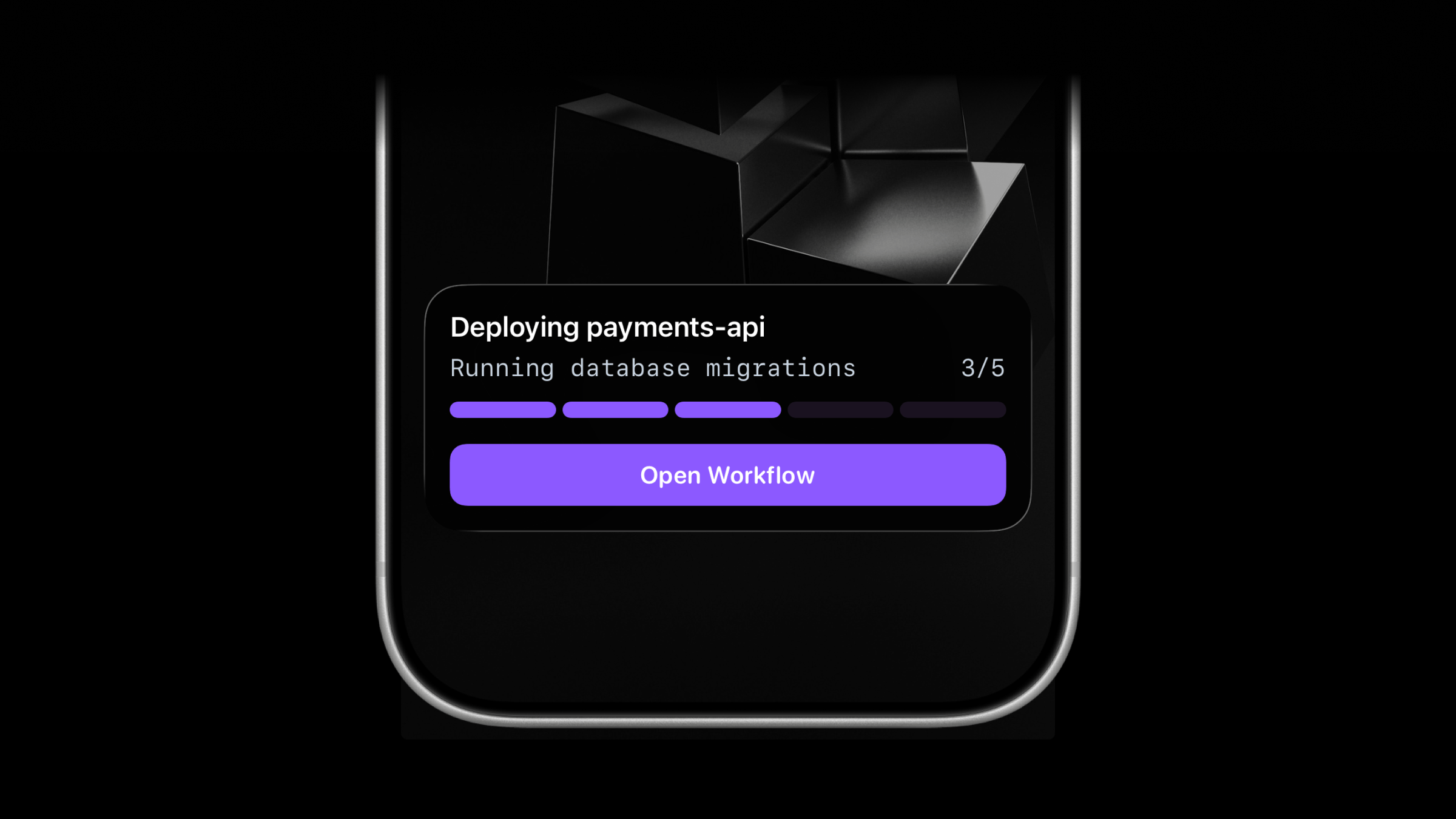
Live Activities now support optional action button.
Use it when a long-running job should stay actionable while progress is visible on the Lock Screen.
Open the GitHub Action run for a deployment, open a runbook, or trigger a backend webhook to pause or retry work without having to search for the right link or dashboard first.
What’s new
- New optional
actionfield on Live Activity start, update, and end requests. - One button per Live Activity.
- Action
type:open_url: opens the provided HTTPS URL in the browser.webhook: ActivitySmith backend calls the provided HTTPS webhook (GETorPOST).
- Supported for both
segmented_progressandprogressLive Activities.
Open URL example
Use this to jump from the Live Activity straight into the deployment or CI page.
{ "content_state": { "title": "Deploying payments-api", "subtitle": "Running database migrations", "number_of_steps": 5, "current_step": 3, "type": "segmented_progress" }, "action": { "title": "Open Workflow", "type": "open_url", "url": "https://github.com/acme/payments-api/actions/runs/1234567890" }}Webhook example
Use this when the action should trigger backend behavior instead of opening a page.
{ "content_state": { "title": "Reindexing product search", "subtitle": "Shard 7 of 12", "number_of_steps": 12, "current_step": 7, "type": "segmented_progress" }, "action": { "title": "Pause Reindex", "type": "webhook", "url": "https://ops.example.com/hooks/search/reindex/pause", "method": "POST", "body": { "job_id": "reindex-2026-03-19", "requested_by": "activitysmith" } }}Good fits
- deployment progress: open the workflow, deployment page, PR, or incident runbook
- customer imports and backfills: pause the import or retry a failed batch
- search reindex jobs: pause the reindex from the Live Activity itself
- database backup or restore verification: open the runbook or trigger the next backend step
Availability
Available now across the API, SDKs, CLI, and GitHub Action.
This feature is available in the ActivitySmith iOS app version 1.4.0 and newer.
Rich Push Notifications: Send Images, Video, and Audio
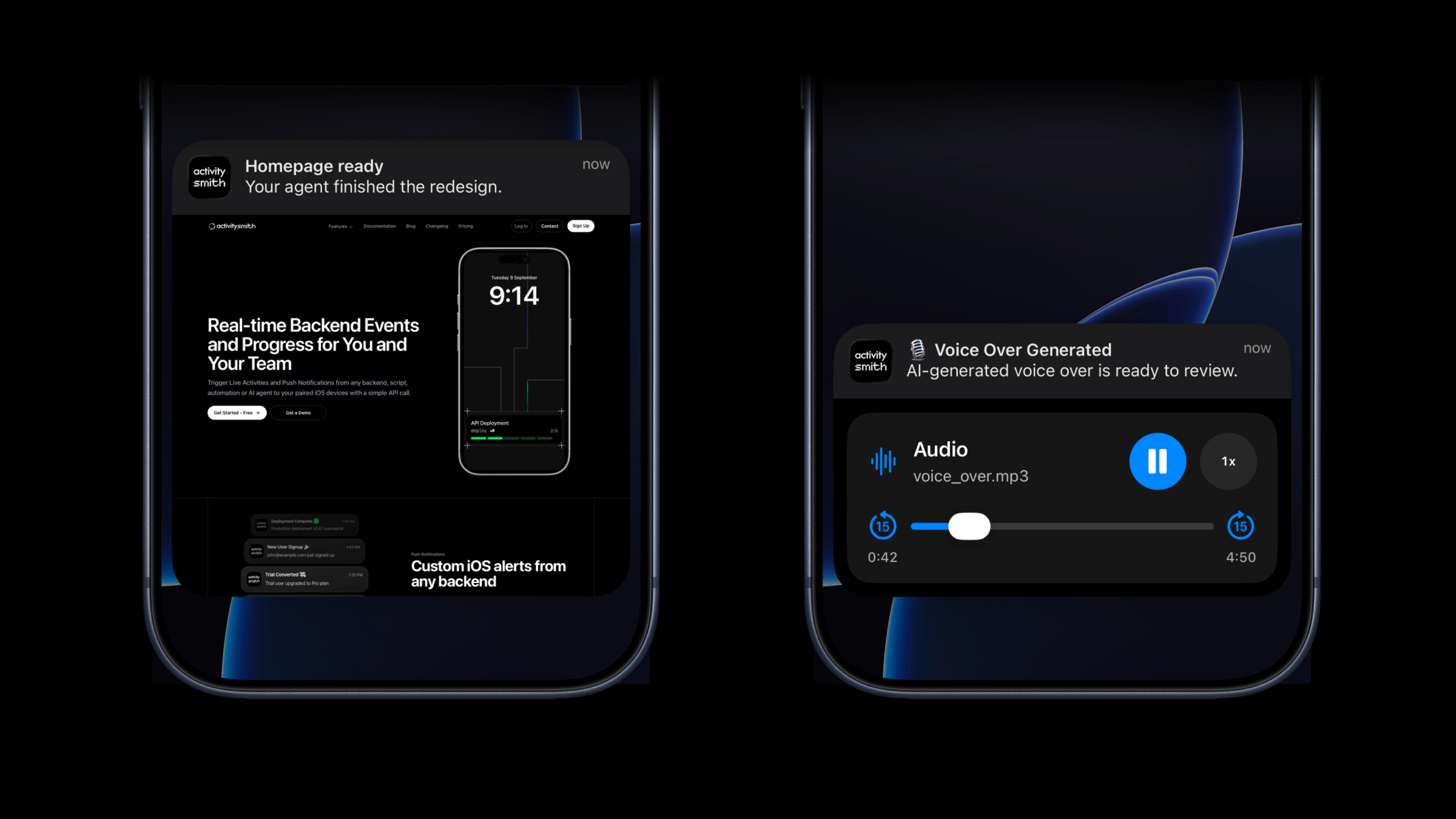
Push Notifications now support optional media.
Attach an image, video, or audio file to the notification itself so you can press and hold to preview media directly from the notification, then tap through to open the linked content.
This is a good fit for agent outputs, QA review flows, design previews, generated voice overs, and any backend workflow where the notification should carry the actual result, not just a line of text.
What’s new
- New optional
mediafield for push notifications. - Send direct image, video, or audio URLs in the payload.
- Press and hold to preview the media directly from the notification.
mediacan be combined withredirection.- If
redirectionis omitted, tapping the notification opens the media URL.
What will work
- direct image URL:
.jpg,.png,.gif, etc. - direct audio file URL:
.mp3,.m4a, etc. - direct video file URL:
.mp4,.mov, etc. - URL that responds with a proper media
Content-Type, even if the path has no extension
Example payload
{ "title": "Homepage ready", "message": "Your agent finished the redesign.", "media": "https://cdn.example.com/output/homepage-v2.png", "redirection": "https://github.com/acme/web/pull/482"}Availability
Available now across the API, SDKs, CLI, and GitHub Action.
This feature is available in the ActivitySmith iOS app version 1.3.0 and newer.
New Progress Type for Live Activities
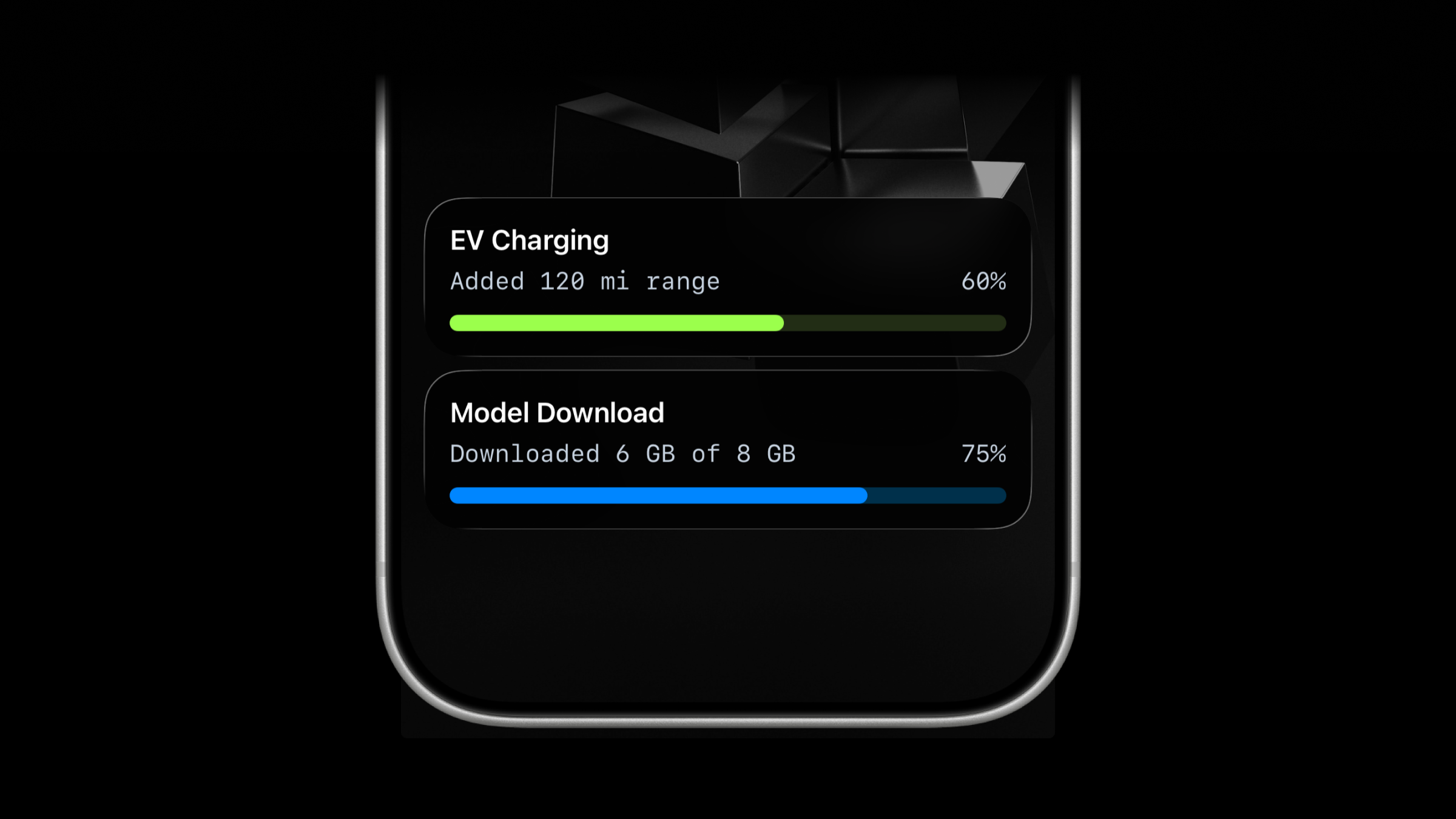
Live Activities now support a second activity type: progress.
Use progress when the work is naturally continuous instead of step-based.
It fits EV charging, file transfers, data sync progress, imports, downloads, uploads, and any job where a percentage or numeric range is clearer than "step 2 of 4".
What’s new
- New
progresstype for Live Activities. - Send either
percentageorvaluewithupper_limit. - Keep using
segmented_progressfor step-based workflows. segmented_progressstill supports dynamicnumber_of_stepsduring update and end calls.
Choose the right type
segmented_progress: best for jobs tracked in steps.progress: best for jobs tracked as a percentage or numeric range.
Lifecycle
The lifecycle stays the same:
- Start the activity.
- Save the returned
activity_id. - Update it as progress changes.
- End it when the work is finished.
Start Live Activity
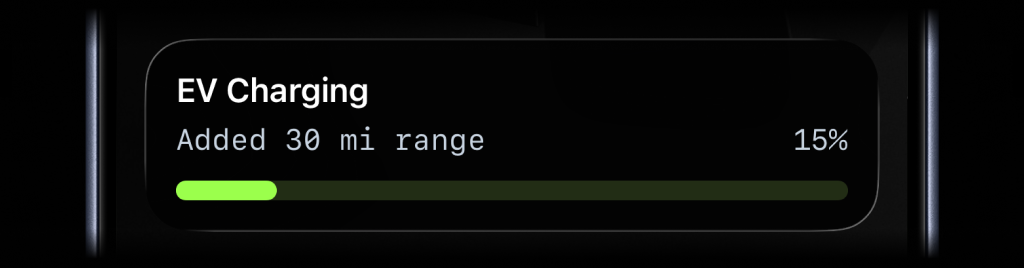
{ "content_state": { "title": "EV Charging", "subtitle": "Added 30 mi range", "percentage": 15, "type": "progress", "color": "lime" }}Update Live Activity
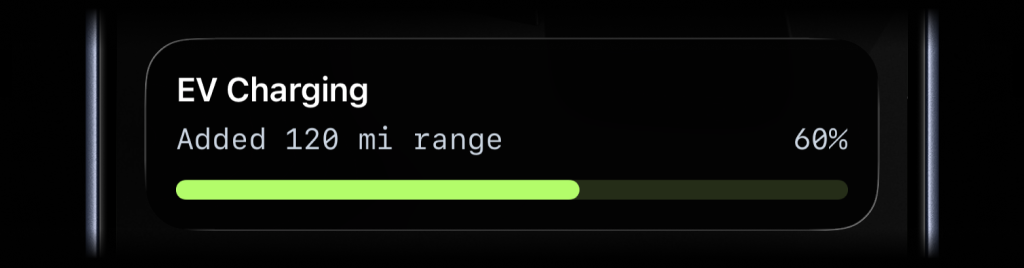
{ "content_state": { "title": "EV Charging", "subtitle": "Added 120 mi range", "percentage": 60 }}End Live Activity
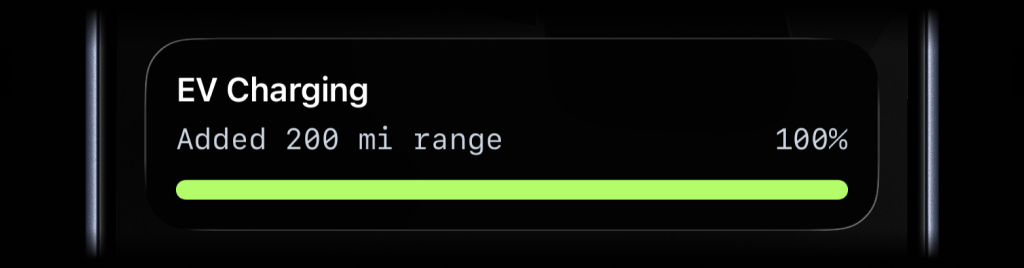
{ "content_state": { "title": "EV Charging", "subtitle": "Added 200 mi range", "percentage": 100, "auto_dismiss_minutes": 2 }}Numeric range example
{ "content_state": { "title": "Data Sync", "subtitle": "241 of 360 records synced", "value": 241, "upper_limit": 360, "type": "progress", "color": "blue" }}Availability
Available now across the API, SDKs, CLI, GitHub Action, and ActivitySmith skill.
This feature is available in the ActivitySmith iOS app version 1.2.0 and newer.
Actionable Push Notifications: Tap to Open URL, Long-Press for Actions (Open URL or Webhook)
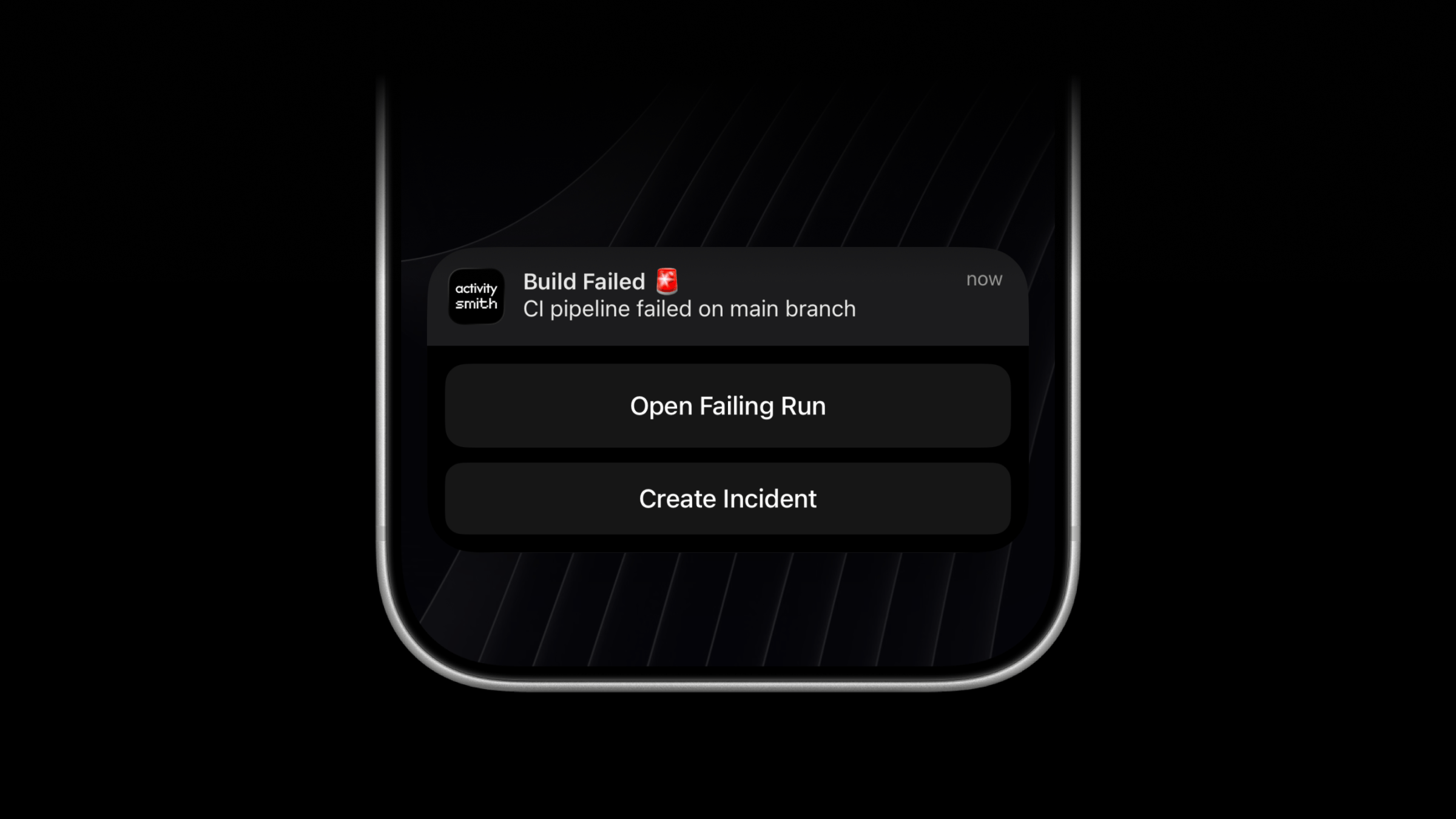
Push Notifications now support optional redirection and actions fields.
Use redirection to open a URL when a user taps the notification. Use actions to show up to four buttons on long-press.
What’s new
redirection: HTTPS URL opened on notification tap.actions: up to 4 action buttons shown on long-press.- Action
type:open_url: opens the provided URL in browser.webhook: triggers backend webhook call (GETorPOST).
Availability
This feature is available in the ActivitySmith iOS app version 1.1.0 and newer.
Example payload
{ "title": "Build Failed 🚨", "message": "CI pipeline failed on main branch", "redirection": "https://github.com/org/repo/actions/runs/123456789", "actions": [ { "title": "Open Failing Run", "type": "open_url", "url": "https://github.com/org/repo/actions/runs/123456789" }, { "title": "Create Incident", "type": "webhook", "url": "https://hooks.example.com/incidents/create", "method": "POST", "body": { "service": "payments-api", "severity": "high" } } ]}All SDKs, CLI, and the GitHub Action now support these optional fields in push notification requests.
ActivitySmith Skill: Install with npx skills add for Agent Workflows
ActivitySmith now provides a skill you can install with npx skills add to send Push Notifications and trigger Live Activities from your coding agents.
Install
npx -y skills@latest add ActivitySmithHQ/activitysmith-cli --skill activitysmithRepository: github.com/activitysmithhq/activitysmith-cli
Push notification example
./skills/activitysmith/scripts/send_push.sh \ -t "Codex task finished" \ -m "Implemented OAuth callback fix, added regression tests, and opened PR #128."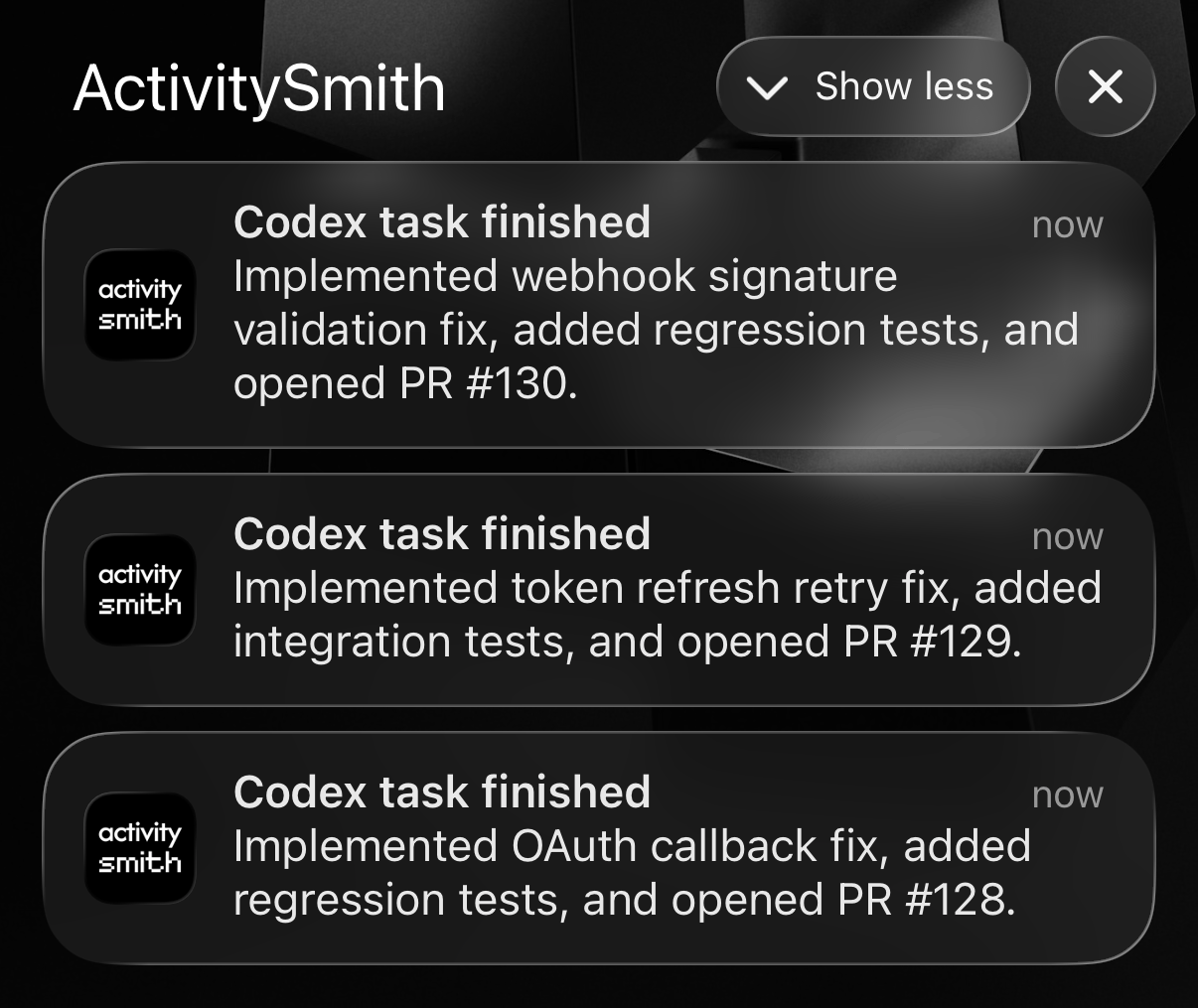
Live Activity workflow example
activity_id="$(./skills/activitysmith/scripts/start_activity.sh \ --title "Codex: migrate billing webhooks" \ --subtitle "Analyzing handlers" \ --type "segmented_progress" \ --steps 4 \ --current 1 \ --id-only)"./skills/activitysmith/scripts/update_activity.sh \ --activity-id "$activity_id" \ --title "Codex: migrate billing webhooks" \ --subtitle "Implementing + tests" \ --current 2./skills/activitysmith/scripts/end_activity.sh \ --activity-id "$activity_id" \ --title "Codex: migrate billing webhooks" \ --subtitle "Done" \ --current 4 \ --auto-dismiss 2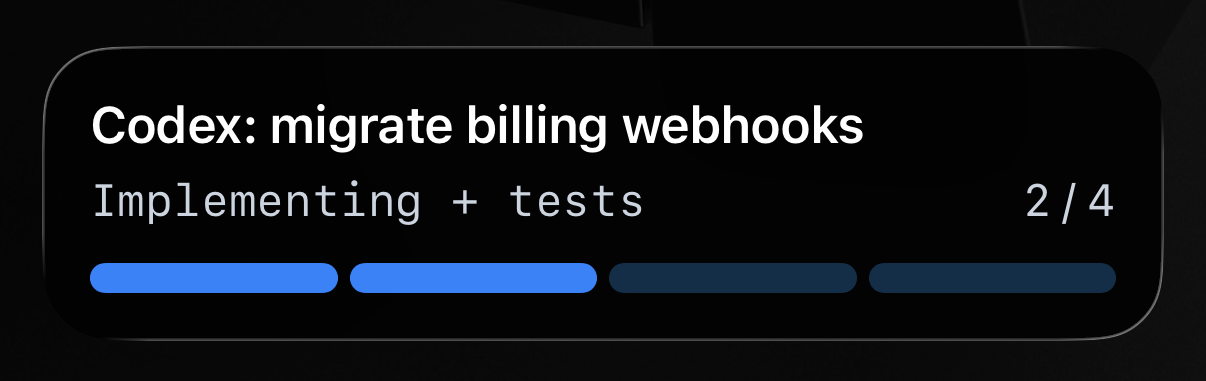
Use ACTIVITYSMITH_API_KEY for auth in your shell or environment.
Zapier Integration: Trigger Push Notifications and Live Activities from Any Zap
ActivitySmith now integrates with Zapier so you can send iOS Push Notifications and Live Activities from your automations.
Connect ActivitySmith to any Zap and route runtime events from your apps, scripts, and workflows to your team's iOS devices.
Supported actions
- Send push notifications for immediate events.
- Start and update Live Activities for long-running workflows.
Visit ActivitySmith integration on Zapier for more details.
Channels: Target Users and Devices + Scoped API Keys
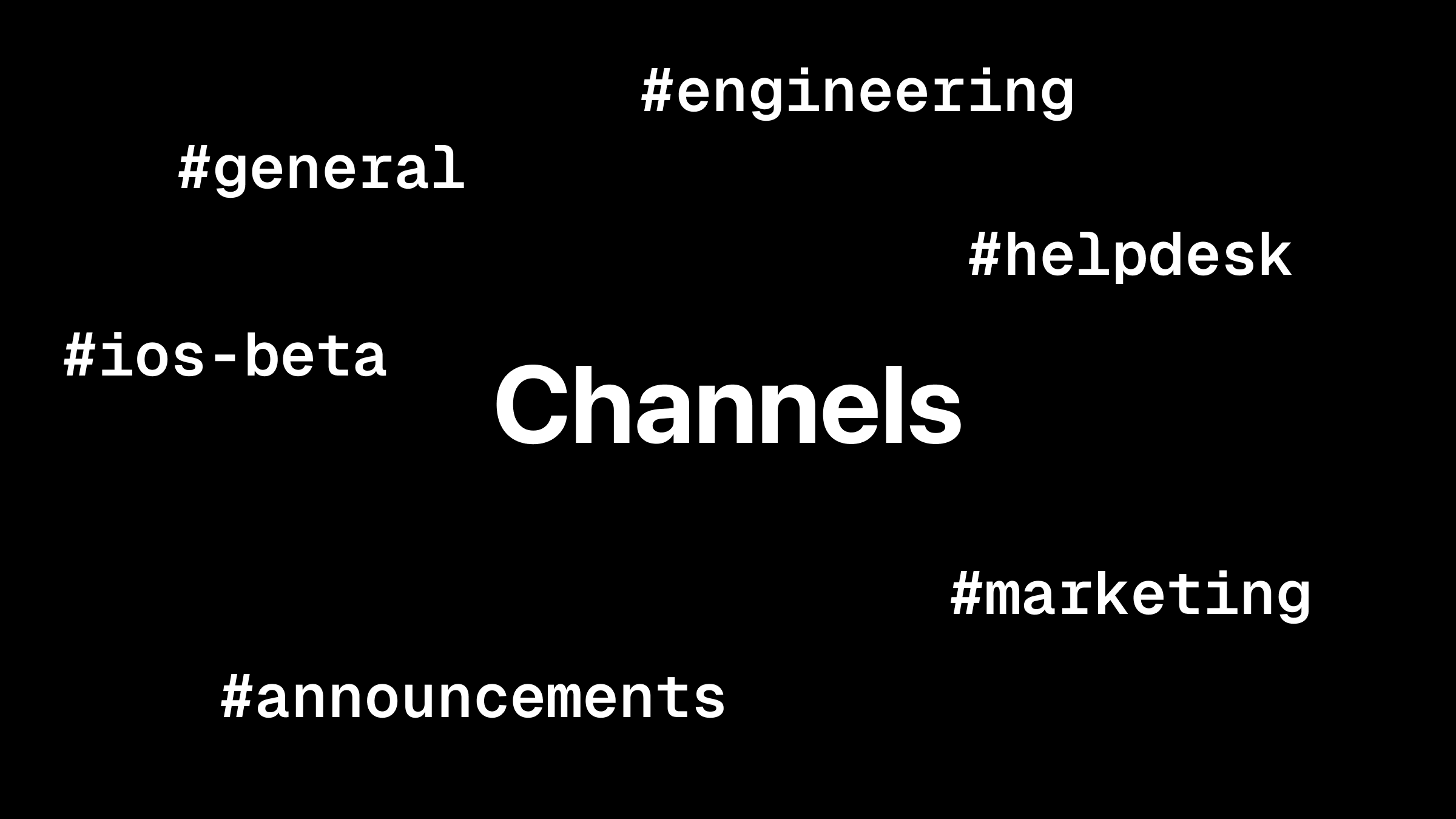
Use channels to route Push Notifications and Live Activities to specific users and devices.
Channels are now supported across all ActivitySmith SDKs and integrations, and the documentation has been updated with channel examples.
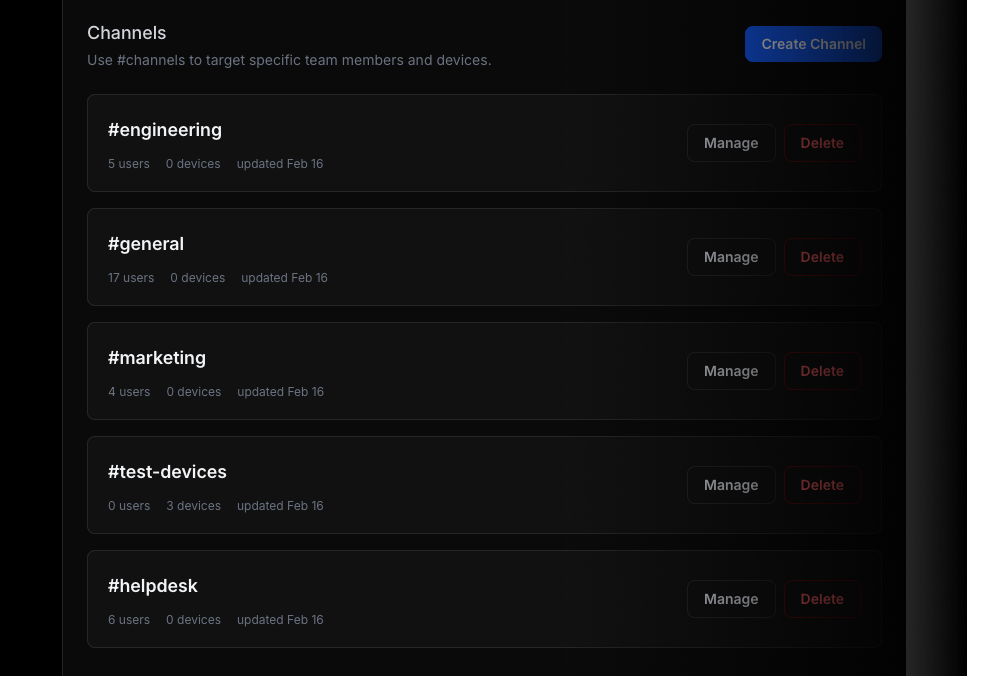
You can also scope API keys to specific channels for tighter control over where updates can be delivered.
Why channels
Channels let you route updates to the right audience, for example: #engineering, #ios-builds, #marketing.
Example
{ "title": "Build Failed", "message": "CI pipeline failed on main branch", "channels": ["ios-builds", "engineering"]}If channels are omitted, delivery behavior stays unchanged.
Invite Team Members for Shared Push Notifications and Live Activities
Add your team members to keep everyone notified and up to date with shared Push Notifications and Live Activities.
When your backend, scripts, or automations send Push Notifications or Live Activities, each update is delivered to all paired iOS devices on your team.

How it works
- Add team members in ActivitySmith.
- Teammates accept the invite and pair their iOS devices.
- Send updates from your backend, scripts, automations, or AI agents.
- Everyone gets notified and up to date with Push Notifications and Live Activities.
Official SDKs Are Live: Node, Python, Go, PHP, Ruby + CLI
The official ActivitySmith SDK suite is now available across all major backend stacks.
You can now integrate ActivitySmith with:
Install
# Node.js SDKnpm i activitysmith# Python SDKpip install activitysmith# Go SDKgo get github.com/ActivitySmithHQ/activitysmith-go# PHP SDKcomposer require activitysmith/activitysmith# Ruby SDKgem install activitysmith# ActivitySmith CLInpm i -g activitysmith-cliDocumentation
Full SDK documentation:
ActivitySmith GitHub Action
The official ActivitySmith GitHub Action is now live on the GitHub Marketplace.
Connect your CI and deployment workflows directly to ActivitySmith so your team gets real-time updates on their mobile devices.
You can now:
- Send push notifications from any workflow step.
- Start, update, and end Live Activities as your pipeline progresses.
Push Notifications
For lightweight updates like deploy completed, build failed, or rollback started, send a push notification in a single step:
- name: Send push notification uses: ActivitySmithHQ/activitysmith-github-action@v1 with: action: send_push_notification api-key: ${{ secrets.ACTIVITYSMITH_API_KEY }} payload: | title: "ActivitySmith Deployment" message: "New release deployed to production."This is a good fit for one-off alerts where you want immediate visibility but no ongoing activity timeline.
Live Activities
For long-running workflows, start the activity, post as many progress updates as needed, then end it when complete.
These examples use the current @v1 stream actions. Reuse a key based on repository, run, and run attempt for every update. No activity ID needs to be stored.
- name: Start live activity uses: ActivitySmithHQ/activitysmith-github-action@v1 with: action: stream_live_activity api-key: ${{ secrets.ACTIVITYSMITH_API_KEY }} stream-key: workflow-${{ github.repository_id }}-${{ github.run_id }}-${{ github.run_attempt }} payload: | content_state: title: "ActivitySmith API Deployment" subtitle: "ci: install & build" number_of_steps: 3 current_step: 1 type: "segmented_progress"- name: Update live activity uses: ActivitySmithHQ/activitysmith-github-action@v1 with: action: stream_live_activity api-key: ${{ secrets.ACTIVITYSMITH_API_KEY }} stream-key: workflow-${{ github.repository_id }}-${{ github.run_id }}-${{ github.run_attempt }} payload: | content_state: title: "ActivitySmith API Deployment" subtitle: "ci: tests" current_step: 2 type: "segmented_progress" number_of_steps: 3- name: End live activity if: ${{ always() }} uses: ActivitySmithHQ/activitysmith-github-action@v1 with: action: end_live_activity_stream api-key: ${{ secrets.ACTIVITYSMITH_API_KEY }} stream-key: workflow-${{ github.repository_id }}-${{ github.run_id }}-${{ github.run_attempt }} payload: | content_state: title: "ActivitySmith API Deployment" subtitle: "${{ job.status == 'success' && 'done' || 'check the workflow run' }}" current_step: 3 auto_dismiss_seconds: 10Launch Sequence Completed_
After months of building, ActivitySmith is live! Trigger Live Activities and send Push Notifications to your iOS device(s) with a simple API call.
Start here:
- Download the ActivitySmith iOS app and pair your device.
- Create API key and use the REST API to trigger Live Activities and send Push Notifications from any backend or CI.
- Check Quickstart guide at activitysmith.com/docs.
Try it now at activitysmith.com.
