← Back to changelog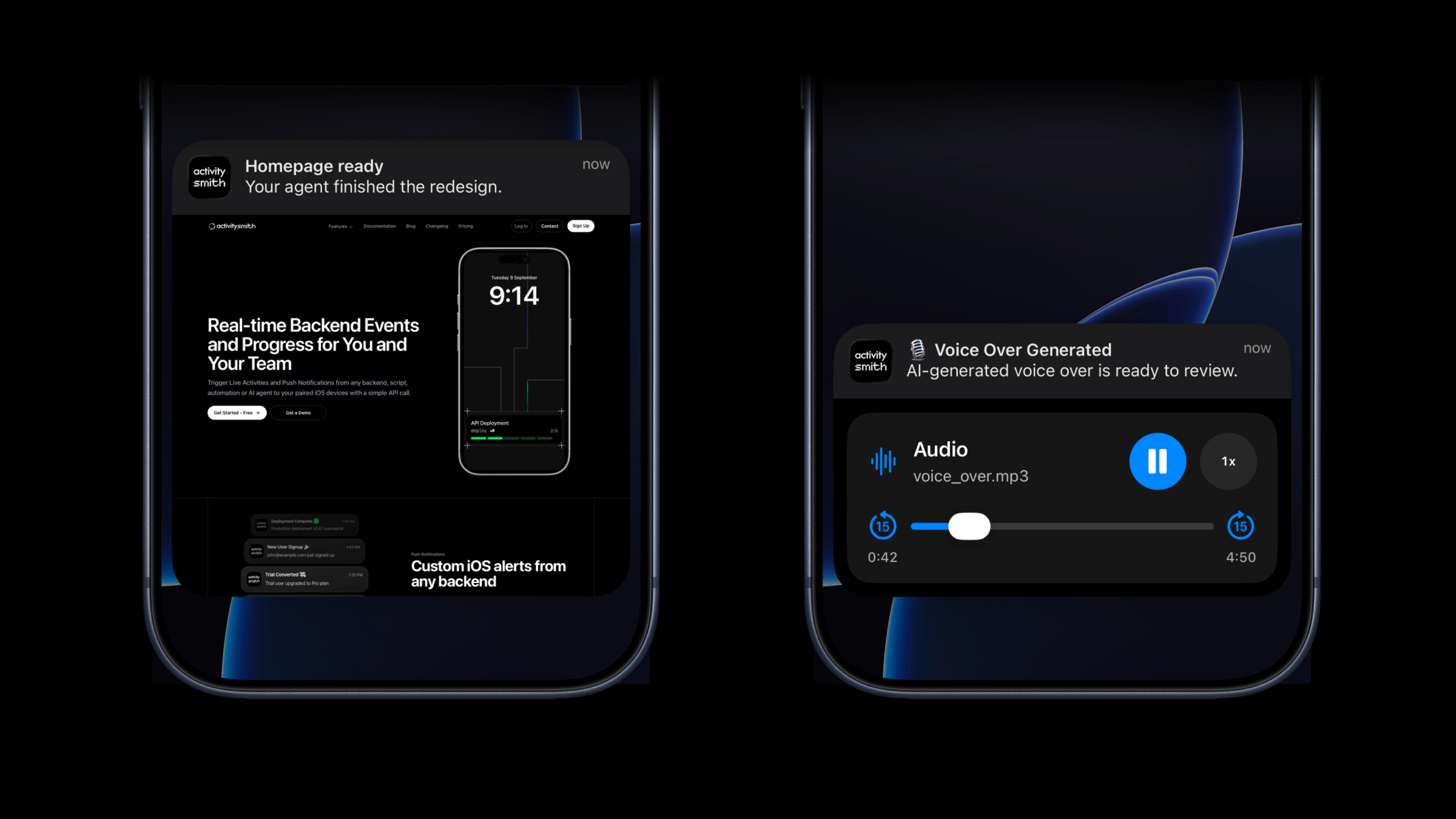
Mar 16, 2026
Rich Push Notifications: Send Images, Video, and Audio
Push Notifications now support optional media.
Attach an image, video, or audio file to the notification itself so you can press and hold to preview media directly from the notification, then tap through to open the linked content.
This is a good fit for agent outputs, QA review flows, design previews, generated voice overs, and any backend workflow where the notification should carry the actual result, not just a line of text.
What’s new
- New optional
mediafield for push notifications. - Send direct image, video, or audio URLs in the payload.
- Press and hold to preview the media directly from the notification.
mediacan be combined withredirection.- If
redirectionis omitted, tapping the notification opens the media URL.
What will work
- direct image URL:
.jpg,.png,.gif, etc. - direct audio file URL:
.mp3,.m4a, etc. - direct video file URL:
.mp4,.mov, etc. - URL that responds with a proper media
Content-Type, even if the path has no extension
Example payload
{ "title": "Homepage ready", "message": "Your agent finished the redesign.", "media": "https://cdn.example.com/output/homepage-v2.png", "redirection": "https://github.com/acme/web/pull/482"}Availability
Available now across the API, SDKs, CLI, and GitHub Action.
This feature is available in the ActivitySmith iOS app version 1.3.0 and newer.
Ready to bring ActivitySmith into your workflow?
Start your 7-day free trial. No credit card required.
