ActivitySmith Quickstart Guide
Finish setup in ActivitySmith and send your first Push Notification or Live Activity from Playground or your own code.
Finish setup first
ActivitySmith onboarding walks you through the required pieces: an authenticated account, a paired iOS device, an API key, and a first test event. Pick up where you started.
Starting on iPhone
Create an account or log in in the iOS app. ActivitySmith pairs this device, then gives you a desktop link so you can create an API key and send your first Push Notification from the web app.
Continue setup in the web appStarting on web
Create an account or log in in the web app. Onboarding shows a QR code to install or open the iOS app, waits for the device to pair, then guides you through the API key and first notification.
Continue setupSend your first event
Use Playground first if you want the fastest visual confirmation. Then use an ActivitySmith SDK or cURL to send the same event from your backend.
Store your API key as ACTIVITYSMITH_API_KEY, then copy the example for your stack into a backend service, script, CI pipeline, cron job, or automation.
API examples
Use the official SDKs for Node, Python, PHP, Ruby, Go, and CLI, or use cURL for a direct API request.
Push Notification
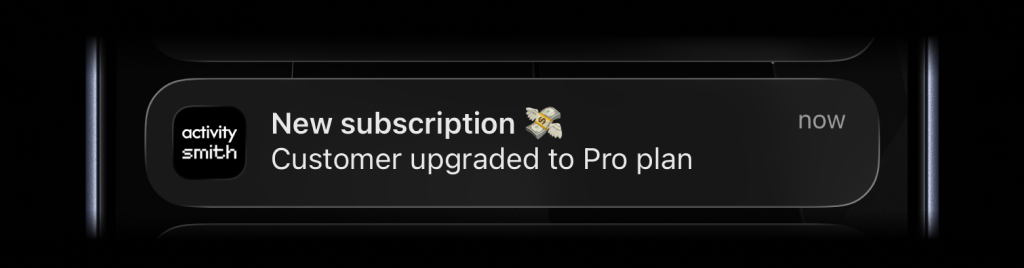
import ActivitySmith from "activitysmith";const activitysmith = new ActivitySmith({ apiKey: process.env.ACTIVITYSMITH_API_KEY!,});await activitysmith.notifications.send({ title: "Cha-ching! 💸", message: "Trial user upgraded to Pro plan",});Live Activity
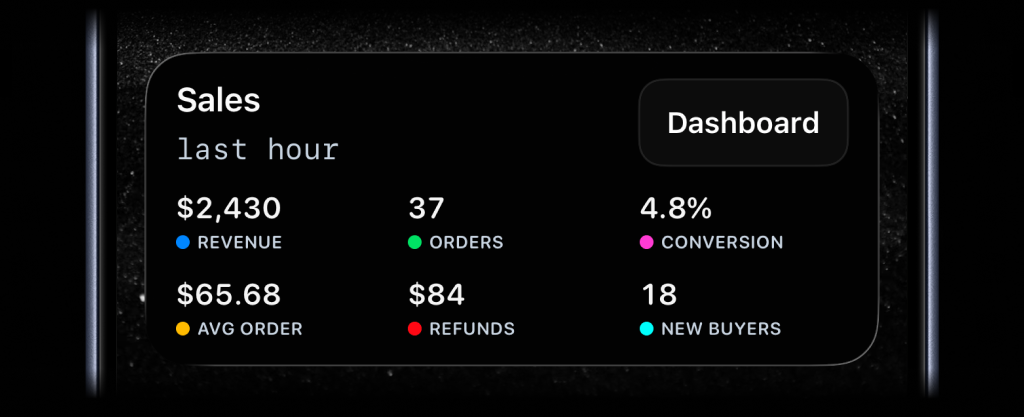
import ActivitySmith from "activitysmith";const activitysmith = new ActivitySmith({ apiKey: process.env.ACTIVITYSMITH_API_KEY!,});await activitysmith.liveActivities.stream("sales-hourly", { content_state: { title: "Sales", subtitle: "last hour", type: "stats", metrics: [ { label: "Revenue", value: "$2430", color: "blue" }, { label: "Orders", value: "37", color: "green" }, { label: "Conversion", value: "4.8%", color: "magenta" }, { label: "Avg Order", value: "$65.68", color: "yellow" }, ], },});Troubleshooting
I signed up in the iOS app. Where do I create an API key?
API keys are created in the web app only. Use the Finish Setup on Desktop link from the iOS app, or open ActivitySmith setup with the same account.
I signed up on web. Why is my device not receiving anything?
ActivitySmith delivers events to paired iOS devices. Continue setup, scan the QR code, install or open the iOS app, and log in with the same account. Pairing happens automatically during onboarding.
Do I still need to open Devices to pair?
No. New onboarding pairs the device during setup. Use Devices later only to manage paired devices.
Should I start with Playground or API code?
Use Playground first if you want the fastest visual confirmation. Use API if you already know which backend workflow should send the events.
Explore use cases
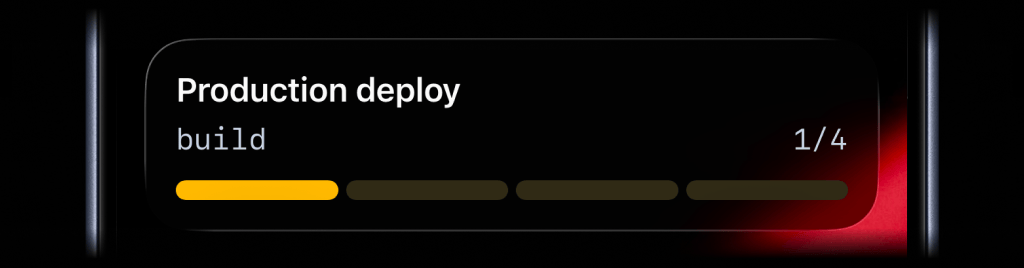
GitHub Actions deployment progress
Show build, test, and rollout stages as a Live Activity, then send a Push Notification when production succeeds or fails.
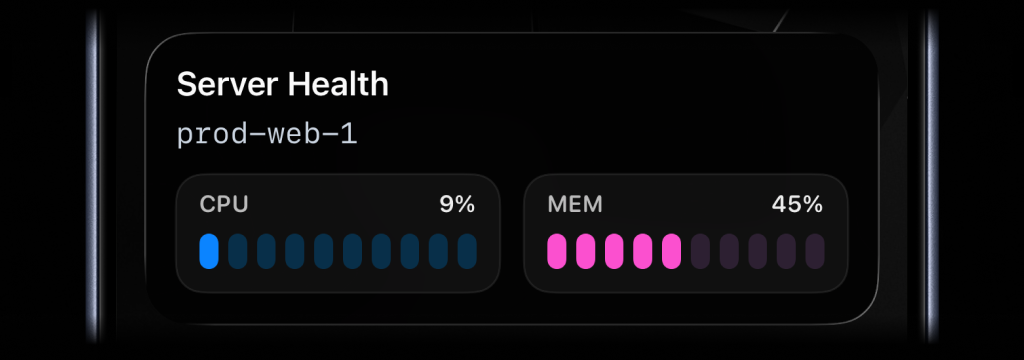
System health metrics on your Lock Screen
Keep CPU and memory visible on your Lock Screen with a cron job that updates the same Metrics Live Activity every minute.
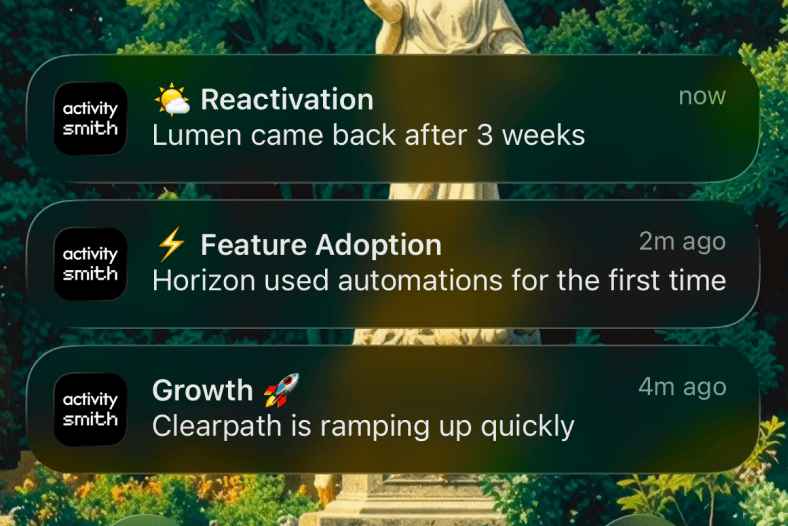
Customer lifecycle signals
Send customer expansion, adoption, reactivation, onboarding, and churn-risk signals to paired iPhone and iPad devices.
Revenue and signup metrics
Keep revenue, signups, upgrades, and conversion milestones visible on paired iPhone and iPad devices.
