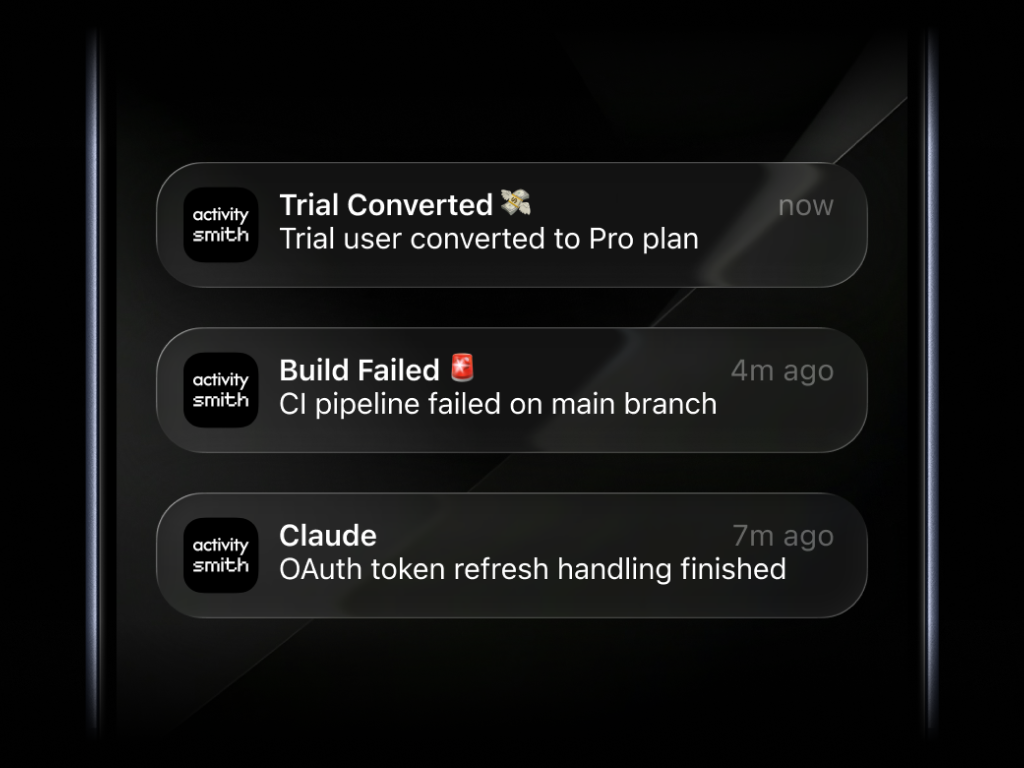
Push Notifications for any backend event
Get a Push Notification when a customer subscribes, an AI agent finishes a task, or a deployment fails.
Send Push Notifications to your iPhone with one API call
Send one request from your API, CI pipeline, worker, script, automation, or AI agent workflow and deliver the update to every paired iOS device in the account.
curl -X POST https://activitysmith.com/api/push-notification \ -H "Authorization: Bearer $YOUR_API_KEY" \ -H "Content-Type: application/json" \ -d '{ "title": "Build Failed 🚨", "message": "CI pipeline failed on main branch" }'Preview images, video, and audio in your Push Notifications
Attach an image, video, or audio file to a push notification so you can press and hold to preview media directly from the notification, then tap through to open the linked content. See the rich push notifications changelog for the release details.
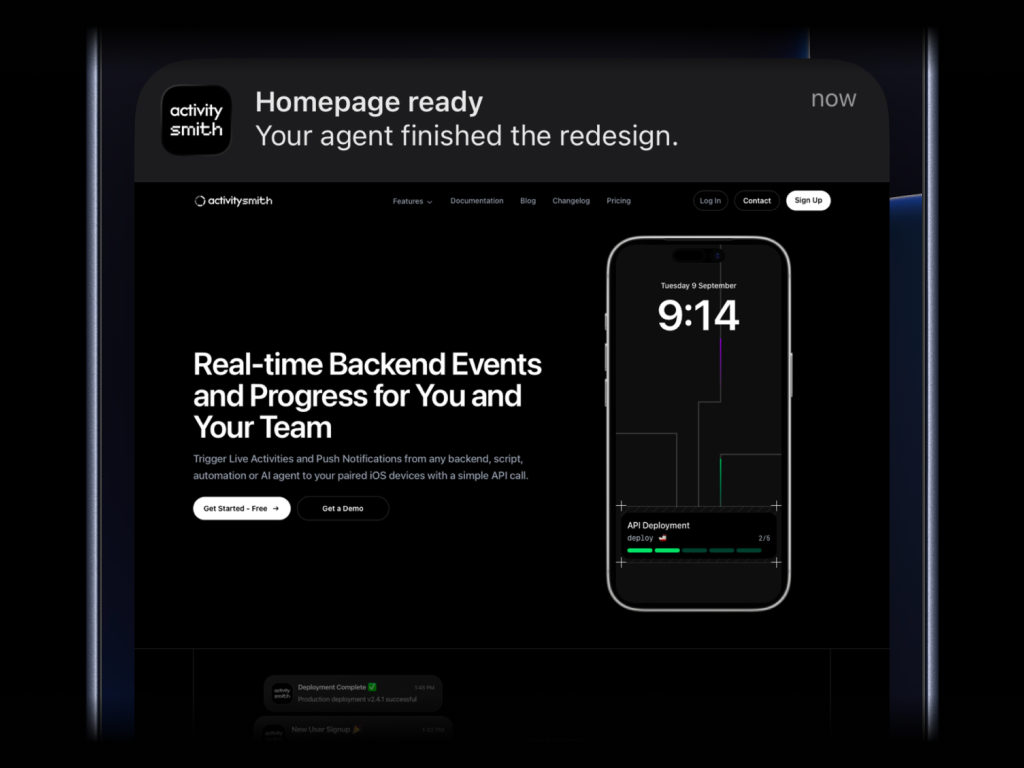
Rich push notifications with media
Use a single optional media field to attach a screenshot, video, or audio file to the notification itself. Add redirection when you want tap behavior to open a specific URL instead of the raw media file.
{ "title": "Homepage ready", "message": "Your agent finished the redesign.", "media": "https://cdn.example.com/output/homepage-v2.png", "redirection": "https://github.com/acme/web/pull/482"}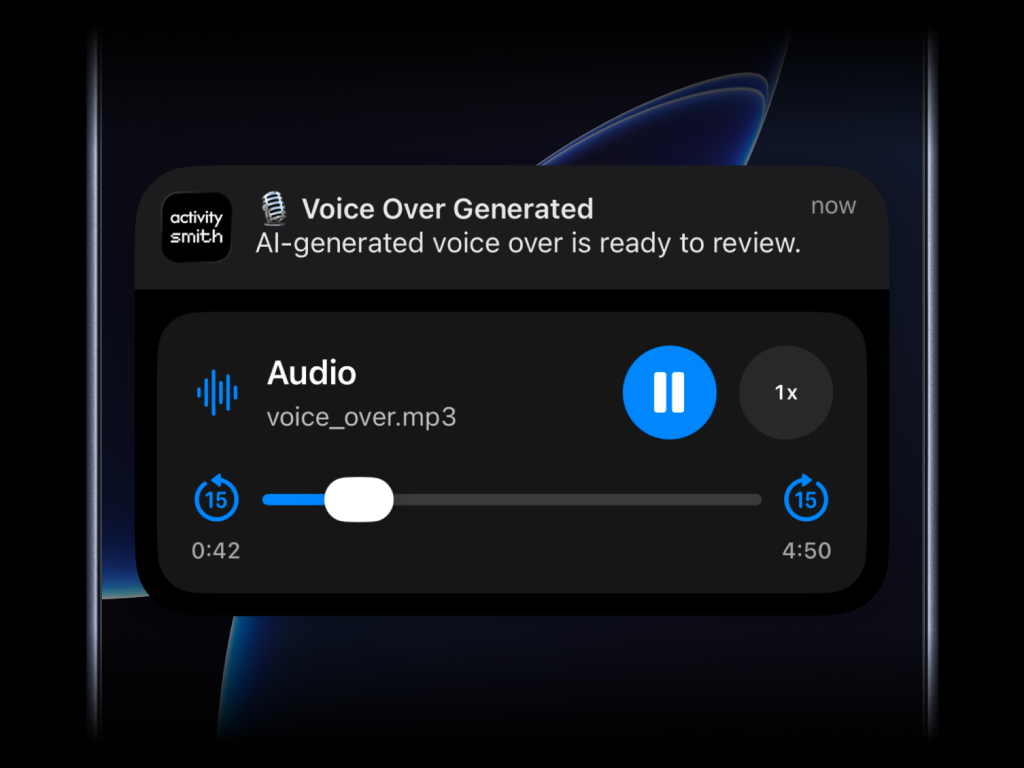
Supported media
- direct image URL:
.jpg,.png,.gif, etc. - direct audio file URL:
.mp3,.m4a, etc. - direct video file URL:
.mp4,.mov, etc. - URL that responds with a proper media
Content-Type, even if the path has no extension
media can be combined with redirection, but not with actions.
Open links and run workflows from a Push Notification
Add optional redirection and Actions when you want a push notification tap or long-press button to open a URL, run an Apple Shortcut, or trigger a backend workflow.
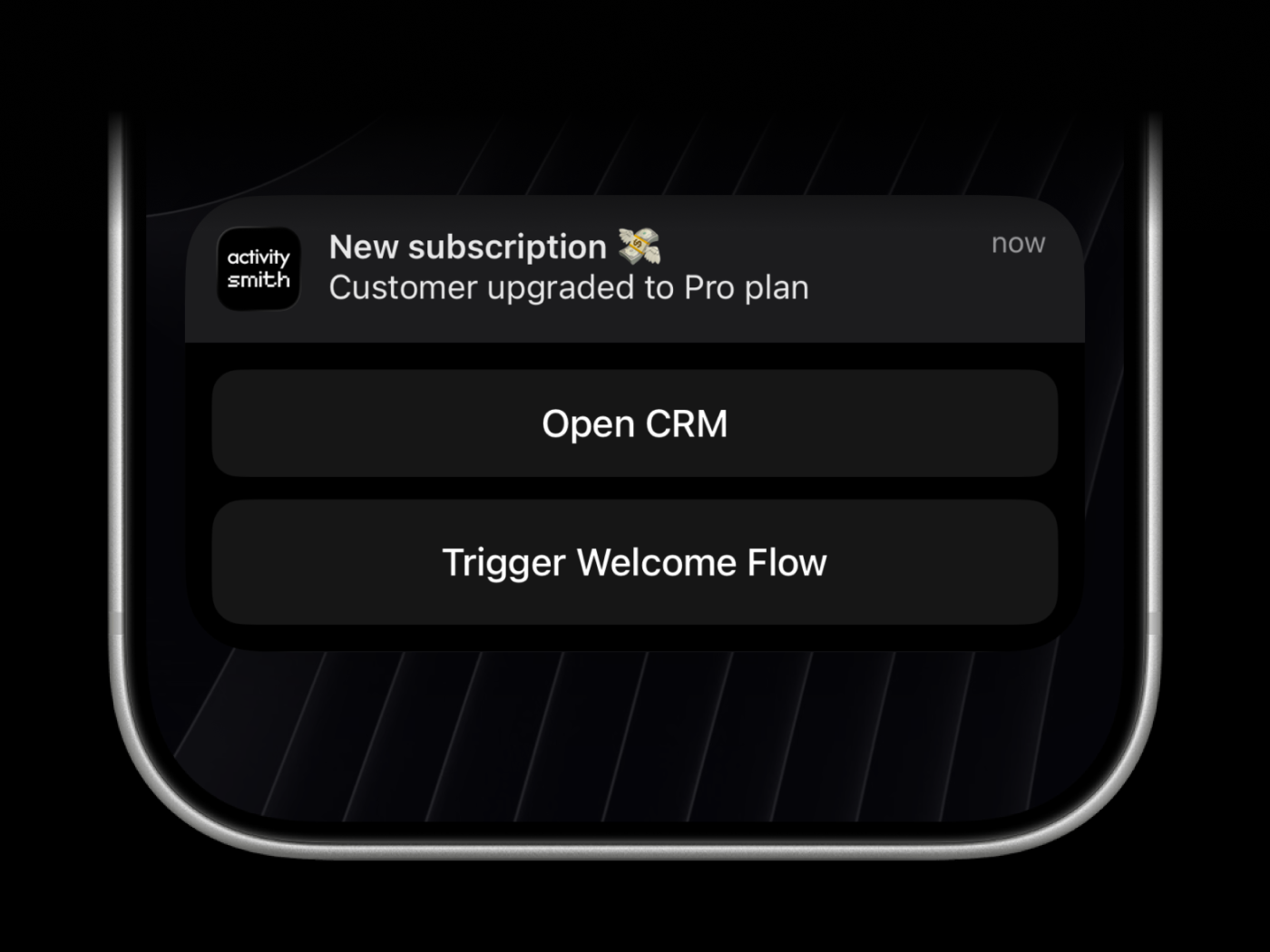
Action behavior
Redirection: open an HTTP or HTTPS URL or run an Apple Shortcut when the user taps the push notification.
Apple Shortcuts can open apps on your iPhone or iPad, so a notification can jump into a local app or automation that is not reachable through a normal browser URL.
Actions: show up to 4 action buttons on long-press.
Action types
- -
open_url: open an HTTP or HTTPS URL or run an Apple Shortcut with ashortcuts://URL. - -
webhook: trigger a backend GET/POST request.
ActivitySmith executes webhook actions server-side for security, giving your team fast push notification actions with backend-grade control and reliability.
Example payload
{ "title": "🤖 Jarvis", "message": "Task finished", "redirection": "shortcuts://run-shortcut?name=Jarvis", "actions": [ { "title": "Open run", "type": "open_url", "url": "https://github.com/acme/web/actions/runs/1234567890" }, { "title": "Chat with Jarvis", "type": "open_url", "url": "shortcuts://run-shortcut?name=Jarvis" }, { "title": "Retry job", "type": "webhook", "url": "https://hooks.example.com/jobs/retry", "method": "POST", "body": { "runId": "1234567890" } } ]}Pick the icon that shows on your lock screen
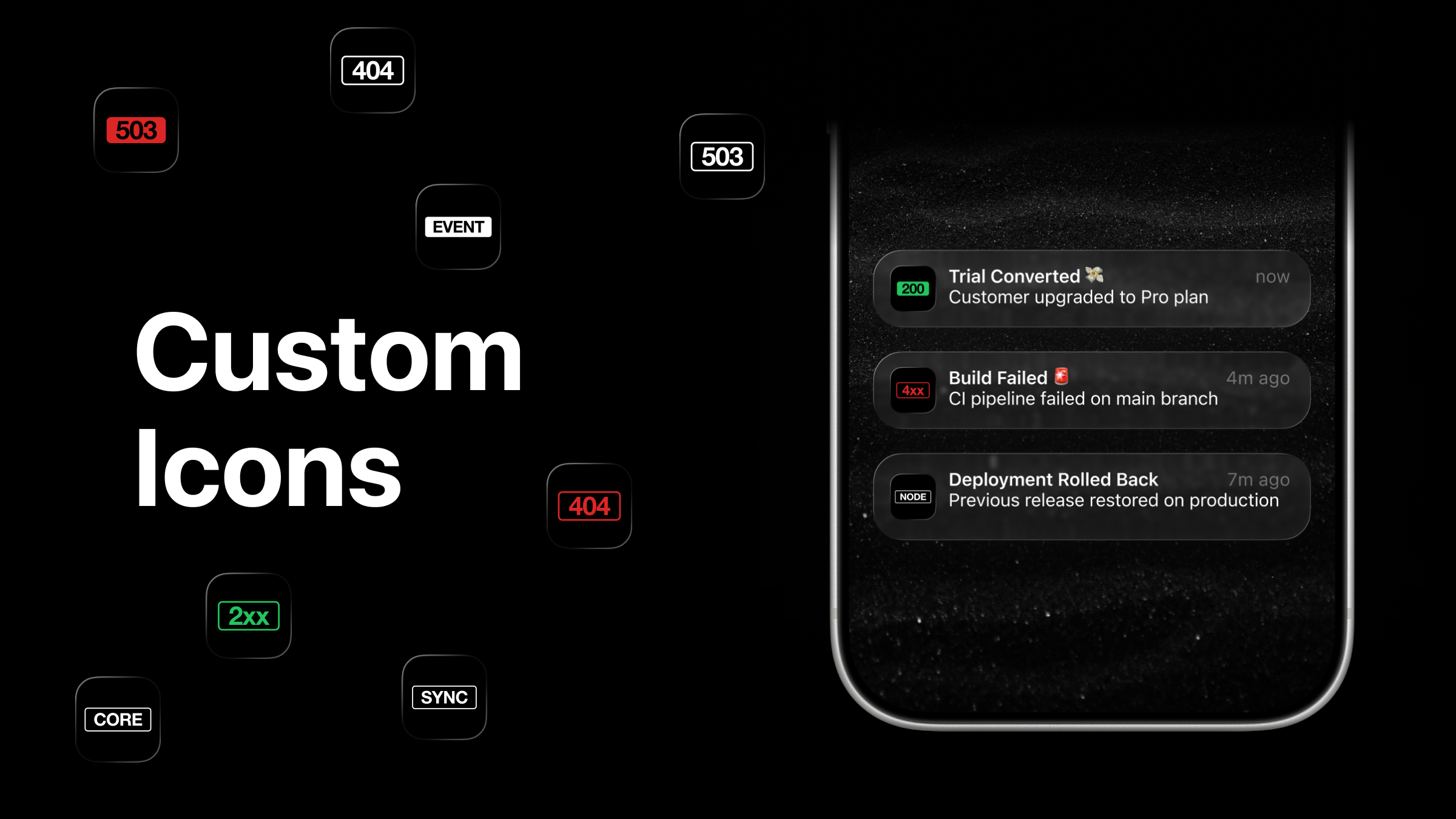
Every push notification lands on your lock screen with the ActivitySmith app icon next to it. Pick from 36 custom icons - HTTP status code badges like 200, 404, 503, and labels like CORE, FEED, SYNC, LINK - and the one you choose replaces the default on your home screen and on every incoming push notification. See the custom app icons changelog for the release details.
What you can notify on
Cover engineering, product, revenue, security, and automation events from one notification channel. Use channels when you want to target those push notifications to the right team members and devices.
Infrastructure health
Notify on downtime, elevated error rates, latency spikes, and service degradation before issues cascade.
Delivery workflows
Track CI/CD outcomes, release milestones, rollout pauses, and failed deploy steps that require attention.
Business events
Get immediate signal for signups, purchases, upgrades, payment failures, and other key revenue moments.
Security signals
Alert on suspicious auth activity, policy violations, and critical security events that need triage.
Data pipelines
Stay informed on imports, exports, ETL runs, backfills, and job failures across your data workflows.
Agent run outcomes
Receive updates when AI agent tasks start, fail, complete, or hand off to a human reviewer.
Customer lifecycle
Capture renewals, churn-risk flags, onboarding milestones, and support-critical customer changes.
Operations reminders
Notify teams about maintenance windows, deadline-sensitive tasks, and recurring operational checkpoints.
Team coordination
Broadcast shared operational updates so every paired device sees the same event stream in real time.
Integrate in minutes
Pick your stack and start sending push notifications in a few lines of code.
Frequently asked questions
Can I send iOS push notifications from a backend, script, or cron job?
Yes. ActivitySmith is built for backend-triggered delivery, so you can send push notifications from APIs, workers, cron jobs, CI pipelines, scripts, automations, and AI agent workflows.
Can a push notification include images, audio, or video?
Yes. Use the optional media field to attach supported image, audio, or video URLs so the notification can show a rich preview when someone presses and holds it on iPhone or iPad.
What is the difference between redirection and actions?
redirection controls what opens when someone taps the push notification. actions adds long-press buttons so people can open a URL, run an Apple Shortcut, or trigger a backend webhook workflow.
Can push notifications trigger backend workflows?
Yes. Action buttons can call webhook endpoints, which makes push notifications useful for fast operational actions such as opening a dashboard, acknowledging an event, or triggering a follow-up workflow.
Do I need to build my own iOS app to send push notifications?
No. ActivitySmith provides the iOS app and delivery plumbing. Your backend sends the event payload, and ActivitySmith delivers it to paired iPhone and iPad devices.
Can I change the icon that shows on the push notification?
Yes. Pick from 36 custom app icons in Settings → App Icon inside the ActivitySmith iOS app, and the one you choose replaces the default on your home screen and on the lock screen of every incoming push notification. If iOS still renders the default icon after you switch, restart the device and open the app once so the push token refreshes.
Ready to make your backend visible in real time?
Keep your team aligned with immediate event delivery across incidents, business signals, and automation outcomes. Pair them with Live Activities when you need a persistent lock-screen view for longer-running work.
