Route updates to the right users and devices

Use channels to target Push Notifications and Live Activities to the people who should see them, then use scoped API keys to keep each workflow in the right delivery lane.

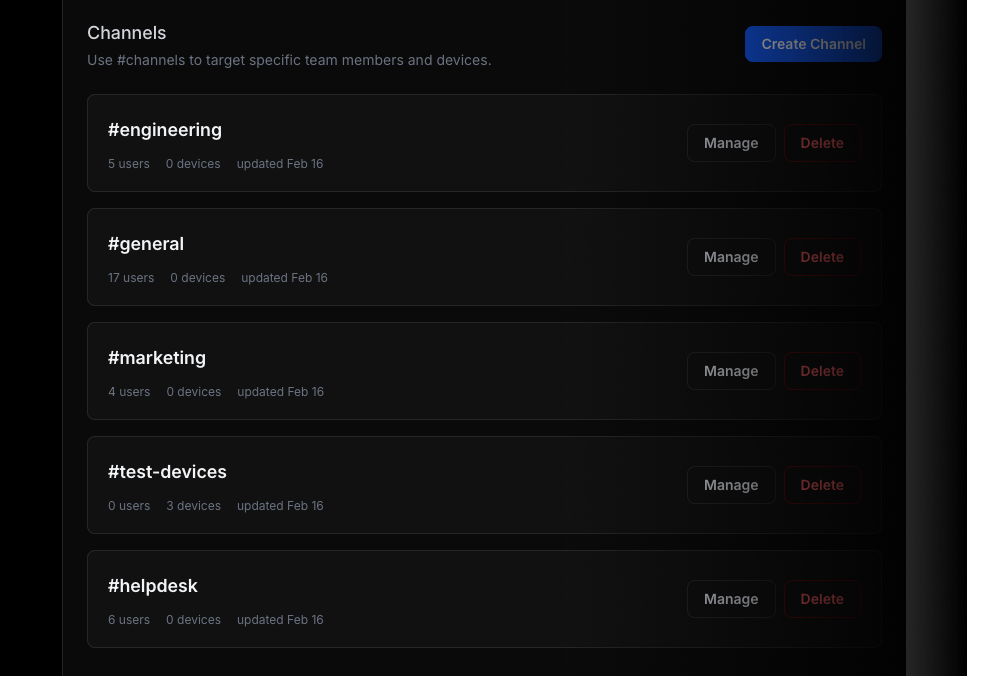
ActivitySmith channels feature

Add a channels array to route the update

Channels give you a simple targeting model across backend services, scripts, CI pipelines, automations, and agent workflows. Send the update once, but decide which audience should receive it.

{
"title": "Production deploy paused",
"message": "Waiting for approval before rollout resumes",
"channels": ["release", "on-call"]
}

If channels are omitted, delivery behavior stays unchanged.

View channels docs

Use one routing model across the workflows you already run

Channels are useful when different parts of the team need different signal, even if the underlying events come from the same product or infrastructure.

Deploy and release updates

Route deploy progress to release owners and on-call teammates without notifying every paired device.

#release#on-call

Business event workflows

Send upgrades or failed payments to the people who handle revenue, support, or founder visibility.

#revenue#support

Agent review handoffs

Push generated assets, QA results, or approvals to the exact team responsible for the next step.

#design#qa

Scoped API keys reduce delivery mistakes

Channels are more useful when the automation sending the event is also limited to the right audience. Scoped API keys help reduce accidental cross-team delivery without changing how your workflows call ActivitySmith.

Release automation

Scope one key to release-focused channels so deploy workflows cannot send updates into unrelated audiences.

Revenue webhooks

Limit a billing workflow key to revenue and support channels when payment events should not reach engineering by default.

Specialized agent runs

Give each automation or agent its own bounded delivery path instead of one broad key shared across every workflow.

Channels work best with paired team devices

Channels decide who should receive an update. Team members make sure each person can pair their own device and actually receive it. Use both when you need precise delivery instead of all-or-nothing team-wide alerts.

Good fit for

  • release workflows where only release owners and on-call should see each stage
  • business event routing where revenue and support need different signal than engineering
  • agent or automation workflows that should publish only into a narrow operational audience

Target the right audience without extra delivery glue

Channels give your backend, CI, and automation workflows a clear routing layer for operational Push Notifications and Live Activities on iPhone and iPad.