← Back to changelog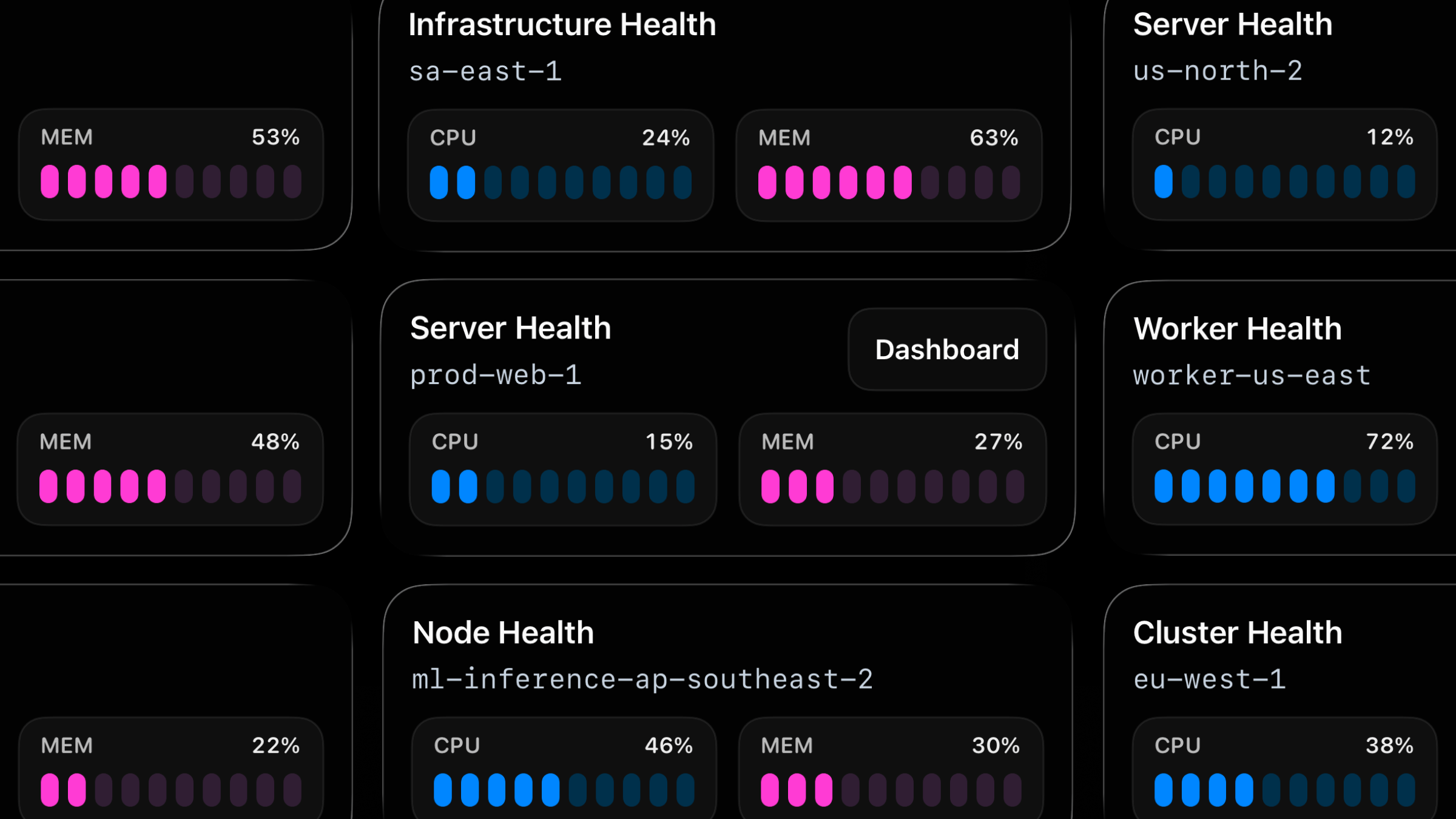
Mar 25, 2026
New Metrics Live Activity for Backend Monitoring
Live Activities now support a third activity type: metrics.
Use metrics to track server health, queue pressure, replica lag, worker saturation, and similar backend state you want visible on your lock screen at a glance.
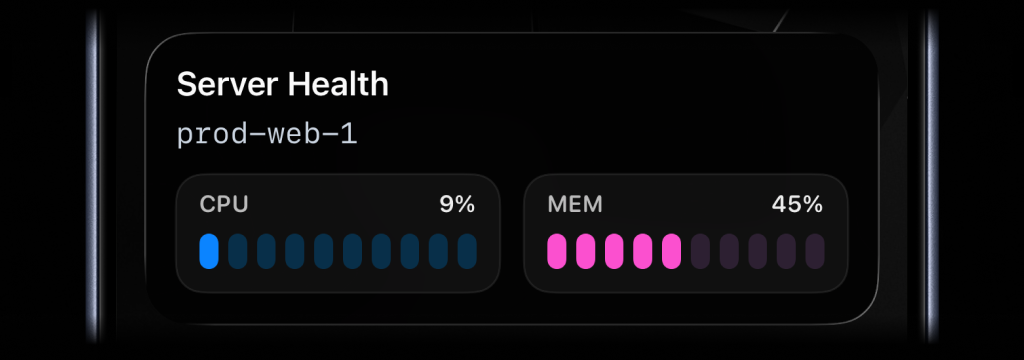
await activitysmith.liveActivities.stream("prod-web-1", { content_state: { title: "Server Health", subtitle: "prod-web-1", type: "metrics", metrics: [ { label: "CPU", value: 9, unit: "%" }, { label: "MEM", value: 45, unit: "%" }, ], },});Call the same PUT /live-activity/stream/{stream_key} endpoint again whenever the values change. ActivitySmith keeps the Live Activity in sync on the device for you.
When the signal is no longer relevant, call DELETE /live-activity/stream/{stream_key} to end the Live Activity.
Availability
Available now across the API, SDKs, CLI, and GitHub Action.
This feature is available in the ActivitySmith iOS app version 1.5.0 and newer.
Ready to bring ActivitySmith into your workflow?
Start your 7-day free trial. No credit card required.
