← Back to changelog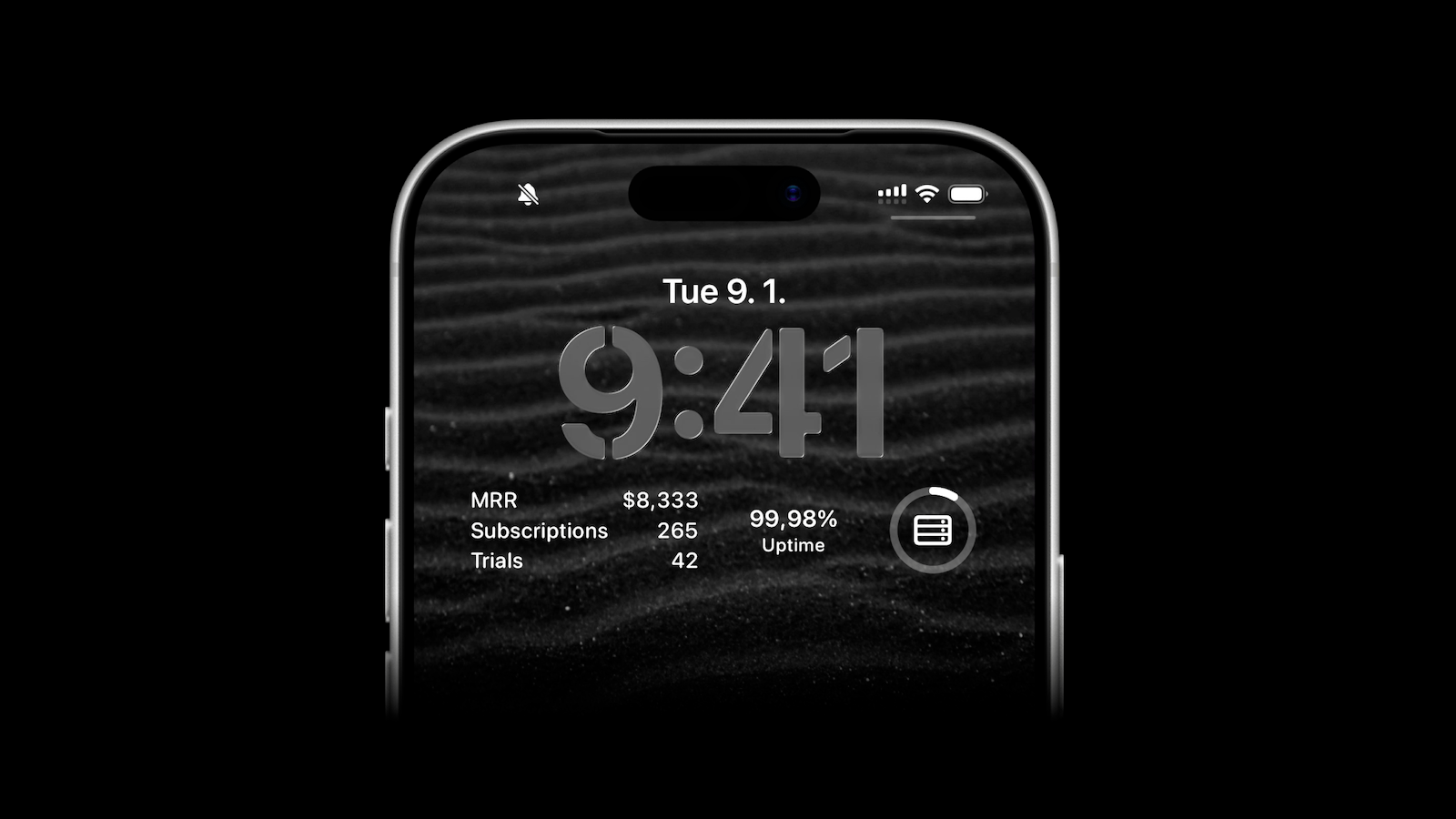
May 5, 2026
Lock Screen Widgets for Your Metrics
ActivitySmith lets you display any value on your Lock Screen with widgets - SaaS metrics, revenue, number of users, uptime, or anything else you want to track.
How it works
- Create a metric in the web app.
- Update the value using API anytime it changes.
- Add the widget to your iPhone Lock Screen.
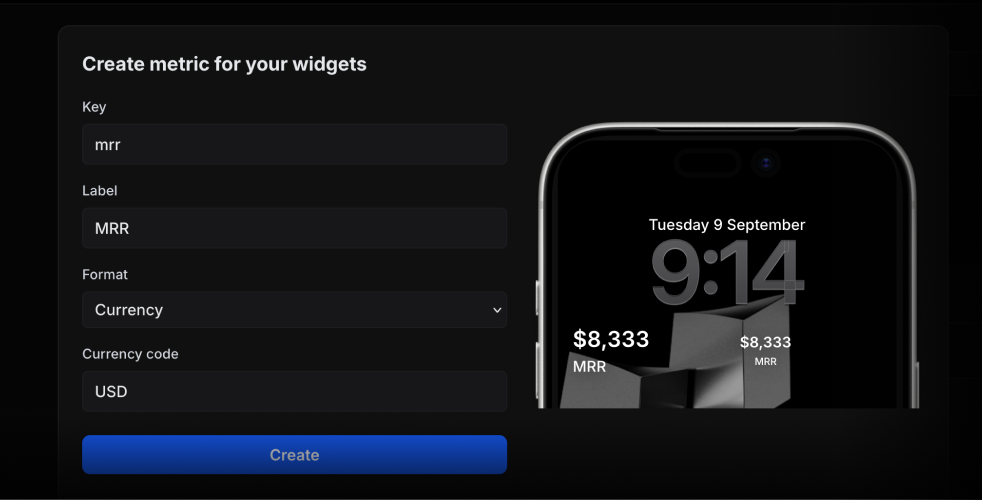
When creating a metric, you can choose the format: number, currency, percent, unit, or string.
Update a Metric Value from Your Backend
Call the update method with the metric key and the latest value:
await activitysmith.metrics.update("deploy.success_rate", 99.9);The widget fetches the latest value about every 15 minutes. iOS manages the refresh schedule.
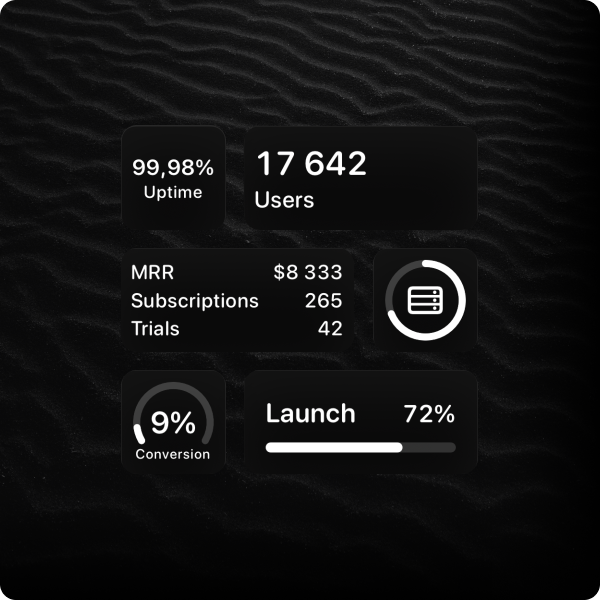
Widget Types
There are multiple widget types to choose from, depending on how you want the metric to appear on your Lock Screen.
Availability
Lock Screen widgets are available in the ActivitySmith iOS app version 1.7.0 and newer.
Ready to bring ActivitySmith into your workflow?
Start your 7-day free trial. No credit card required.
