n8n Integration for Push Notifications and Live Activities
You can now track n8n workflows on your Lock Screen. Show live progress for long-running executions with Live Activities and send a Push Notification to your devices when something important happens.
How it works
Search for ActivitySmith in n8n, add the official ActivitySmith node to your workflow, and connect your ActivitySmith API key.
Before testing the node, pair your iPhone or iPad with ActivitySmith. Push Notifications and Live Activities need a paired iOS device so ActivitySmith has somewhere to send the update.
From there, choose what the node should do:
- Send a Push Notification.
- Start a Live Activity.
- Update an existing Live Activity.
- End a Live Activity.
Each action can use values from earlier n8n nodes. Map the workflow name, activity_id, status, result URL, or any other field you already have in the execution.
Live Activities for workflow progress
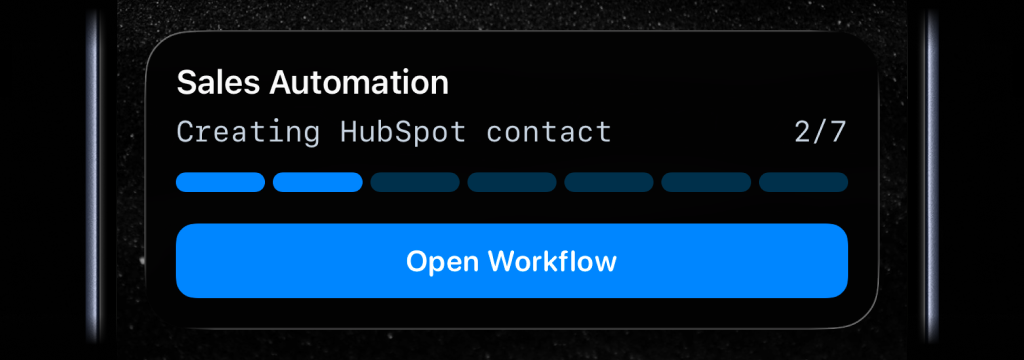
For long-running workflows, start a live activity near the beginning of the run. Update it as each stage completes, then end it when the workflow succeeds or fails.
A Live Activity can show the current step, progress, and status on the Lock Screen. It can also include an action button, so tapping the activity can open the n8n workflow URL or any other link you provide.
Push Notifications for workflow events
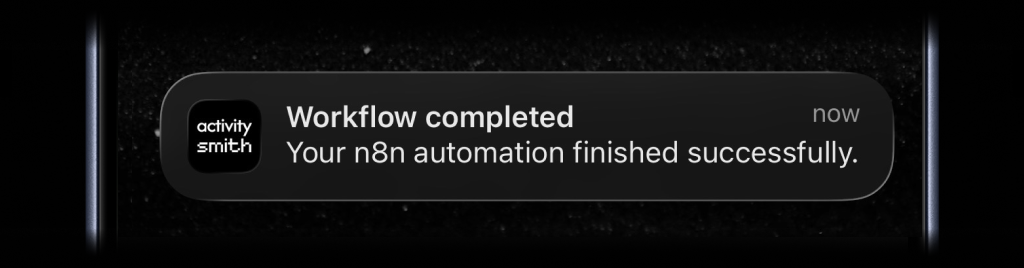
Use a push notification when the workflow reaches a point you should know about immediately.
Good examples:
- A workflow execution succeeds.
- A workflow execution fails.
- A specific branch or environment finishes.
- A scheduled workflow completes.
- A step needs manual approval.
- A generated report or file is ready.
Ready to bring ActivitySmith into your workflow?
Start your 7-day free trial. No credit card required.
