01
Create a Sentry webhook
Open ActivitySmith Webhooks, choose Sentry, and apply New issue alerts. Keep delivery account-wide for your first test, save the webhook, and copy its URL.

Get new issues, regressions, and assignments on your Lock Screen with the project name and a link back to Sentry. Connect a Sentry Internal Integration to ActivitySmith, choose the events you need, and receive them on your paired iPhone or iPad. Send events as Push Notifications for fast, actionable alerts.
Start with new issues, then add other events when you need them. ActivitySmith filters incoming Sentry webhooks by event type.
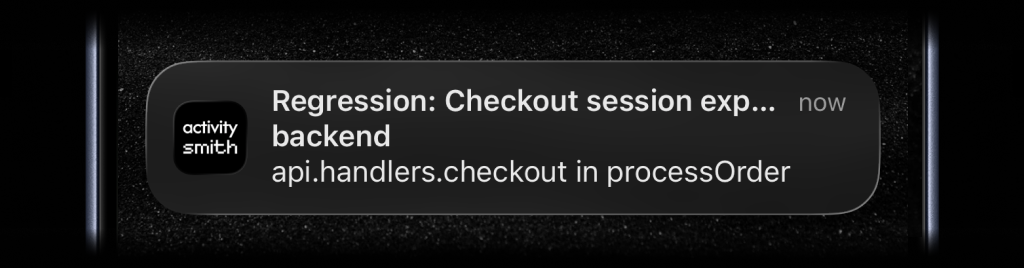
Pair your iPhone or iPad and allow notifications first. The New issue alerts preset supplies the issue title, project, culprit, and link, so you can start without writing code.
01
Open ActivitySmith Webhooks, choose Sentry, and apply New issue alerts. Keep delivery account-wide for your first test, save the webhook, and copy its URL.
02
In Sentry, create an Internal Integration with the ActivitySmith webhook URL and an Issues subscription. Copy its Client Secret into the ActivitySmith webhook's Sentry Client Secret field and save.
03
Use Test webhook to check the notification mapping and device delivery. Then generate a distinct test issue in Sentry to check the real connection, and confirm the notification opens that issue.
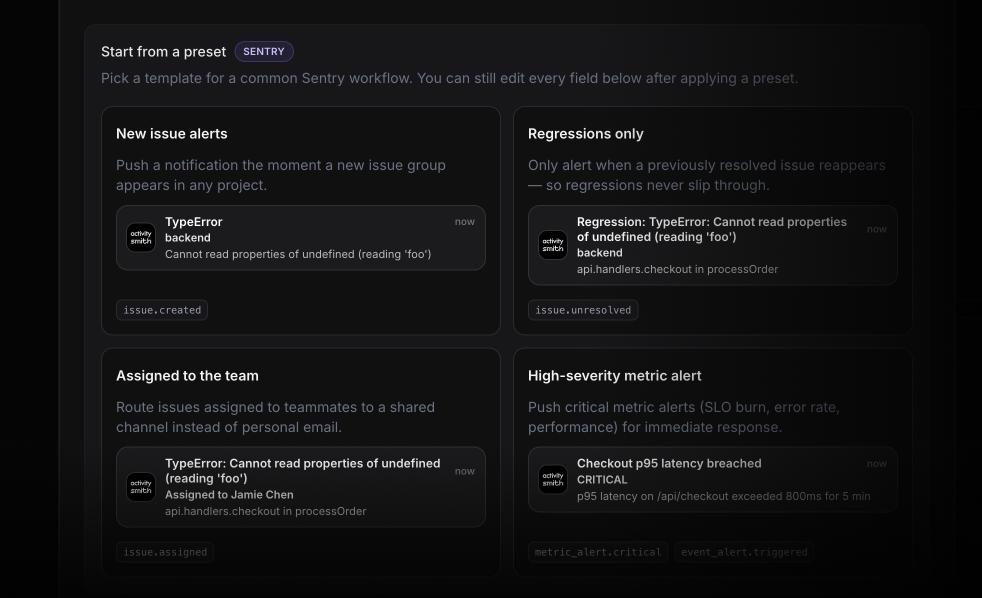
Keep your existing Sentry workflow and add iOS Push Notifications for the events you want to see away from your desk.
Receive a Push Notification when a new issue group is created. The preset includes the issue title, project, and culprit, plus a link to investigate in Sentry.
The Regressions only preset listens for issue.unresolved events. Use it to follow issues that return to an unresolved state, including other unresolved state changes.
Receive issue.assigned events on your account's paired devices. For selected recipients, configure an optional Channel; the Sentry assignee does not automatically determine who receives the notification.
Receive triggered issue alerts or metric alert state changes. Configure the alert action in Sentry and map fields from that event's payload. Issue subscriptions and alert rules are separate sources of events.
Start your 7-day free trial. No credit card required.
