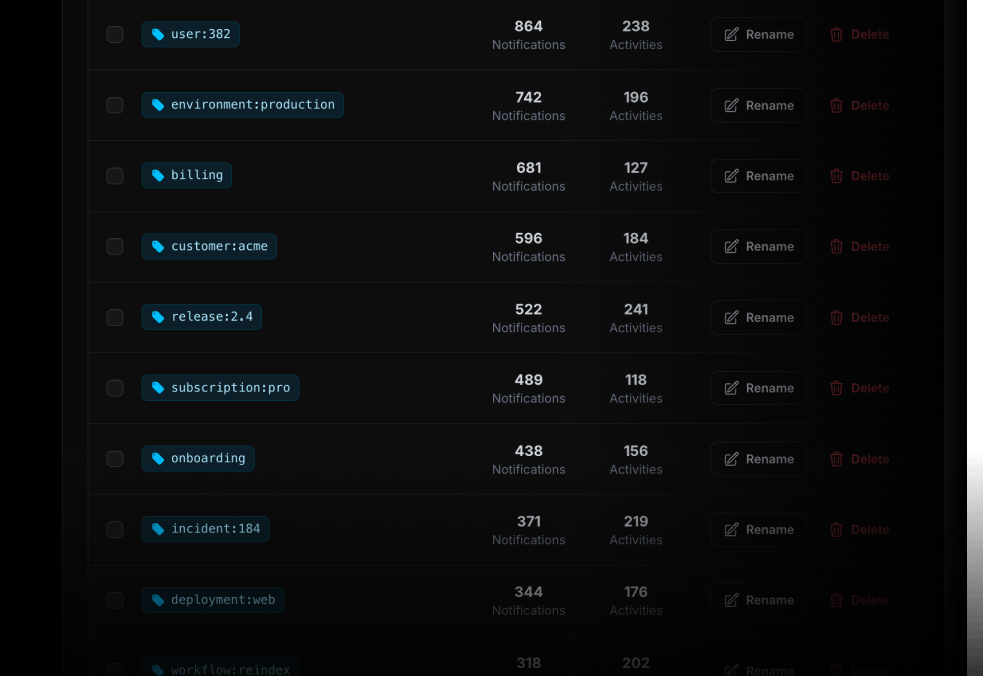
Tags
Use tags to organize and filter Push Notification and Live Activity history.
Create tags as you need them
Tags are optional and created automatically when you first use them. A tag can represent a person, customer, environment, release, workflow, incident, or any other category that helps you find related updates later.
{ "title": "New subscription 💸", "message": "Customer upgraded to Pro plan", "tags": ["user:382", "billing"]}Customer history
Attach the same customer or user tag to billing events, lifecycle updates, support handoffs, and long-running work.
user:382customer:acme
Releases and environments
Group deploy progress, rollout outcomes, and production incidents around the release or environment they belong to.
release:2.4environment:production
Workflows and operations
Keep every update for a migration, data job, incident, or automation easy to find after the work is complete.
workflow:reindexincident:184
Keep important updates within reach
Use ActivitySmith to follow deployments, incidents, automations, business events, and long-running tasks from your iOS devices.
