01
Pair an iOS device
Connect your iPhone or iPad to ActivitySmith before testing. Push Notifications and Live Activities need a paired device so ActivitySmith has somewhere to send the update.
Use the official ActivitySmith node in n8n to route workflow milestones, results, and action links from your automations to your team's paired iOS devices. Send events as Push Notifications for fast alerts, or keep long-running work visible with Live Activities.
Use values from earlier n8n nodes to keep each iOS update specific, tied to the current execution, and useful when someone is away from the editor.
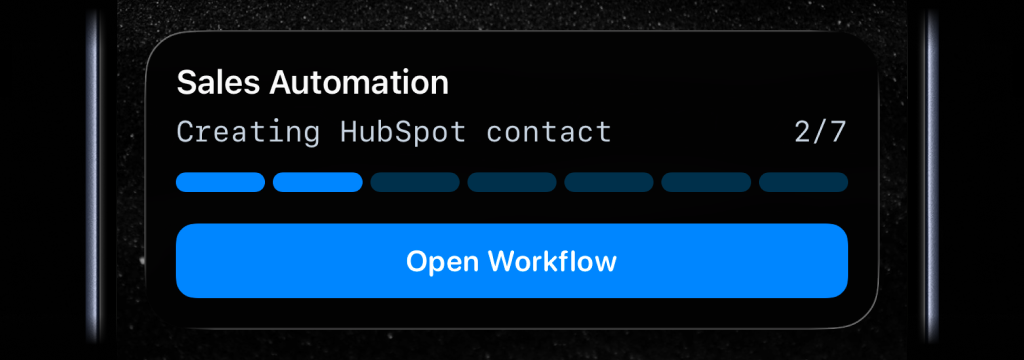
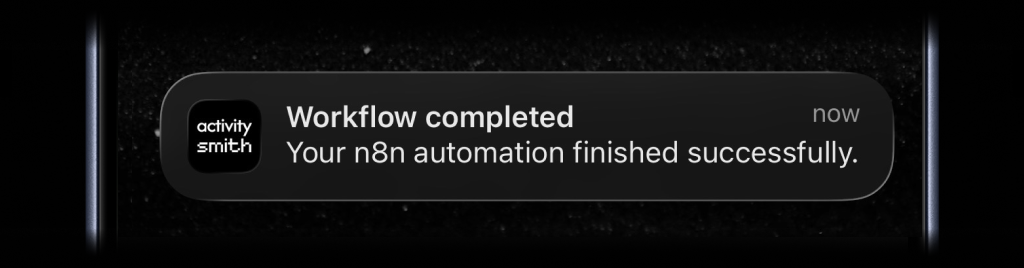
Pair your iPhone or iPad first, add the official ActivitySmith node in n8n, then choose which workflow events should appear on your device.
01
Connect your iPhone or iPad to ActivitySmith before testing. Push Notifications and Live Activities need a paired device so ActivitySmith has somewhere to send the update.
02
Search for ActivitySmith in n8n, add the official node to your workflow, and connect it with your ActivitySmith API key.
03
Send a Push Notification, start a Live Activity, update progress, or end the Live Activity with values from earlier n8n nodes.
The n8n editor and execution log are useful when you are at your desk. ActivitySmith makes long-running automation visible on iOS while it runs, then sends the result when it matters.
Start a Live Activity near the beginning of a long-running n8n workflow, update it after each useful milestone, and end it when the workflow succeeds or fails.
Send a Push Notification when the workflow finishes, fails, needs approval, or produces a report someone should review.
Link the notification action to the generated output, dashboard, or n8n execution so follow-up starts from the exact result.
Route automation updates to the channel that owns the workflow so founders, operators, or engineers see the same high-signal update.
Start your 7-day free trial. No credit card required.
